How to Sell on Facebook Marketplace: The Complete Guide


Facebook Marketplace is one of the easiest places to sell something you no longer need, and one of the hardest places to sell consistently. Anyone can post a listing in two minutes. Far fewer people understand why some listings sell the same afternoon while others sit for weeks, get held for review or quietly stop appearing in search. This guide walks through the whole selling process in the order it actually happens: getting your account ready, checking the item is allowed, writing a listing that passes the checks, choosing how the buyer receives it, handling messages, getting paid safely and wrapping up the sale.
Each step links to a shorter, more detailed guide if you want to go deeper on one problem. If you only read one section, read the first: most selling problems on Marketplace start with the account, not the listing.
Is Facebook Marketplace the right place to sell?
Marketplace works best for physical items that people search for close to home: furniture, electronics, tools, clothing, bikes and vehicles. Buyers are local, they can see your profile, and most deals end with a short pickup rather than a parcel. It is free to list, there is no shop to build, and a good listing can reach thousands of nearby people without any advertising.
It works less well for services, digital products, very low-value items that are not worth a trip, and items that need a long explanation before anyone will buy. It also depends heavily on your location: a sofa listed in a busy city gets far more interest than the same sofa in a small town, and shipping is only offered in some countries.
A simple test before you start: would someone nearby search for this item by name, and would they be willing to drive twenty minutes to collect it? If the answer is yes, Marketplace is a strong fit.
If you are comparing platforms before you start, this look at Facebook Marketplace vs Craigslist for sellers may help.
Step 1: Get your account ready to sell
Marketplace looks at the account before it looks at your listing. Facebook does not publish one fixed age limit, but very new, empty or recently inactive accounts are often held back from selling, which is why so many people search whether Marketplace needs an older account. If you have just opened your account and see a message that Marketplace is not available, the guide on Marketplace not being available on a new account explains what usually helps and what does not.
Sometimes the feature is there but simply hidden. The shortcut moves around between app versions, so check the menu before you assume access is gone; our guide to the Marketplace icon going missing covers the usual places it hides. On a phone, follow the steps to find Marketplace on an iPhone; on a laptop, the steps to find Marketplace on a computer are different. Once you are in, the basics of using Marketplace on an iPhone and using Marketplace on a computer show where your listings, messages and settings live on each device. If the page will not open at all, work through the fixes for Marketplace not loading before anything else.
If Marketplace was available and then disappeared, the cause is usually earlier listings or reports rather than a bug. Read what to do when Marketplace access is removed, and if Facebook offers a review option, follow the guide on how to request a review for Marketplace access carefully. A calm, accurate request has a much better chance than several rushed ones.
Whatever your situation, the profile itself matters. Buyers check who they are dealing with before they arrange a pickup. A clear photo of you, a filled-in intro and a city that matches your listings make more people willing to message you.
Step 2: Check the item is allowed
Every listing is checked automatically against Facebook’s Commerce Policies. Some things cannot be sold at all, including weapons, animals, alcohol, medicines and many health products, adult items and digital goods. Our list of what you can’t sell on Marketplace groups them in plain language.
The more common problem is an allowed item described in a way that looks like something else. A notice that a listing goes against Commerce Policies often comes from a single word, a misleading price or a link in the description. Fixing that one thing is usually enough; reposting the same listing unchanged is not.
Rules for selling on Facebook Marketplace
Marketplace listings must follow Meta’s Commerce Policies. There is no separate Marketplace-only rulebook. The policies cover any attempt to buy, sell or trade products, even for free. They apply across Facebook, Instagram, WhatsApp and Messenger, including Marketplace, Shops and the WhatsApp Business Catalog.
- Commerce content must not break the Community Standards.
- You cannot promote the sale of alcohol, adult products or human body parts or fluids.
- Certain subscriptions and digital products are also not allowed.
Breaking the rules can lead to rejected or removed listings. It can also lead to suspended or ended access to commerce features. A single removed listing does not by itself mean your account is disabled. Meta’s Marketplace Help Center covers selling locally, selling with delivery, ratings and scam-avoidance tips.
Step 3: Create a listing that passes and sells
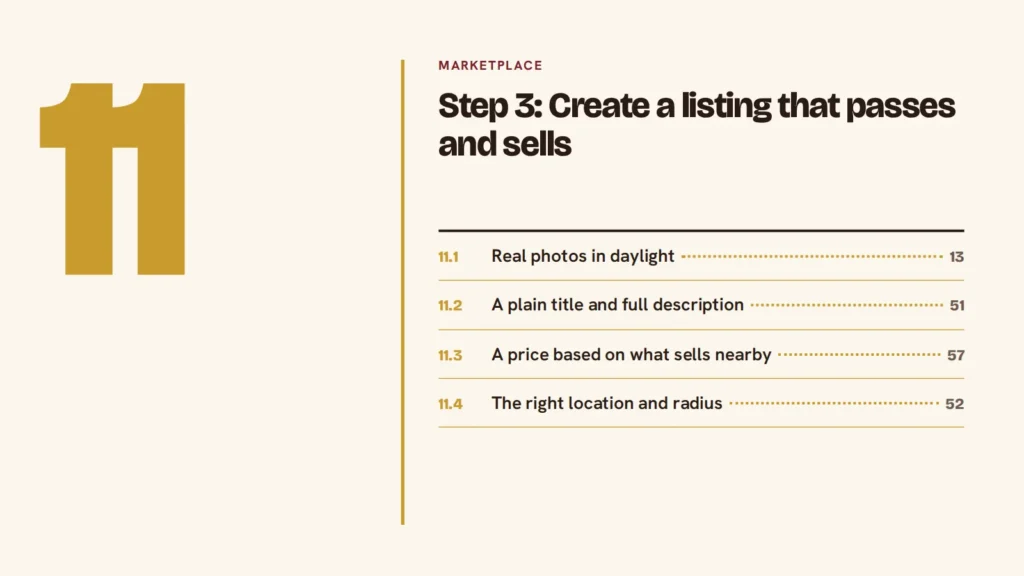
The listing form is short, but each field does work. On a phone, follow the steps to post on Marketplace from an iPhone; at a desk, the process to post on Marketplace from a computer gives you more room to write.
Photos
Photos decide whether anyone clicks. Use four to eight pictures of the actual item, in daylight, against a plain background, including any marks or damage. Our Marketplace photo tips show the angles that answer buyers’ first questions before they ask.
Title and description
Put what the item is first, then the detail people search for: brand, model, size or condition. The description should answer three questions straight away: what condition it is in, what is included, and how pickup or delivery works. The guide to writing a Marketplace description that sells has examples for different kinds of items.
Price
Search for the same item nearby, filter to items like yours, and price against what is actually selling rather than what is listed. The full method is in how to price items on Marketplace. Never use a placeholder price of one dollar to attract attention; it looks misleading to buyers and to the automatic checks.
Location and reach
Your listing is shown to people near the location on your account, so a wrong location means the wrong buyers. If your listings appear in the wrong town, start with Marketplace showing the wrong location. You can update it on your phone by following how to change your Marketplace location on an iPhone, or at a desk with the steps to change your Marketplace location on a computer. To see what sells within a realistic distance, learn how to change your Marketplace radius when you research prices.
If you have many things to sell at once, learn how to list multiple items on Facebook Marketplace.
Step 4: Decide how the buyer gets the item
Most Marketplace sales are local pickups paid in person. Where it is offered, shipping with checkout lets you sell to buyers further away and get paid through Facebook. Each option suits different items, as the comparison below and our guide to local pickup vs shipping explain.
| Option | Best for | Payment | Watch out for |
|---|---|---|---|
| Local pickup | Large, heavy or high-value items buyers want to inspect | In person, at the meetup | No-shows and unsafe meetup places |
| Local delivery | Furniture and bulky items when you have transport | Agreed with the buyer before delivery | Payment agreed in advance, distance and fuel |
| Shipping with checkout | Small and medium items with steady demand | Through Facebook checkout, paid out later | Selling fees, packaging, label costs and disputes |
The guide to Marketplace delivery options covers each choice in more detail. If you don’t see shipping at all, read Marketplace shipping not being available, because it depends on your country, the item and your account.
If you ship
Shipping adds steps that local sales don’t have. Start with how to ship items sold on Marketplace, then learn how Marketplace shipping labels work so the tracking matches the order. Packaging matters more than people expect, and our guide to packaging items for shipping shows how to avoid damage claims. Bulky items need extra planning; see shipping large items sold on Marketplace.
Facebook charges a selling fee on shipped orders that use checkout, while local pickups paid in person have no selling fee. Rates have changed over time, so check the current figure in the Facebook Help Center and read Marketplace shipping fees explained to see how they affect your profit. The guide to how Marketplace checkout works shows the order from both sides, and if your money is slow to arrive, Marketplace payouts being delayed lists the usual reasons.
Heavy household items need extra planning for handover, and our guide on how to sell appliances on Facebook Marketplace walks through it.
Step 5: Get your listing seen
A new listing gets most of its attention in its first hours. If it gets little, check the basics in order: is it live, is it shown to the right area, and does the title use the words buyers search for? Our guide to low views on Marketplace listings walks through the causes one by one.
If the listing never went live, it may be stuck on pending while Facebook reviews it. If it is live but buyers can’t find it, read Marketplace listings not showing to buyers. Timing helps too: posting when local buyers are browsing, as explained in the best time to post on Marketplace, gives a listing a stronger start.
Later in a listing’s life you have three tools. You can renew a Marketplace listing to bring it back to the top, you can edit a Marketplace listing to improve the photos, title or price, and you can pay to boost a Marketplace listing as an ad. Renewing and editing are free and usually enough. Avoid deleting and reposting the same item every day; it looks like spam, and our guide to daily listing limits explains why posting too much at once can backfire.
To keep track of everything you have for sale, see how to see your Marketplace listings on an iPhone or see your Marketplace listings on a computer.
Once the listing is live, learn how to share a Facebook Marketplace listing on a computer to reach more people. From a phone, there is a separate guide on how to share a Facebook Marketplace listing on iPhone.
If you want more local eyes on an item, you can also try cross-posting your Marketplace listing to Facebook groups.
Step 6: Handle messages and offers
Most sales are won or lost in the inbox. Reply quickly, answer the actual question, and confirm the pickup time and place in writing. To stay on top of it, learn how to see your Marketplace messages on an iPhone and how to see your Marketplace messages on a computer, and turn on Marketplace notifications on an iPhone so you don’t miss a buyer.
If messages seem to vanish, read Marketplace messages not showing. If you can’t reply at all, the guide to why you can’t message buyers on Marketplace covers message limits and account restrictions.
Offers are part of the culture. Price with a little room, decide your lowest price before the first message, and use the tactics in how to negotiate without losing buyers. It also helps to know how the other side works: reading how buyers make an offer on Marketplace shows you what a serious offer looks like.
Two buyer tools are useful for sellers too. Using Marketplace filters lets you research what similar items sell for, and learning how to save searches and get alerts shows how fast demand moves for the items you sell.
To keep track of items you like while researching prices, learn how to save items on Facebook Marketplace on iPhone. On a laptop, you can also turn on Facebook Marketplace notifications on a computer so replies reach you quickly.
If you research prices on a laptop, this guide explains how to save items on Facebook Marketplace on a computer.
Step 7: Get paid and meet safely

For local sales, get paid before the item leaves your hands. The guide to safe ways to accept Marketplace payments compares the common methods and the risks of each. For the handover itself, choose a public, well-lit place and bring someone along for valuable items; our guide to safe Marketplace meetups has a short checklist. Meta also publishes its own Marketplace safety advice, which is worth reading once.
Scammers target sellers and buyers alike. Knowing the common scams against Marketplace buyers helps you spot the same tricks when they are aimed at you, such as fake payment screenshots or requests to share a verification code.
When something goes wrong after a shipped sale
Shipped orders paid through checkout can be covered by Purchase Protection, which also means buyers can ask for their money back in some situations. Read how a buyer can get a refund on Marketplace, set a clear return policy as a seller, and if a parcel goes missing or arrives damaged, follow the steps for handling a Marketplace shipping dispute.
Your seller reputation
After a sale, buyers can rate you, and those ratings appear on your seller profile. They build up slowly and are hard to repair, so polite replies, accurate descriptions and on-time pickups matter. The guide to how Marketplace seller ratings work explains what counts.
After the sale: tidy up your listings
Once an item is gone, mark it as sold so buyers stop messaging you about it. If you change your mind about selling, you can delete a Marketplace listing instead. And if Facebook removes one of your listings, don’t repost it straight away: read why your Marketplace listing was removed, fix the cause and only then list again. Repeated removals count against the seller, not just the listing.
Mistakes that quietly slow your sales
Most sellers who struggle on Marketplace aren’t doing anything wrong on purpose. They are repeating a handful of small habits that cost them buyers. Check your own listings against this list:
- Stock photos or one blurry picture. Buyers assume the item looks worse than it does, or that the listing is a scam.
- A price with no room. Almost every buyer asks for a discount. If your asking price is already your lowest, you will either lose the sale or feel pushed into a price you didn’t want.
- Slow replies. A buyer who messages three sellers usually buys from the first one who answers clearly.
- Vague pickup details. “Collection only” with no area, days or times leads to long back-and-forth and no-shows.
- Reposting instead of fixing. When a listing is rejected or ignored, posting it again unchanged repeats the problem and can count against the account.
- Moving the deal off Facebook too early. Phone numbers and outside apps in the first message are a common scam pattern, and honest buyers notice it too.
Selling regularly: from clearing out to a side income
Many people start by clearing out a garage and find that Marketplace becomes a steady source of income: reselling furniture, refurbishing electronics, or selling handmade goods. The selling steps stay the same, but a few habits become more important once you list every week.
Keep the account healthy. A personal account that suddenly posts dozens of listings looks very different from one that sells a few items a week. Grow gradually, keep your profile complete and secure with two-factor login, and read every warning Facebook shows you before you post again.
Keep simple records. Note what you paid, what you sold it for, the fees on shipped orders and the time each sale took. After a month you will know which items are worth your weekends and which are not.
Reuse what works. Save the description layout, photo angles and reply templates that lead to quick sales, and apply them to every new listing. Consistency also builds the seller ratings that make the next buyer more confident.
Think about a business presence. Marketplace is meant for consumer-to-consumer sales, and businesses can face restrictions in some regions, including the European Economic Area, the Philippines and India. Once selling becomes a business, a Facebook Page can give your brand a public home that buyers can follow, but read Meta's Commerce Policies before you rely on Marketplace for it. Check your local rules on income and tax as well, because they apply to online sales in many countries.
Can a business sell on Facebook Marketplace?
Marketplace is intended for consumer-to-consumer sales. Businesses, and people acting in a business capacity, can face restrictions in some regions. Meta’s Commerce Policies name the European Economic Area, the Philippines and India.
To sell as a business on Meta’s commerce surfaces, your account and Page must follow the Terms of Service, Commercial Terms and Community Standards. Instagram professional accounts must follow the Instagram Terms of Use and Community Guidelines. Your refund and return policies must also be clearly displayed and easy to reach, on your website or on Facebook or Instagram. If you fail these requirements, you can lose access to commerce features, or the account can be disabled.
Account setup matters here. One of our clients kept seeing their Facebook account and Business Manager (now called a business portfolio) restricted. Once we set everything up properly, they went on to run over $1,000 a day in ads. That is one client’s case, and every account is different.
If you plan to sell regularly under a company name, read about how to sell on Facebook Marketplace as a business first.
Selling specific items
Different items attract different buyers and questions. These guides cover what each kind of buyer checks before they pay.
Vehicles
Vehicles need the most preparation: paperwork, test drives and safe payment for large amounts. See the guides to selling a car, selling a motorcycle, selling a boat and selling an RV, and for something smaller, selling a bike.
Furniture and home
Bulky items sell on clear measurements and honest photos of wear. Read the guides to selling furniture, selling a couch and selling a mattress, where hygiene questions come up early.
Electronics, clothing and tools
Electronics buyers want proof the item works and is not locked or stolen; see selling an iPhone and selling a laptop. Clothing and footwear depend on sizes and condition, covered in selling clothes and selling shoes. Tools sell well locally when you show them working, as explained in selling tools.
For a games console, see how to sell a PS5 on Facebook Marketplace before you post. Large kitchen items have their own questions, covered in how to sell a refrigerator on Facebook Marketplace.
Laundry pairs are covered in how to sell a washer and dryer on Facebook Marketplace.
Games themselves come with different questions from consoles, and our guide shows you how to sell video games before you post them.
Parents often sell a stroller once their child has outgrown it, and our guide explains how to sell a stroller on Facebook Marketplace. If you are clearing out a nursery, this guide to selling baby items on Facebook Marketplace covers what buyers look for.
Books are small and light compared with furniture, and our guide to selling books on Facebook Marketplace shows how to list them.
If you buy on Marketplace too
Most sellers also buy, and the habits that keep buyers safe make you a better seller. Read how to buy safely on Marketplace, learn how to check a seller before buying, and use the list of what to check before you pay. If a seller goes quiet after you have paid, see what to do when a seller is not responding, and if something is clearly wrong, learn how to report a Marketplace seller.
Buyers and sellers who research a lot can clear Facebook Marketplace search history on a computer to keep their suggestions tidy. The same cleanup is possible on a phone, as shown in how to clear Facebook Marketplace search history on iPhone.
Frequently asked questions
Is it free to sell on Facebook Marketplace?
Listing an item is free, and local sales paid in person have no selling fee. Facebook charges a selling fee on orders that are shipped and paid through checkout, and boosting a listing is a paid ad.
Why can’t I sell on Marketplace with my account?
The usual reasons are your country, the age on the account, a very new or inactive account, or earlier policy problems. Facebook decides who can use Marketplace, so the fix depends on which reason applies.
How many items can I list at once?
Facebook does not publish a fixed number for personal sellers. Listing steadily is safer than posting many similar items in a short burst, which can look like spam.
Can I sell services on Marketplace?
Marketplace item listings are meant for physical goods. Services, lessons and most rentals listed as items are often removed.
Should I use local pickup or shipping?
Local pickup suits large, heavy or valuable items that buyers want to inspect. Shipping with checkout, where it is offered, suits small and medium items and lets you reach buyers further away, but it adds fees, packaging and the chance of disputes.
How do I avoid scams when selling?
Keep conversations on Facebook until the deal is agreed, never share verification codes, check payment before handing over the item, and meet in public places for local sales.
What to do next
Pick one item you want to sell this week and work through the steps in order: check your account and profile, confirm the item is allowed, take real photos, write a plain title and description, price it against what is actually selling nearby, and decide how the buyer will receive it. Reply quickly, stay on Facebook until the deal is agreed, and mark the item as sold when it goes.
If Marketplace is missing from your account, your listings keep getting rejected, or you plan to sell regularly and want the account set up properly from the start, our Facebook Marketplace account setup covers access, your seller profile and listing reviews, with a written handover you can follow for every item after.

Derek Campbell writes about Facebook features, tools, and account management, covering topics such as account troubleshooting, Business Manager, Facebook Marketplace, and outreach strategies. His content also explores Facebook Groups, community engagement, and ways to connect with relevant audiences. His writing emphasizes practical Facebook know-how, from navigating Marketplace and managing business communities to building meaningful connections through Groups and outreach.
Checked against Facebook’s own help and policy pages on the date shown above.