Facebook Marketplace Shipping Not Available

Usually not in this case. The facebook marketplace shipping not available message usually means your listing, account, location, or item isn’t eligible for checkout shipping. If the shipping option disappeared from only one listing, the listing details are the condition that flips the answer. In the next minute, open the listing, check the delivery method, item category, location, and seller settings, then compare them with another active listing. Don’t delete the listing yet. You may lose messages, saves, or useful listing history while the real problem is still unclear.
Why Marketplace shipping isn’t available
Shipping can be unavailable for one listing, or for your whole Marketplace account. Use the situation that looks closest to yours.
| Your situation | Answer | Why |
|---|---|---|
| Shipping vanished from one item | Usually fixable | Listing details may block shipping |
| Local pickup still appears | Shipping may be restricted | The item may not qualify |
| Shipping is missing everywhere | Account eligibility issue | Profile or policy limits may apply |
| You changed the item category | Check again | Categories have different options |
| You’re outside supported areas | Usually unavailable | Shipping isn’t offered everywhere |
| The item is prohibited | No shipping | Marketplace rules block the listing |
| A new seller sees no shipping | Check seller setup | Required details may be missing |
Facebook Marketplace shipping isn’t a universal option for every seller or item. Meta’s Marketplace seller requirements cover eligibility and selling conditions, but the options shown in your account can also change by location, account status, category, and listing details.
Check whether the problem follows the listing or the account. If another listing shows shipping, compare its category and item details with the affected one. If shipping is missing everywhere, review seller setup, location, and account notices instead of repeatedly editing one item.
Changing a category can change available options, but it should still accurately describe the item. If the item is prohibited or your location is unsupported, changing listing details won’t add shipping. Local pickup appearing doesn’t mean shipping can be enabled manually.
What actually controls shipping
The listing’s checkout eligibility is the main thing that decides whether shipping appears. Marketplace doesn’t offer shipping simply because an item can fit in a box; the account, item, location, and selling setup must all support the shipping option.
Start with the item category. Some categories use local pickup or other delivery methods instead of shipping. A category change can also remove shipping, especially when the new category has different rules or restrictions.
The item itself matters too. Weapons, hazardous materials, recalled goods, counterfeit products, and other restricted items can’t use ordinary Marketplace selling options. You shouldn’t try to hide the item’s real type by choosing a different category. That can create a policy problem instead of fixing delivery.
Your location is another control. Marketplace shipping availability can depend on the country, region, or address connected with the seller account. A move, travel, wrong profile location, or incomplete address can make the option disappear.
Account status can also block shipping. A disabled checkout feature, unresolved policy issue, identity prompt, payment problem, or seller limitation may affect the whole account. If shipping is missing from every suitable listing, look at account alerts rather than changing each item.
The listing format matters as well. Some Marketplace selling flows have different tools for individual sellers, business sellers, and listings created through other commerce systems. A listing made in one flow may not offer the same delivery controls as a listing made in another.
The buyer’s location can affect what they see, but it usually doesn’t explain why you can’t select shipping while creating the listing. Check your seller view first. If the option is missing before a buyer enters an address, focus on your listing and account eligibility.
There’s also a practical trade-off. Local pickup limits the buyer pool and requires an arranged meeting. Shipping can reach buyers farther away, but it adds packing, tracking, delivery disputes, and carrier problems.
If shipping appears on a compliant listing, then use it and check the preview before publishing; if it doesn’t appear on suitable listings, then review account alerts and contact Meta support rather than forcing a category or location change.
Steps to restore the shipping option
Try these steps in order. They’re meant for ordinary listing checks, not changes that could risk your account or payment details.
-
Open the listing details. Check the category, item condition, price, location, and delivery choices. The step worked if shipping appears in the delivery section or the listing preview.
-
Confirm the seller location. Make sure the city, state, country, and return or pickup details match your real selling location. If the location is wrong, correct it through the normal Marketplace or account settings; don’t use a different location to unlock shipping.
-
Review the item category. Choose the most accurate category and read the visible selling restrictions. If shipping appears only after a category change, keep the accurate category and confirm that the item still matches it.
-
Check account alerts and seller prompts. Look for notices about policy, identity, payments, or Marketplace access. Complete only prompts shown inside Facebook or Meta’s official settings, and don’t send passwords or codes to a person who contacts you by message.
-
Create a careful test listing. Use a real, allowed item with accurate details, not a prohibited product or misleading description. If shipping appears on the test listing but not the original, the original category or item details are the likely cause.
-
Compare the listing preview. View the item as a buyer would and check whether shipping, delivery estimates, and checkout appear. If the seller editor shows shipping but the buyer view doesn’t, stop editing and report the mismatch.
-
Report the missing option. Include the listing ID, screenshots, item category, seller location, and the exact point where shipping disappears. Don’t create repeated duplicate listings while waiting, because duplicates can add confusion and may trigger more review.
This process isn’t for someone trying to ship a restricted item, bypass an account restriction, or change identity or location details. In those cases, the correct move is to follow the notice or contact Meta support, not to test more categories.
A useful trade-off is speed versus certainty. Recreating a listing may seem faster, but checking the original details first can preserve messages and show exactly what caused the change. If a suitable item has no shipping option in a fresh listing, the problem is probably account or regional eligibility rather than that one listing.
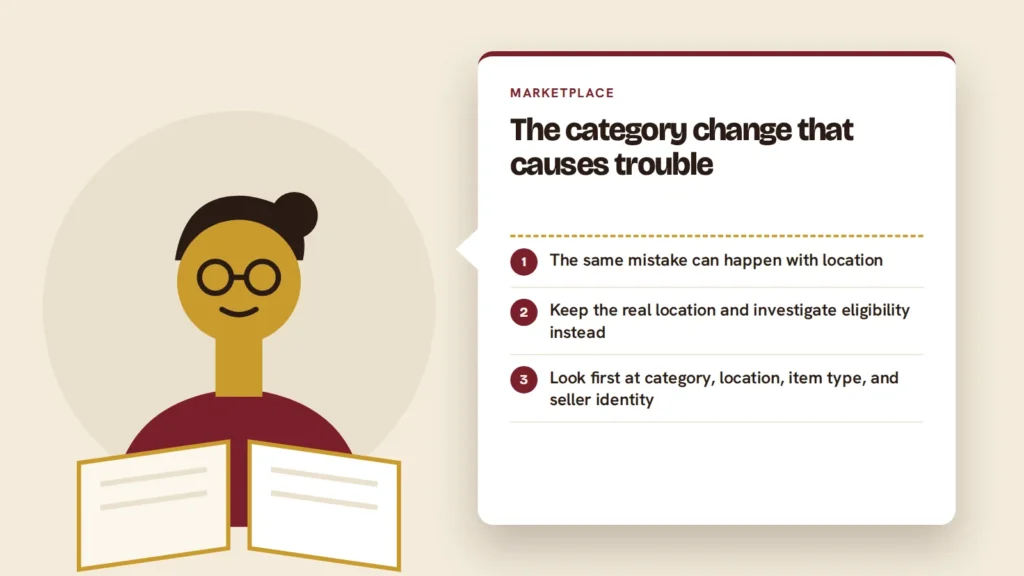
The category change that causes trouble
The common mistake is choosing a category that makes the item look easier to sell, then expecting the shipping option to remain available. For example, a seller may move an item from its accurate category to a broad or unrelated one because the first category doesn’t show shipping.
That can cost more than a missing delivery choice. The listing may reach the wrong buyers, become harder to find, fail a review, or create a policy issue if the description and category don’t match. A shipping option gained through inaccurate information isn’t a safe fix.
Check the item against the category name, subcategory, condition, and description before changing anything else. If the product genuinely belongs in the original category and shipping isn’t offered there, use local pickup or another permitted selling method.
The same mistake can happen with location. Changing the city to a supported place may make a control appear, but it creates false information for buyers and can cause meeting, payment, or account problems. Keep the real location and investigate eligibility instead.
If the option disappeared after an edit, compare the current listing with the last version you remember. Look first at category, location, item type, and seller identity. That comparison usually tells you whether the change came from the listing or from the account.
When Marketplace shipping needs help
Stop treating this as a normal listing problem when the account or payment system is involved. These signs mean you should use Meta’s support and review channels.
- Shipping is missing from every suitable listing — the account or region may be restricted, so Meta support needs to check eligibility.
- You see a policy, identity, or payment warning — changing listing text won’t clear it, and the notice’s review process is the right route.
- Your account is locked or suspended — repeated listing attempts can complicate the review, so use the official appeal or support path.
- A buyer reports a payment or shipping dispute — keep records and use Marketplace’s case tools; don’t move the transaction to an unprotected payment method.
- The item may be regulated or dangerous — a qualified carrier, regulator, or specialist must confirm the legal and shipping requirements.
The limit is simple: you can safely check listing fields, previews, and visible account notices, but you shouldn’t bypass restrictions or change identity, location, payment details, or item type to force shipping. If the next step needs account access, policy review, regulated shipping knowledge, or a decision about disputed money, Meta support or the relevant qualified service must handle it.
Our team handles exactly this through Facebook Marketplace Account Setup.
Frequently asked questions
Can I turn on shipping for any Marketplace item?
No, you can’t turn on shipping for every item; availability depends on category, listing details, seller account, location, and selling flow. Local pickup may be the only option for some listings. Use an accurate category and real location, then check delivery choices in the editor and buyer preview. If shipping is missing from a compliant item, don’t use a false category or address.
Why did Facebook Marketplace remove shipping from my listing?
Usually, a listing detail or account condition changed. Check category, location, price, item type, or seller information if shipping disappeared. Also look for policy, identity, payment, or Marketplace access notices. If only one listing is affected, compare it with another suitable listing; if every suitable listing is affected, the account or region is likely involved. Reposting repeatedly won’t prove the cause.
How long does Marketplace shipping stay unavailable?
There’s no fixed time that applies to every listing. Resolution depends on whether the issue is a correctable listing detail, account review, regional limit, or temporary technical problem. Check the notice attached to your account or listing for review information. If shipping remains absent from suitable listings after checking details, report it with screenshots and listing ID rather than waiting.
Is it safe to change my location to get shipping?
No, changing your location to unlock shipping isn’t safe. A false location can create meeting, payment, delivery, and account problems, while buyers need accurate information. Keep the item’s actual location and correct Facebook through normal account or listing settings if it shows incorrectly. Don’t use a friend’s address or another city as a workaround.
What happens if I choose the wrong category?
The listing may show the wrong delivery choices, reach the wrong buyers, or face a policy review. It can also create confusion about what you’re selling, especially when the title, photos, and description don’t match the category. Edit the listing to the most accurate category and check the preview again. If shipping still isn’t offered in that category, use the permitted delivery method instead of moving the item to an unrelated category.
Does it matter whether I use pickup or shipping?
Yes, it affects who can buy and how the transaction works. Pickup limits sales to buyers who can meet or arrange collection, while shipping can reach buyers farther away when available. Pickup requires you to manage meeting safety and timing; shipping adds packing, tracking, delivery, and dispute concerns. Choose Facebook’s available method for the accurate listing.
What should I do if shipping is missing everywhere?
Check your account alerts, seller information, location, payment prompts, and Marketplace access first. Then test one accurate listing for an allowed item without changing your identity or location. If shipping is still missing from every suitable listing, report the issue to Meta with screenshots, listing details, and the account notice. Don’t create many duplicate listings, because that won’t remove an account restriction and may make the review harder to understand.
What to do about Marketplace shipping
First, open the affected listing and compare its category, location, item details, and delivery options with a suitable listing that still shows shipping. Use a genuinely similar item in the same area; a different category or destination can produce a different result.
Check whether the shipping option returns after you correct an inaccurate category, location, or item detail. Don’t change those fields merely to make shipping appear, because the listing may then violate Marketplace rules or mislead buyers. If the option stays missing across accurate listings, the cause may be account, policy, payment, identity, or regional eligibility rather than the listing itself.
Review any warning or required action shown in the account tools. If one appears, complete only the requested steps. Otherwise, stop editing and contact Meta support through the official account tools. Include the affected listing and the comparison result when you report it.

Derek Campbell writes about Facebook features, tools, and account management, covering topics such as account troubleshooting, Business Manager, Facebook Marketplace, and outreach strategies. His content also explores Facebook Groups, community engagement, and ways to connect with relevant audiences. His writing emphasizes practical Facebook know-how, from navigating Marketplace and managing business communities to building meaningful connections through Groups and outreach.
Checked against Facebook’s own help and policy pages on the date shown above.