WhatsApp Business API vs Business App

If you’re comparing whatsapp business api vs business app, the practical answer is simple: the Business App is a ready-to-use inbox for a small team, while the API is a programmable messaging system for companies that need automation, multiple agents, integrations, or higher-volume customer conversations.
Key Takeaways
- Choose the Business App if one to five people can manage customer chats from phones or computers without complex routing.
- Choose the Business Platform API if you need Salesforce, HubSpot, Shopify, a help desk, chatbots, or custom software connected to WhatsApp.
- The app includes a mobile inbox, catalog, labels, quick replies, greeting messages, and away messages without technical setup.
- The API supports shared team workflows, automated replies, message templates, webhooks, reporting, and integrations, but normally requires a provider or developer.
- A number can run on both the Business App and the API only through Meta's coexistence setup, which a provider starts. Check eligibility and plan migration carefully.
- WhatsApp messaging has business rules around user consent, templates, quality, and customer-service windows, regardless of which product you choose.
WhatsApp API vs Business App
The products use the same ecosystem but solve different problems. The Business App is an application that a person opens and operates. The API, now commonly called the WhatsApp Business Platform, is a connection that other software uses to send, receive, route, and analyze messages.
| Area | WhatsApp Business App | WhatsApp Business Platform API |
|---|---|---|
| Main purpose | Manual customer messaging | Programmatic customer messaging |
| Best operator | Owner or small staff | Support, sales, marketing, or operations teams |
| Setup | Download and verify a number | Business verification, provider or developer setup |
| Inbox | Built into the app | Supplied by a provider or custom software |
| Automation | Greeting, away message, quick replies | Bots, workflows, routing, webhooks, templates |
| Integrations | Limited or indirect | CRM, commerce, help desk, ERP, custom systems |
| Team access | Basic linked-device access | Multi-agent inbox and permissions through software |
| Technical skill | Low | Moderate to high |
| Cost structure | Usually no software subscription | Meta message charges plus provider or software fees |
What the Business App Does
The WhatsApp Business App is designed for direct, human-led communication. It’s free to download in many markets, although normal data charges may apply and optional connected tools can cost money. It’s especially useful when customers expect a personal response rather than a formal support ticket.
Core app features
You can create a business profile with business details.
Useful tools include:
- Quick replies for phrases such as “Your order is ready” or “Our next appointment is Tuesday.”
- Labels such as “New lead,” “Paid,” “Needs follow-up,” and “Waiting for parts.”
- Greeting messages for first-time or returning contacts.
- Away messages for evenings, weekends, holidays, or fully booked periods.
- Catalog items for products, packages, menus, price lists, or service descriptions.
- Broadcast lists for sending a message to selected contacts who have saved your number.
The app works well when conversations are relatively low volume and a human can decide what to say.
Where the app becomes restrictive
The app isn’t designed to provide a sophisticated shared-service operation.
- Manual assignment when two employees need to coordinate one lead.
- Limited reporting on response time, conversion, resolution, or agent performance.
- No native CRM sync for automatically creating contacts, deals, or tickets.
- Weak automation for complicated questions, order lookups, or appointment changes.
- Device dependence when the primary account holder is unavailable.
- Broadcast limitations when a business wants reliable, large-scale outbound messaging.
A small company can still operate successfully with those limitations. The question is whether the limitations create repeated work, missed conversations, or inconsistent customer service.
What the API Adds

The API doesn’t replace judgment or customer-service staff. You normally access it through a business solution provider, customer-service platform, commerce platform, or your own development team.
Automation and routing
A customer can ask a bot for store hours, delivery status, return instructions, or an appointment link. If the question is complicated, the conversation can move to a human agent with the previous messages attached.
Typical API workflows include:
- Order lookup after a customer enters an order number.
- Appointment reminders with confirmation and cancellation buttons.
- Lead routing based on language, region, product, or business hours.
- Support escalation when a customer uses words such as “refund” or “urgent.”
- Payment updates after a transaction changes status.
- Delivery notifications when a carrier marks a package shipped or delivered.
- Abandoned-cart reminders when the customer has given appropriate consent.
The API can also receive events through webhooks.
Integrations and shared work
The largest practical advantage is that the API can connect WhatsApp to tools your staff already uses. Examples include:
- HubSpot or Salesforce for lead and customer records.
- Zendesk or Intercom for support queues.
- Shopify or WooCommerce for product and order workflows.
- Calendly or an internal booking system for appointments.
- Microsoft Dynamics or an ERP for account and fulfillment data.
The API doesn’t automatically provide all of those integrations.
Pro Tip: Ask a provider to demonstrate the complete customer journey, including an incoming message, bot handoff, agent reply, opt-out request, failed template, and conversation export. A polished sales demo that only shows outbound messages can hide important operational gaps.
Feature-by-Feature Comparison
The most useful comparison is not “simple versus advanced.” It’s how each option handles the tasks your business performs every day.
| Requirement | Business App | API |
|---|---|---|
| One person answering chats | Excellent | Possible but usually unnecessary |
| Several people answering | Basic linked devices | Strong shared-inbox support |
| Saved responses | Yes, through quick replies | Yes, usually through software |
| Product catalog | Yes | Possible through connected commerce tools |
| Chatbot | Basic automated messages only | Full bot and workflow support |
| CRM synchronization | Usually manual | Native, partner-based, or custom |
| Agent permissions | Limited | Usually available in the inbox platform |
| Conversation analytics | Basic | Detailed, depending on provider |
| Proactive notifications | Broadcasts with restrictions | Approved templates and campaigns |
| Customer identity matching | Manual contact management | Automated through CRM or customer IDs |
| Appointment workflows | Manual | Automated with links and status updates |
| Order status messages | Manual | Automated from commerce or ERP data |
| Custom buttons and forms | Limited | Available through supported message formats |
| Number portability | Limited planning required | Supported in certain migration paths |
| Developer access | No traditional API | Core purpose of the product |
Some features depend on the country, account type, provider, and current WhatsApp product rules.
Which Businesses Fit Best?
Choose based on conversation complexity, not vanity metrics such as employee count or follower count.
Best candidates for the app
The Business App is usually a sensible fit for:
- Independent plumbers scheduling estimates and sharing photos.
- Dental offices answering basic questions and confirming appointments.
- Boutiques showing available sizes, colors, and pickup times.
- Restaurants handling reservations, menus, and catering inquiries.
- Tutors coordinating lesson times and sending homework reminders.
- Freelancers discussing project details with a manageable client list.
- Home bakeries confirming flavors, quantities, delivery, and payment.
These businesses typically have a human involved in every meaningful conversation.
Best candidates for the API
The API becomes more attractive for:
- Online retailers sending order, shipping, and return updates.
- Travel companies handling itinerary changes across time zones.
- Healthcare networks routing requests among locations and departments.
- Property managers coordinating tenants, maintenance, and vendors.
- Education providers sending enrollment, class, and payment notices.
- Financial service teams managing structured support with strict access controls.
- Franchise groups separating locations while preserving central oversight.
The strongest signal is repetitive work. If staff repeatedly copy order numbers, check another system, paste the same answer, and update a spreadsheet, an integration may produce more value than simply adding another employee to the app.
A useful dividing line
Ask these questions:
- Do customers need real-time data such as inventory, delivery status, or appointment availability?
- Do you need more than one queue for sales, support, billing, or locations?
- Must every message be tied to a customer record?
- Do you need to prove who replied and when?
- Would a missed message create a financial, safety, or regulatory problem?
- Will a person send or receive hundreds of conversations during busy periods?
Several “yes” answers point toward the API. Mostly “no” answers point toward the app.
Costs and Pricing
The Business App is usually the lower-cost starting point because the core app doesn’t require a typical API subscription.
| Cost area | Business App | API |
|---|---|---|
| Core access | Usually free to download | Platform access may be bundled or separately priced |
| WhatsApp message fees | Generally not structured like API campaigns | Meta charges may apply by current pricing rules |
| Inbox software | Optional | Usually required unless you build one |
| Setup | Minimal | Provider configuration, verification, and testing |
| CRM connection | Manual or third-party workaround | Included, partner-based, or custom |
| Agent seats | Usually limited by app workflow | Often charged per user or workspace |
| Automation | Basic | May cost extra for bots, workflows, or usage |
| Templates | Not usually a major setup task | May require creation, review, and maintenance |
| Reporting | Basic | Often included at different subscription tiers |
Don’t compare only monthly subscription prices.
A low-cost API provider may lack exports, backups, role permissions, or reliable support. A higher-priced platform may be worthwhile if it prevents missed leads and improves visibility.
How Meta charges for API messages
WhatsApp Business Platform pricing moved from conversation-based charges to per-message pricing for template messages on 1 July 2025. If a provider quotes you per-conversation fees as current, ask them to explain. Check Meta’s pricing page for the current categories and rates, and add your provider’s own fees on top.
Setup and Migration
Starting with the app is quick. Install it, register a business number, complete the profile, configure greeting and away messages, add labels, and test the customer experience from another phone.
API setup requires more planning.
| Step | What to prepare | Common failure |
|---|---|---|
| 1. Select the number | A dedicated number and account owner | Choosing a number already tied to another setup |
| 2. Select a provider | Inbox, automation, support, and integration needs | Buying on price without checking core features |
| 3. Verify the business | Legal name, website, business details, documents if requested | Mismatched business information |
| 4. Configure the account | Display name, categories, users, permissions | Giving every user administrator access |
| 5. Create templates | Approved customer notifications and campaigns | Promotional wording in a utility message |
| 6. Build workflows | Routing, bot paths, CRM events, opt-outs | No human escalation path |
| 7. Test edge cases | Media, failures, replies, opt-outs, time zones | Testing only the happy path |
| 8. Launch gradually | Small audience and monitored support | Sending a large campaign immediately |
Moving from the app
Migration can be possible, but it isn’t a casual toggle.
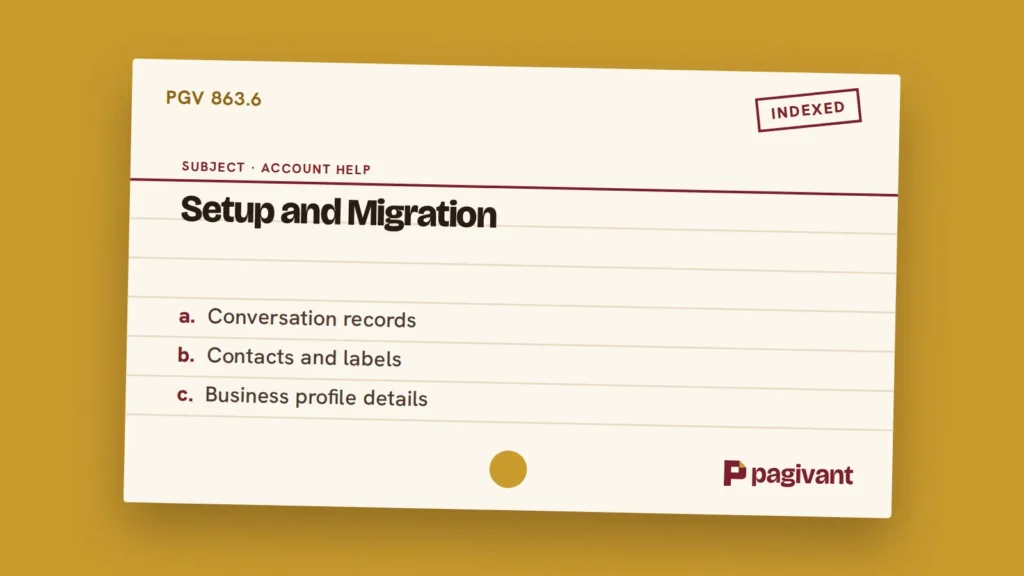
- Conversation records that staff must retain.
- Contacts and labels that need to move elsewhere.
- Templates for confirmations, reminders, and support.
- Business profile details and display-name requirements.
- Fallback channels for customers during downtime.
- Ownership access so the company isn’t dependent on one employee.
Warning: Don’t migrate your only customer number immediately before a major sale, holiday, or launch. Run a controlled test, confirm inbound and outbound messaging, and train staff on the new inbox first.
Using the app and the API on one number
Meta now offers a coexistence setup for businesses that want to keep the Business App and add the API. It is not available for every number or every provider.
- The number must already be active in the WhatsApp Business App.
- Your provider starts Meta’s sign-up. You scan a QR code in the app and choose whether to share chat history.
- Some app features work differently once the number is connected, so ask your provider what changes.
- You can disconnect from the app under Settings, then Account, then Business Platform.
Meta decides eligibility, and no provider can guarantee approval. Test with a non-critical period first.
Messaging Rules and Deliverability
Both products depend on customer trust. The API adds formal controls because automated or high-volume messaging can affect many people quickly.
You should collect clear user consent before sending proactive messages. Tell customers what they agree to receive, identify the business, and make opt-outs easy to honor.
For API messaging, a business commonly uses two broad patterns:
- Customer-service replies inside the permitted service window after a customer messages you.
- Approved templates for proactive notifications or messages outside that window.
Templates should be specific and useful. Examples include:
- Delivery update: “Your order is out for delivery.”
- Appointment reminder: “Reply 1 to confirm or 2 to reschedule.”
- Payment notice: “Your invoice is ready to review.”
- Reservation change: “Your booking time has changed.”
- Support follow-up: “Your requested document is available.”
Avoid misleading urgency, unclear subscriptions, repeated unwanted promotions, and messages that make it difficult to reach a human. Poor feedback can damage delivery performance or restrict messaging capability.
Deliverability troubleshooting
When messages fail or quality declines, check these concrete causes:
- Invalid numbers caused by old or incomplete customer records.
- Missing consent for promotional or proactive messages.
- Template rejection because the content doesn’t match its category.
- High blocks after a campaign reaches uninterested recipients.
- Sudden volume spikes from a newly active account.
- Unclear opt-outs that cause customers to report messages.
- Slow handoffs when a bot doesn’t offer a human option.
The app isn’t a loophole around these expectations. Manual messaging can also create complaints, blocks, and account restrictions.
Security and Team Operations
Security is where a shared inbox can be more valuable than a group of linked phones. A proper API workspace may offer role-based access, audit records, agent assignment, single sign-on, retention settings, and controlled exports.
- Owner access: Keep account ownership with a company-controlled email, not an employee’s personal address.
- Admin limits: Give configuration privileges only to people who need them.
- Offboarding: Remove former staff immediately from devices, inboxes, and provider dashboards.
- Data handling: Decide how long customer messages, documents, and photos should be retained.
- Sensitive information: Avoid collecting unnecessary medical, financial, or identity data in chat.
- Escalation: Define who handles complaints, fraud concerns, emergencies, and legal requests.
- Backups: Confirm whether the provider exports messages and media in a usable format.
The Business App can still be operated responsibly, but controls may be manual.
Pro Tip: Make a test employee account and verify that it can’t view billing, delete templates, export all conversations, or change account ownership. If it can, your permissions are broader than necessary.
Decision Checklist
Use this short decision table before purchasing software or changing numbers.
| If your situation looks like this | Start with | Why |
|---|---|---|
| One owner answers under 50 active chats a day | Business App | Fast setup and low overhead |
| Three staff members share routine inquiries | Business App first | Labels and linked devices may be enough |
| Customers ask for live inventory or order status | API | Connects chat to business data |
| You need separate sales and support queues | API | Enables routing and permissions |
| You send regular appointment reminders | API or provider tool | Automates scheduled notifications |
| You require CRM records for every lead | API | Reduces manual copying |
| You operate several locations | API | Centralizes control while routing locally |
| You need detailed agent reporting | API | Better analytics and accountability |
| Conversations are highly personal and low volume | Business App | Human handling is the main value |
| Missed chats create serious revenue loss | API | Queue visibility and automation reduce risk |
A staged approach is often safest.
Don’t migrate simply because competitors advertise automation. Choose the API when you can name the workflow it will improve, the data it must connect to, the people who will manage it, and the result you’ll measure.
Short on time? Our Facebook Page Setup service takes care of the whole process.
Part of our guide: WhatsApp Business: The Complete Guide for Small Businesses
Frequently Asked Questions
Is the WhatsApp Business App free?
The core Business App is generally free to download and use, but your mobile data, advertising, connected software, staff devices, and optional services may cost money. Availability and features can vary by country. Treat “free app” as a starting point, not a guarantee that the complete customer-service operation has no cost.
Can I use the same number for the app and API?
Usually, a number is assigned to one WhatsApp business setup at a time rather than operating as two independent inboxes. A provider starts coexistence through Meta's sign-up, and some app features change once it is on. A full move to an API-only setup can also change app access and message handling. Confirm the provider’s current migration process before disconnecting an established business number.
Does the API include an inbox?
Not necessarily. The API is a technical connection, so you normally need a provider’s shared inbox, a help-desk integration, or a custom application for staff to read and answer messages. Ask whether the quoted plan includes agent seats, message history, media, routing, and exports.
Which option is better for a small business?
The Business App is usually better when one owner or a small staff handles low-to-moderate conversation volume manually. The API can still suit a small business if it depends on automated booking, order updates, CRM synchronization, or multiple queues. Business size alone shouldn’t decide the purchase.
Can I send marketing messages with the Business App?
You can communicate with customers, but marketing still requires appropriate consent and responsible frequency. Broadcasts have practical limitations, and customers may block or report unwanted messages. The API provides more structured campaign tools, but it doesn’t remove consent, template, or quality requirements.
Conclusion
Start by listing your last 30 days of WhatsApp conversations and marking each as manual support, lead qualification, order update, appointment, or marketing. If most require personal judgment, configure the Business App well; if many require data lookup, routing, or scheduled automation, compare API providers using those real workflows.

Derek Campbell writes about Facebook features, tools, and account management, covering topics such as account troubleshooting, Business Manager, Facebook Marketplace, and outreach strategies. His content also explores Facebook Groups, community engagement, and ways to connect with relevant audiences. His writing emphasizes practical Facebook know-how, from navigating Marketplace and managing business communities to building meaningful connections through Groups and outreach.
Checked against Facebook’s own help and policy pages on the date shown above.