WhatsApp Business Phone Number Migration

A WhatsApp Business phone number migration takes about 10 to 15 minutes when you have the old SIM card active and ready. You move your account, chat history stays on the device, and customers can still message you during the switch. The process works through the app’s built-in change number feature, which keeps your catalog, labels and automated replies intact. This guide covers the exact steps, the settings that prevent lost chats, and the cases where you’ll need a different approach entirely.
What changing your business number means
Changing your business number is a built-in feature inside the WhatsApp Business app. It moves your entire account profile from an old phone number to a new one while keeping everything else exactly where it is. Your business name, address, catalog items, labels and away messages all stay attached to the account.
You use this feature when your company gets a new line, switches carriers or moves operations to another country. It’s meant for small teams and solo owners who run their customer communication directly from a single mobile device.
The biggest misconception is that this process deletes your chat history. It doesn’t. Your past conversations remain stored locally on your phone. However, if you also switch phones at the same time without backing up first, those local chats won’t transfer over to the new device. The number change itself only updates the digits other people see when they look at your profile.
Under the hood, the system notifies your selected contacts within WhatsApp. Anyone you choose to notify will see your new number when they open your chat or profile in the app, though they may still need to update their phone’s address book manually. Group chats update instantly too, so you won’t drop out of any ongoing customer support groups during the switch.
If you're using the WhatsApp Business Platform (the API) instead of the free WhatsApp Business app, this built-in tool isn't available to you. Platform numbers are managed through your Business Solution Provider, or through Meta's developer tools if your business is integrated directly. Check Meta's developer documentation for the current steps.
How to change your WhatsApp Business number
To change your WhatsApp Business number, open Settings, then Account, then Change Number, and enter your old and new numbers. Before you start, insert both the old and new SIM cards into working phones, or ensure you can receive SMS messages on both numbers. You’ll need the old number to authorize the change and the new one to receive a verification code.
- Open the WhatsApp Business app on the phone currently running your old number.
- Tap Settings, then select Account, and tap Change Number.
- Read the prompt explaining that your profile info and settings will move, then tap Next.
- Enter your old phone number in the top field and your new phone number in the bottom field, including the correct country codes for both.
- Turn on Notify Contacts if you want your customers to know about the switch. You can choose to notify all contacts, only those you have recent chats with, or a custom list.
- Tap Done to confirm the entries.
- Wait for a 6-digit SMS verification code sent to your new phone number, then type it into the app within the 10-minute window before it expires.
- Once verified, restart the app to ensure your catalog, quick replies and greeting messages load correctly under the new number.
If the verification code never arrives on your new number, we can look at the SMS and call options with you or run the change number step for you.
This assumes you’re using a standard smartphone with reliable cellular service. If your new SIM is data-only and can’t receive SMS, you’ll need to request a voice call for the verification code instead by tapping the “Call me” option after the SMS timer runs out.
The single judgment call here is who to notify. If you run a retail shop where customers text occasionally, notifying everyone prevents confusion. If you handle sensitive consultations, like legal or medical intake, skip the broadcast notification and tell clients individually to protect their privacy. Broadcasting a new number to every past contact can expose private relationships. For businesses handling protected health information, check HIPAA compliance requirements before deciding how to communicate any account changes to patients.
WhatsApp Business number change settings
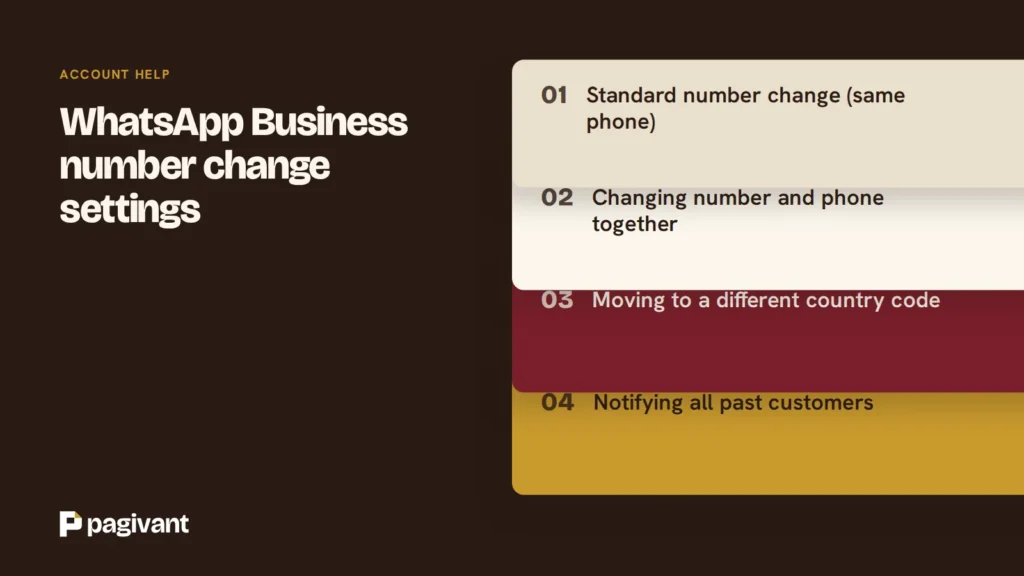
The main choices are who you notify and whether you change phones at the same time. These are the specific figures and options you'll face while moving your account over. Keep this table handy because picking the wrong setting is usually what causes delays or confuses your customers.
| Situation | What to use | How long | What to watch for |
|---|---|---|---|
| Standard number change (same phone) | Change Number feature in Settings | 10-15 minutes | |
| Changing number and phone together | Change Number on the old phone, then back up and restore on the new phone | 30-45 minutes depending on backup size | Restore the backup on the new phone before triggering the number change |
| Moving to a different country code | Full international format (+[country code]) | 10-15 minutes | Customers might hesitate to reply to an unfamiliar foreign area code |
| Notifying all past customers | “All contacts” toggle | Instant once verified | Can overwhelm your inbox if you have thousands of past buyers |
| Keeping notifications private | “Custom” selection | 5 extra minutes to pick contacts | Only selected people get the automatic update; others see a blank profile |
| Verification code fails via SMS | “Call me” button | Waits 60 seconds after SMS fails | You must be able to answer a voice call on the new number immediately |
The timing above assumes a stable internet connection. If you’re on a slow network, the initial server sync after verification might take a few extra minutes. Don’t close the app while the loading circle spins, or you’ll have to log in again.
Who gets notified automatically
- Group chats are told about your new number automatically, even if you choose not to notify contacts.
- Contacts you have blocked stay blocked and are not told about the change.
- Your new number must be able to receive an SMS or a phone call.
- You can’t change your number on WhatsApp Desktop or WhatsApp Web. Use the phone where the account is registered.
Getting the details right
The difference between a smooth transition and a broken customer pipeline comes down to preparation order. People who rush this often trigger the number change before verifying their backup status. When that happens, they realize mid-process that their product catalog didn’t sync properly, leaving them with a blank storefront for hours.
Always create a fresh cloud backup right before opening the Change Number screen. Go to Settings > Chats > Chat Backup and hit the back up button. Wait until the timestamp shows the current minute. This guarantees that even if the app crashes during the switch, your latest customer interactions are safe on the server.
Check your automated replies next. Your away message and greeting message are tied to the account, not the number, so they survive the move. But if your greeting message says “Text us at [old number]”, you’ll need to edit that text manually after the switch completes. Scan your quick replies for the same issue. Any template containing your actual phone digits needs updating.
Leave your old SIM card active for at least 24 hours after the process finishes. Sometimes delayed messages try to route to the old number. Having that SIM online ensures you don’t miss a late delivery confirmation or a customer complaint that was typed out before the switch happened.
Don’t attempt this process during peak business hours. Pick a quiet morning or a weekend. If something goes wrong and your account locks you out temporarily, you won’t be ignoring paying customers while you troubleshoot.
Finally, verify your business display name hasn’t reset. Occasionally, the system reverts custom formatting during the server handshake. Open your public profile and confirm everything looks exactly as it did yesterday.
Fixing problems during the switch

Most problems come from a code that doesn't arrive, changing the phone and number in the wrong order, or leaving Notify Contacts off. Things go wrong when conditions aren't met. Here is what you’ll notice and how to fix it quickly without losing access to your account.
| What you notice | What it usually means | What to do first |
|---|---|---|
| “Verification failed” error | The new SIM isn’t receiving the SMS properly | Restart the phone holding the new SIM and request the code again |
| Chat history is missing | You changed the phone and the number simultaneously without restoring | Install the app on the new phone, restore the cloud backup, then change the number |
| Catalog images disappeared | The media sync was interrupted by a dropped connection | Connect to strong Wi-Fi, open the catalog section, and wait 5 minutes for it to reload |
| Customers say they got no update | You left the “Notify Contacts” toggle turned off | Send a manual broadcast message to your customer lists explaining the new number |
| App asks for old number login | The change didn’t register fully on Meta’s servers | Force-close the app, clear its cache in your phone settings, and reopen it |
| Account temporarily banned | Triggered multiple verification requests too fast | Wait exactly 24 hours without attempting to log in, then try once more |
If clearing the cache doesn’t resolve a stuck login loop, uninstalling and reinstalling the app is the next step. Your cloud backup protects your chats during a reinstall, but your local settings will reset to default.
Rules for business accounts
Meta enforces strict policies around how business accounts operate, and changing your number doesn’t bypass them. Your account remains subject to Meta's Commerce Policies, which apply across Facebook, Instagram, WhatsApp and Messenger, including the WhatsApp Business Catalog. Prohibited items can't suddenly be sold just because the digits changed, and breaking the policies can lead to removed content or suspended access to commerce features.
If your business uses the WhatsApp Business API rather than the free mobile app, you can’t use the Change Number feature described above. API numbers are registered on the WhatsApp Business Platform, often through a Business Solution Provider. Moving one to a different account is done with Meta's phone number migration process, which your provider or your own developers carry out. Two-step verification must be turned off on the number first. A number that is in use with the WhatsApp Business app cannot be moved with the Platform's phone migration process.
Data protection laws also apply here. When you notify contacts of a number change, you’re processing their personal data. Under regulations like the GDPR in Europe, you must have a lawful basis for broadcasting messages to past customers. If someone previously opted out of marketing, sending them an automated number-change notification might violate that preference.
For businesses operating in regulated industries like healthcare or finance, verify whether your compliance framework allows account identifiers to change without formal audit logging. The technical process takes ten minutes, but the legal paperwork might require approval from your compliance officer first. Always check your local telecommunications authority’s rules regarding number portability if you’re trying to keep the same digits across a new carrier rather than adopting entirely new ones.
Keeping your account stable afterward
Once the new number is live, your immediate job is monitoring. Watch your incoming message volume closely for the first 48 hours. Some customers will still dial the old number from memory or saved notes outside their phone contacts.
Keep the old SIM card in a spare phone for at least two weeks. Set up a basic auto-reply on that old line if possible, directing anyone who texts it to your new digits. This catches the stragglers who missed the initial broadcast.
Update your external assets immediately. Change the number on your website footer, social media bios, email signatures and physical receipts. A mismatch between your website’s listed number and your active WhatsApp account creates distrust. Customers might think they’re messaging a scammer if the digits don’t align with your official branding.
Your cloud backups will now save under the new number. Verify this by checking the backup timestamp in settings the day after your migration. If it shows a successful backup under the new digits, your safety net is working.
There’s no set maintenance schedule required by the app itself. The only thing that varies is how long it takes for your specific customer base to stop using the old number, and you can read that value directly in your weekly message volume reports. When inbound traffic to the old line drops to zero for seven straight days, it’s safe to cancel that old cellular plan.
When changing the number won’t work
This built-in migration tool solves a specific problem: moving an existing account to a new set of digits on the same platform. It isn’t the right choice for every situation.
If you’re merging two separate business accounts into one, you can’t combine their chat histories using this feature. The Change Number tool only moves one account forward. Trying to merge them manually by switching numbers back and forth usually results in one account getting permanently overwritten. Instead, pick the account with the most valuable history, export the chats from the second account as a text file for your records, and continue operating solely on the primary one.
If you’re upgrading from the standard WhatsApp Business app to the WhatsApp Business API to handle higher message volumes, this mobile feature doesn’t apply. Moving a number from the app to the Platform is a separate process, which your provider or your developers handle using Meta's documented steps. Don't use the app's change number tool in the middle of that move. Check your provider's steps or Meta's documentation first.
Finally, if your goal is simply to change your carrier but keep the exact same phone number, you don’t need WhatsApp’s tools at all. That’s a standard telecom number porting request handled entirely by your mobile providers. Opening the Change Number screen in the app for a carrier switch is unnecessary and will confuse your contacts by making them think your actual digits changed.
Want an expert to set this up with you? Take a look at Facebook Page Setup.
Part of our guide: WhatsApp Business: The Complete Guide for Small Businesses
Frequently asked questions
Can I change my WhatsApp Business number without losing chats?
Yes, your chat history stays on your phone during a number change. The app moves your account profile to the new digits while leaving your local message database untouched. If you're also getting a new phone, change the number on the old phone first, then back up under the new number and restore on the new phone.
How long does it take for contacts to see my new number?
It happens instantly within WhatsApp once you complete the verification step and turn on the notification toggle. Notified contacts will see your new number in their WhatsApp chats without needing to accept a request, though they may still need to update your number manually in their phone’s address book.
Why didn’t my customers get the number change notification?
This usually means the “Notify Contacts” toggle was left off during setup. Without it, the system updates your account silently. Only people who actively message you’ll notice the new digits. You can fix this by sending a manual broadcast list message to your customers explaining the update.
Is it safe to change my business number while campaigns are running?
No, pause any active broadcast campaigns or automated flows before starting. If a scheduled message tries to send while the app is verifying your new digits, it will fail. Worse, customers might receive partial messages or errors. Finish the migration, confirm your catalog loads, and then restart your campaigns.
What happens if I lose access to my old SIM card first?
You can’t complete the process without the old number. The app requires you to be logged into the account currently using the old digits to authorize the switch. If that SIM is lost or deactivated, you’ll need to recover access to the old account first through WhatsApp’s standard verification recovery steps.
How many times can I change my WhatsApp Business number?
There’s no hard limit published by Meta, but doing it frequently triggers security flags. If you change numbers multiple times within a few weeks, the system may temporarily restrict your account to prevent spam behavior. Treat this as a permanent move rather than a temporary testing tool.
Will my catalog and labels transfer to the new number?
Yes, your entire business profile moves over. This includes your product catalog, organized labels, quick replies, greeting messages and away messages. These elements are stored in your account data, not tied to the specific phone digits. Double-check them after the switch just to ensure nothing glitched during the sync.
Conclusion
Moving your business line doesn’t have to disrupt your sales or confuse your buyers. As long as you back up your data first, keep the old SIM active for a buffer period, and update your external website links immediately, the transition stays invisible to most of your audience. Take the fifteen minutes to do it right, and your customers will keep messaging you without missing a beat.

Derek Campbell writes about Facebook features, tools, and account management, covering topics such as account troubleshooting, Business Manager, Facebook Marketplace, and outreach strategies. His content also explores Facebook Groups, community engagement, and ways to connect with relevant audiences. His writing emphasizes practical Facebook know-how, from navigating Marketplace and managing business communities to building meaningful connections through Groups and outreach.
Checked against Facebook’s own help and policy pages on the date shown above.