WhatsApp Business Templates: Approval Rules

If you’re sorting out how whatsapp business templates are approved, the practical issue is whether Meta sees your message as a permitted, clearly labeled, useful communication rather than unsolicited advertising. Approval depends on the template’s category, wording, variables, recipient consent, formatting, and the feedback your business receives after sending it.
Key Takeaways
- Choose Utility, Authentication, or Marketing based on the message’s real purpose, not the category most likely to be approved.
- Write one specific message for one customer need; mixed purposes, vague claims, and disguised promotions commonly create problems.
- Use numbered variables such as
{{1}}and provide realistic sample values before submitting the template. - Collect and document user opt-in before messaging people, even when the template itself is approved.
- Treat rejection as a content problem first: remove promotional language, clarify the use case, and resubmit a materially improved version.
- Monitor quality after approval because negative feedback, blocks, and reports can affect delivery or template availability.
What WhatsApp Templates Are
A WhatsApp message template is a preformatted message that a business submits for review before using it to start or resume a conversation outside the customer-service window. Templates are used through the WhatsApp Business Platform, including solutions provided by business messaging partners.
A template normally includes:
- A template name, written in lowercase with numbers or underscores rather than spaces.
- A language, such as English US or Spanish.
- A category, which describes the message’s business purpose.
- A body, containing the main text and optional variables.
- A header, which can contain text, an image, a video, a document, or another supported format.
- A footer, usually a short supporting line.
- Buttons, such as a quick reply, website button, phone button, or authentication action.
Approval doesn’t mean WhatsApp has endorsed your business, offer, claims, or legal compliance. It means the submitted template appears to meet the platform’s template requirements at review time. Your organization remains responsible for consent, privacy, advertising, consumer-protection, and industry-specific obligations.
For example, these are different template purposes:
order_ready: tells a customer an order can be collected.appointment_reminder: reminds someone about a scheduled visit.password_code: delivers a one-time verification code.winter_sale: promotes a seasonal offer.feedback_request: asks for an opinion after a completed interaction.
A template isn’t a shortcut around consent. A person should have a reasonable expectation of receiving messages from your business, and your opt-in process should explain what kind of messages they will receive.
WhatsApp Template Approval Rules
Meta reviews the whole template, not just individual words. Reviewers and automated systems can consider the category, wording, variables, buttons, media, business identity, and the likely customer experience.
The main approval rules are:
1. Match the real purpose
A utility template should support a specific transaction, account, service, or customer request. An authentication template should help verify identity or provide a security code. A marketing template can promote a product, service, event, or re-engagement action.
Don’t label a promotion as utility merely because it mentions an order. For example:
- “Your order 1842 is ready for pickup” is typically transactional.
- “Your order 1842 is ready—add a second item for 20% off” introduces marketing content.
- “Your account security code is 481992” is authentication.
- “Your security code is 481992—shop our new collection today” mixes authentication with promotion.
2. Make the message understandable alone
The reviewer and recipient should understand what is happening without needing an internal ticket number or a previous conversation. Include enough context to identify the business action.
Weak:
Hello {{1}}, your request has been updated.
Stronger:
Hello {{1}}, your vehicle-service appointment for {{2}} on {{3}} at {{4}} has been confirmed.
The second version identifies the request, appointment, date, and location. It also gives the recipient a reason to trust the message.
3. Avoid prohibited or deceptive content
Templates can be rejected when they appear to facilitate scams, impersonation, illegal activity, misleading claims, or unwanted bulk messaging. A legitimate business can still have a problematic template if the wording is deceptive or the offer is unclear.
Be especially careful with:
- False urgency such as “act in the next five minutes” when no real deadline exists.
- Guaranteed financial, health, employment, or investment outcomes.
- Requests for passwords, full payment-card numbers, or sensitive credentials.
- Impersonation of banks, government offices, delivery companies, or other brands.
- Threats that pressure a person to pay, click, or disclose information.
- Content involving regulated products or restricted activities.
4. Use clear business identity
The customer should be able to tell who is contacting them. The business display name, profile, message content, and linked destination shouldn’t conflict.
A template that says “Your bank account is locked” is risky if the sender is a marketing agency or an unfamiliar retailer. A safer business message identifies the organization and uses a neutral action:
Northlake Dental: your cleaning appointment is confirmed for {{1}} at {{2}}.
Meta’s published WhatsApp message guidelines are the controlling reference for current platform requirements, because implementation details and enforcement can change.
Categories And Purpose

Category selection is one of the most important approval decisions. The category should describe what the recipient is receiving, not what you hope to achieve with the message.
| Category | Appropriate purpose | Good example | Common mistake |
|---|---|---|---|
| Utility | A specific transaction, account, service, or customer-requested update | “Your package {{1}} will arrive on {{2}}.” | Adding a sale, coupon, or unrelated product pitch |
| Authentication | Identity verification or a one-time security action | “Your verification code is {{1}}.” | Adding brand promotion or unnecessary personal data |
| Marketing | Offers, announcements, recommendations, reminders to buy, or re-engagement | “Enjoy {{1}} off selected items this weekend.” | Calling an advertisement a delivery or account notice |
Utility templates
Utility messages generally relate to something the customer did, requested, scheduled, purchased, or needs to complete. Strong use cases include:
- Delivery status and shipping changes.
- Appointment confirmations and reminders.
- Order receipts and invoices.
- Subscription renewals or service interruptions.
- Account alerts connected to a customer action.
- Support-ticket updates.
- Requests for information needed to complete a transaction.
A utility message shouldn’t become a disguised newsletter. “Your order shipped” is different from “Your order shipped, and here are five products you may love.”
Authentication templates
Authentication templates should be short, direct, and limited to the verification flow. Include the code and tell the person what to do with it. Avoid adding marketing copy, long legal text, or unrelated buttons.
A practical authentication message might say:
Your verification code for Northlake is {{1}}. Don’t share this code with anyone.
Use a reasonable code-expiration statement only when it matches your actual system. Don’t promise that a code expires in ten minutes if your application accepts it for thirty minutes.
Marketing templates
Marketing templates can include offers, product announcements, event invitations, abandoned-cart reminders, recommendations, and re-engagement messages. They require particularly careful consent and targeting.
Good marketing copy identifies the value without pretending the message is an operational notice:
Hi {{1}}, spring appointments are now open at Northlake Dental. Book by {{2}} to request a preferred time.
Avoid pressure, exaggerated claims, and unclear calls to action. If the offer has eligibility conditions, expiration dates, geographic limits, or exclusions, make the destination page clear and ensure the customer can understand the important terms.
Components And Variables
A well-structured template is easier to review and less likely to confuse recipients. Each component should have a defined job.
Body text
Keep the body focused on one action or update. Use ordinary language and avoid excessive capitalization, repeated punctuation, or strings of decorative symbols.
Instead of:
URGENT!!! CONGRATULATIONS!!! YOU HAVE BEEN SELECTED!!!
Use:
Your application has been approved. Review the next steps at the secure link below.
Variables
Variables personalize a template, but they shouldn’t carry the entire meaning of the message. Use {{1}}, {{2}}, and so on in sequential order. Provide sample values that resemble actual production data.
| Variable use | Safer example | Risky example |
|---|---|---|
| Customer name | {{1}} = Jordan Lee |
A long paragraph inserted into one variable |
| Date and time | {{2}} = March 18 at 2:30 PM |
“Whenever works for you” with no fixed context |
| Order reference | {{3}} = NL-1842 |
A secret token exposed to the customer |
| Amount | {{4}} = $48.00 |
An amount that changes without explanation |
Don’t place variable markers next to one another without labels or context. “{{1}} {{2}} {{3}}” gives the reviewer and customer no idea what the values mean.
Avoid sensitive information in variables. A customer’s full password, payment-card number, or unnecessary medical detail shouldn’t be placed in a WhatsApp message. Even where a business has a lawful reason to process information, minimizing what appears in the message reduces security and privacy risk.
Headers, footers, and buttons
Use a header only when it improves comprehension. A relevant order image, appointment document, or product image can support the body. An unrelated image can make a transactional message look promotional.
Buttons should match the stated purpose:
- “Track order” should open the tracking destination.
- “Confirm appointment” should perform or begin confirmation.
- “View invoice” should open the correct invoice.
- “Call support” should reach the advertised support line.
- “Shop now” belongs in a marketing context, not an authentication message.
Pro Tip: Draft the body first, then add a button only if the customer genuinely benefits from a one-tap action. Extra buttons create more opportunities for mismatched labels, broken links, or accidental promotion.
Submission Workflow
The exact screen depends on whether you use Meta’s tools or a business solution provider, but the review logic is broadly similar.
Step 1: Define the customer event
Write down what happened immediately before the message. Examples include an order being shipped, an appointment approaching, a customer requesting a callback, or a login requiring verification.
If you can’t describe the triggering event in one sentence, the template may be too broad.
Step 2: Select the honest category
Compare the message with the category table above. If it contains an offer, recommendation, or re-engagement element, treat it as marketing rather than hiding that element inside utility wording.
Step 3: Write the minimum useful copy
State the business name or recognizable context, the event, the relevant details, and the next action. Remove slogans, filler, and unrelated announcements.
Step 4: Add and test variables
Use sequential variable numbers and realistic examples. Check values for:
- Missing names.
- Incorrect date formats.
- Currency formatting.
- Excessive length.
- Unsupported characters.
- Empty fields.
- Time-zone errors.
- Links containing the wrong customer or order.
Step 5: Review buttons and media
Open every destination, test each button, and confirm that the page matches the message. A template saying “View invoice” shouldn’t lead to a generic home page.
Step 6: Submit for review
Submit the chosen language version and keep a record of the submitted text. If you operate in several languages, review each translation independently. A good English template doesn’t automatically make a poor translation acceptable.
Step 7: Test after approval
Send controlled tests to internal recipients before using the template at scale. Check rendering on different phones, line breaks, variable substitutions, buttons, media, and the customer-support handoff.
Why Templates Get Rejected
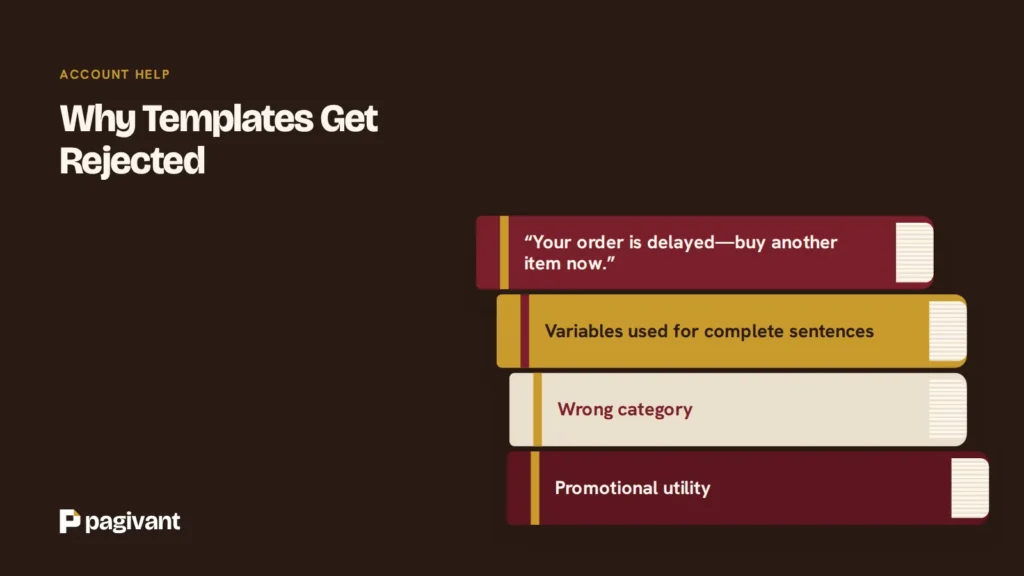
Rejection messages can be brief, so diagnose the underlying pattern rather than changing one word at random.
| Rejection pattern | Likely problem | Practical correction |
|---|---|---|
| Wrong category | The message’s purpose doesn’t match the selected label | Reclassify it or remove conflicting content |
| Promotional utility | Discount, product pitch, or sales language appears in a transaction notice | Move the promotion to a marketing template |
| Vague wording | The recipient can’t tell why the business is contacting them | Name the order, appointment, account action, or request |
| Variable error | Missing samples, nonsequential markers, or unclear placeholders | Number variables sequentially and add realistic examples |
| Policy concern | The message appears deceptive, abusive, illegal, or unsafe | Remove the risky claim and verify the business use case |
| Poor customer expectation | The recipient may not recognize the sender or expect the message | Improve opt-in, identity, and context |
| Formatting issue | Excessive symbols, unsupported content, or broken buttons | Simplify formatting and test every component |
Frequent causes include:
- “Congratulations, you won!” without a clear, verifiable promotion.
- “Your account will be deleted today” when the business has no such process.
- “Your order is delayed—buy another item now.”
- “Dear customer” followed by a vague alert with no order or account detail.
- Variables used for complete sentences, disclaimers, or unpredictable content.
- A URL button that redirects through an unrelated or suspicious destination.
Warning: Don’t repeatedly resubmit the same rejected copy with trivial edits. Repeated submissions can waste review time and leave the underlying category or consent problem unresolved. Create a cleaner version with a narrower purpose.
Quality, Delivery, And Limits
Approval is only the beginning. WhatsApp can evaluate customer feedback after messages are delivered. Blocks, reports, low engagement, and other negative signals may affect a template’s quality or future use.
A template can therefore be:
- Approved but poorly received.
- Approved and temporarily limited.
- Paused after negative feedback.
- Disabled if problems continue or the content violates requirements.
- Technically deliverable but ineffective because customers don’t recognize the sender.
Monitor concrete signals rather than relying only on delivery volume:
- Delivery and read rates.
- Blocks and reports.
- Replies requesting removal.
- Opt-out requests.
- Link clicks and completed actions.
- Support complaints about unexpected messages.
- Different performance by audience, language, or campaign.
Don’t infer consent from a public phone number, a previous purchase alone, or a customer’s presence in a contact list. Build an opt-in record with the source, date, wording shown to the customer, and message type selected.
Pro Tip: Keep separate templates for separate audiences and events. “Order shipped,” “appointment reminder,” and “seasonal sale” shouldn’t share one vague template merely because they use the same customer database.
Fixes And Appeals
When a template is rejected, first save the original text and rejection status. Then identify whether the issue is category, wording, variables, identity, consent, or a restricted use case.
A practical revision method
- Remove every sentence that doesn’t support the stated purpose.
- Replace hype with a factual description of the event.
- Identify the business and customer action.
- Replace unclear variables with labeled, realistic values.
- Remove sensitive information that isn’t essential.
- Check every button, URL, and media attachment.
- Confirm that the opt-in record covers this message type.
- Resubmit only after the revised version is materially clearer.
Examples of useful revisions
Rejected or risky:
Great news! Your account is ready. Get 30% off today only—click now!
Possible utility revision:
Northlake: your new account is ready. Sign in using the secure link below.
Possible marketing revision:
Northlake: enjoy 30% off your first purchase through {{1}}. Terms apply.
Rejected or risky:
Your claim has been flagged. Send your ID immediately to avoid closure.
Possible revision:
Northlake Insurance needs one additional document to continue claim {{1}}. Review the requested document list in your account.
The revised version should accurately describe the process. Don’t soften a threatening message while keeping a false threat underneath.
If an appeal option is available in your Business Manager or provider interface, use it when the template genuinely matches the rules and your supporting context is accurate. An appeal isn’t a substitute for changing a misleading category or removing prohibited content.
Approval Checklist
Run this checklist before submitting any template:
- Purpose: Can you describe the customer event in one sentence?
- Category: Does the selected category match the complete message?
- Identity: Can the recipient recognize the business?
- Consent: Did the customer knowingly opt in to this message type?
- Context: Does the message make sense without an internal conversation?
- Variables: Are markers sequential, bounded, and populated with samples?
- Privacy: Does the message avoid unnecessary sensitive information?
- Claim: Is every promise, deadline, price, and status accurate?
- Button: Does every label match the destination and action?
- Media: Is each image, video, or document relevant?
- Language: Has each translation been reviewed by someone fluent in it?
- Support: Can the recipient obtain help or opt out where appropriate?
Keep a simple approval register with the template name, category, language, version, submission date, approval result, owner, and retirement date. This makes it easier to identify which version was sent if customers report a problem.
| Review area | Owner | Evidence to retain |
|---|---|---|
| Consent | Marketing or compliance | Opt-in wording, source, date, and scope |
| Copy | Content owner | Approved text and variable samples |
| Links | Product or web owner | Test result and destination owner |
| Data | Engineering or operations | Field mapping and sample payload |
| Monitoring | Customer support | Complaints, opt-outs, blocks, and escalation notes |
Retire templates that refer to expired offers, old policies, discontinued products, or workflows your team no longer supports. An approved template can become misleading when the underlying process changes.
Related guides
For hands-on help with this, our team offers Facebook Page Setup.
Part of our guide: WhatsApp Business: The Complete Guide for Small Businesses
Frequently Asked Questions
How long does WhatsApp template approval take?
Review time can vary by account, category, language, and platform conditions. Some submissions are processed quickly, while others require additional review. Plan for review before a campaign or operational launch rather than submitting immediately before sending.
Can a utility template contain a discount?
It can contain a discount only when the discount is genuinely part of the necessary transaction or service context and doesn’t turn the message into a promotion. A standalone coupon, upsell, product recommendation, or sales pitch should normally use a marketing template.
Why was my approved template paused?
A template may be paused after negative customer feedback, including blocks or reports, or because later enforcement identifies a policy or quality problem. Review recent audience selection, consent, message frequency, wording, links, and whether the template still reflects the real customer event.
Can I send a template without customer opt-in?
Template approval doesn’t replace customer consent. You should have a lawful, understandable opt-in for business messaging and honor opt-outs. A person’s phone number, prior interaction, or public availability isn’t automatically permission for any future WhatsApp message.
Do variables affect approval?
Yes. Unclear, nonsequential, missing, or excessively broad variables can make a template difficult to review and risky to deliver. Use numbered placeholders, provide realistic examples, label the surrounding information, and avoid inserting unnecessary sensitive data.
Conclusion
A reliable process is to document the customer event, select the honest category, write the narrowest useful message, test every variable and button, and retain the approval record. Review customer feedback after launch and revise templates when the offer, workflow, audience, or consent language changes.

Derek Campbell writes about Facebook features, tools, and account management, covering topics such as account troubleshooting, Business Manager, Facebook Marketplace, and outreach strategies. His content also explores Facebook Groups, community engagement, and ways to connect with relevant audiences. His writing emphasizes practical Facebook know-how, from navigating Marketplace and managing business communities to building meaningful connections through Groups and outreach.
Checked against Facebook’s own help and policy pages on the date shown above.