WhatsApp Business Analytics in Business Manager


WhatsApp business analytics in business manager gives you message, conversation, delivery, and template performance data, but the exact fields depend on your WhatsApp setup. Cloud API and Business Platform accounts can use Meta’s analytics tools, while the WhatsApp Business app has fewer reporting options. You’ll need the right business permissions, an active WhatsApp Business Account, and enough message history for useful comparisons. This guide explains where the data comes from, which numbers matter, how to read problems, and when another reporting tool is a better choice.
What the analytics actually measure
WhatsApp analytics in Meta Business Manager turns business messaging activity into reports. It can help you review messages sent, delivered, read, and replied to, along with message categories, pricing breakdowns, templates, and account activity. The available report depends on whether you use the WhatsApp Business app, WhatsApp Business Platform, or Cloud API.
The main users are marketing teams, customer support managers, sales leaders, and agencies that manage several business accounts. A small business may only need basic message counts. A larger team may need template-level results, response times, conversation trends, and data from a customer relationship management system.
A common misconception is that Business Manager automatically shows every WhatsApp conversation in one complete sales report. It doesn’t. Meta reports activity that its connected WhatsApp account and business tools can record. Revenue, lead quality, customer satisfaction, and offline sales usually need another system or a connection to your CRM.
Meta also separates business assets and permissions. A person may have access to a Facebook Page but still lack access to the WhatsApp Business Account or its reporting data. If a report is missing, check the asset, account, role, date range, and time zone before assuming the data is lost.
For API accounts, Meta’s WhatsApp analytics documentation describes the reporting data and API access. The exact interface can change, so use the current fields shown in your account rather than copying an old screenshot.
How to check WhatsApp analytics in Business Manager
Use these steps for a WhatsApp Business Platform or Cloud API account. Menu names can differ by account type, country, and Meta’s current interface.
-
Open Meta Business Suite, go to Settings, and choose the correct business portfolio. If you manage more than one company, check the portfolio name before opening reports. A wrong portfolio can show a blank page or the wrong WhatsApp account.
-
Open Business Settings and review the WhatsApp accounts. Go to Accounts, then WhatsApp Accounts, where that option is available. Select the account linked to the phone number you want to study.
-
Check your access before reading the report. You’ll generally need permission for the business portfolio and the WhatsApp Business Account. If you can see the account but not analytics, ask the portfolio administrator to review your assigned asset access.
-
Open the analytics or insights area. In WhatsApp Manager, choose the reporting view for messaging, pricing, templates, or account activity. Cloud API users may also request analytics through the Business Management API.
-
Set one clear date range and time zone. Start with a complete calendar week or month. Keep the same range when comparing campaigns, because changing both the period and the campaign makes the result hard to interpret.
-
Choose the metric before judging performance. Use delivery and read rates to check reach, reply and response data to check engagement, and message or pricing data to check business activity. Don’t treat a read as a sale or a sent message as a successful delivery.
-
Filter by template, phone number, country, or message category when available. Compare like with like. A service notification shouldn’t be judged against a promotional template sent to a different audience.
-
Export or record the result with its date and filters. Save the account name, date range, time zone, and filters beside the numbers. This prevents a later report from being compared with a different view.
If the data affects billing, customer complaints, or a legal decision, don’t edit API settings or delete assets to fix a report. Ask your Meta administrator or an approved WhatsApp solution provider to investigate it; technical account changes can affect message delivery and historical reporting.
The key judgment is the question behind the number. If you want to know whether messages reached people, use delivery and read data; if you want to know whether messaging created business value, match WhatsApp events with CRM outcomes, orders, bookings, or support resolutions.
WhatsApp analytics numbers at a glance
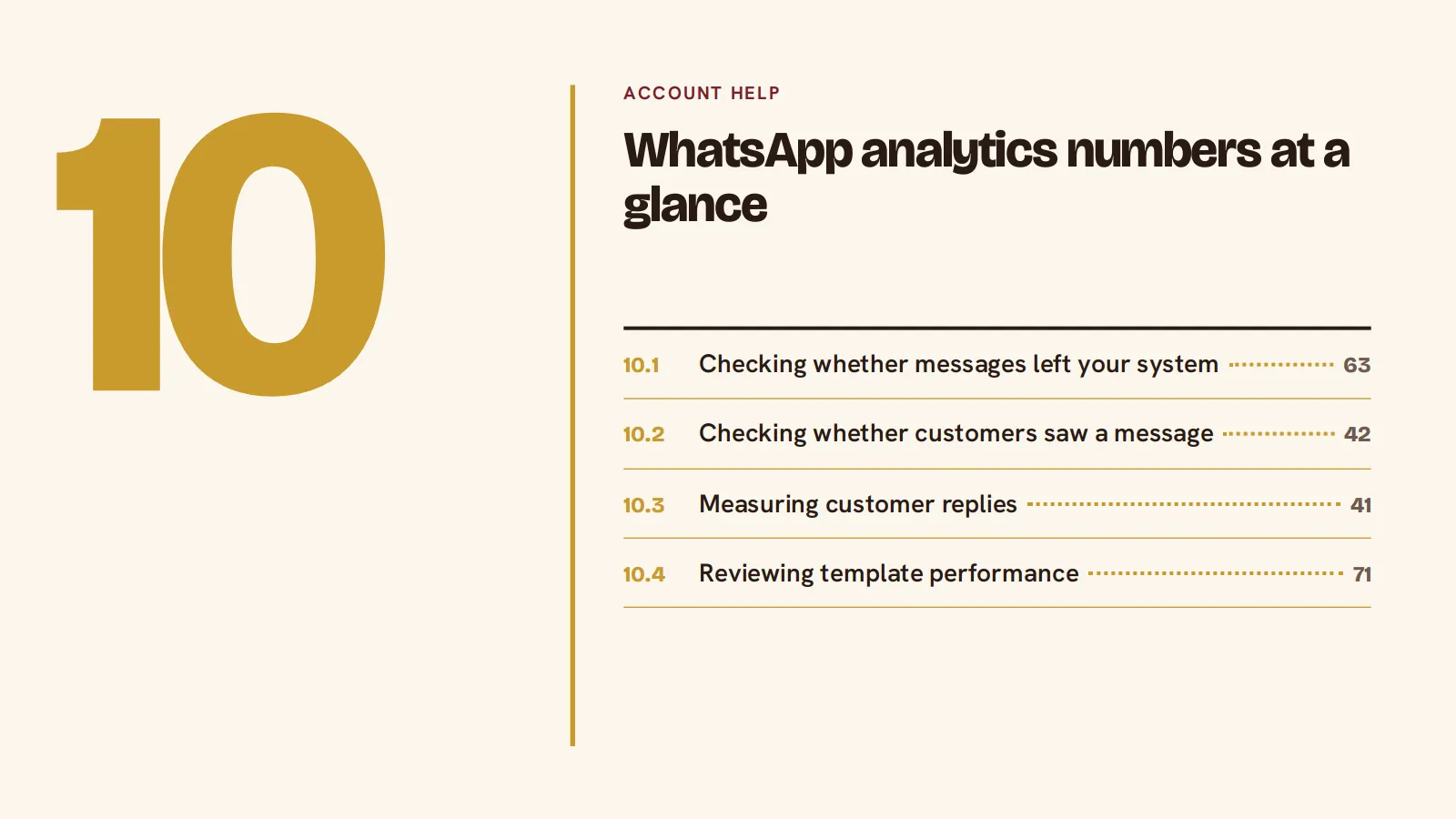
Use this table as a quick reference, but first confirm which fields your account actually provides. Meta can display different metrics for the WhatsApp Business app, Cloud API, and provider-managed accounts.
| Situation | What to use | How long | What to watch for |
|---|---|---|---|
| Checking whether messages left your system | Sent and delivered counts | Use the same chosen date range | A sent message isn’t proof of delivery |
| Checking whether customers saw a message | Read count or read rate | Compare equal campaign periods | Read status may be unavailable or limited in some flows |
| Measuring customer replies | Replies, inbound messages, or response events | Use the campaign’s full reply window | A reply may not mean a qualified lead |
| Reviewing template performance | Template-level delivery, read, reply, or error data | Compare the same template version | Changing copy, audience, and timing together hides the cause |
| Reviewing support workload | Inbound conversations and response data | Use a full workweek or month | Business hours and time zones can change the result |
| Reviewing paid messaging activity | Message categories and pricing analytics fields | Match the account’s billing period | Costs and categories can depend on market and current Meta rules |
| Comparing phone numbers | Filter by WhatsApp phone number | Use identical dates and filters | Different markets may have different audiences and demand |
Don’t calculate a rate from mixed periods. For example, a read count from one month divided by sent messages from another month creates a number that looks precise but has no useful meaning.
Cost data after the move to per-message pricing
Since 1 July 2025, Meta charges WhatsApp Business Platform template messages per message. Before that date it charged per conversation. If a guide or report still treats conversation-based charges as current, it is out of date.
Meta’s API offers a pricing analytics field. It breaks down pricing for delivered messages by date range. Meta’s template analytics also cover sent, delivered and read counts, plus template button clicks. Check Meta’s pricing page for the current categories and rates before you compare costs.
What improves the report
Good reporting starts before you open the dashboard. Name templates by purpose, audience, and version, such as order_update_us_v2 or promo_existing_customer_v1. Keep marketing, utility, authentication, and service messages separate so a strong service result doesn't hide a weak campaign result.
Use the same measurement plan for each campaign. Record the audience, send time, template version, destination link, offer, and desired action. If a customer clicks a link, submits a form, makes a purchase, or opens a support case, pass that event into your analytics or CRM system instead of asking WhatsApp alone to prove the outcome.
Check the report partway through a campaign, but don’t change everything after the first small group of results. Look first for delivery errors, template status, unusual country patterns, and a sharp fall from your own recent baseline. If delivery is healthy but replies are weak, review the message and call to action before blaming the account.
Leave the underlying data alone while investigating. Don’t delete a phone number, rename assets repeatedly, or replace a template just to make a dashboard look cleaner. Those actions can remove context and make the original problem harder to trace.
A useful trade-off is detail versus speed. A simple weekly report is easier to maintain and compare, while a detailed event-level report gives better attribution but needs consistent IDs, CRM work, and technical support.
WhatsApp analytics problems and fixes

A blank or confusing report usually comes from account access, filters, data availability, or a mismatch between the tool and the account type. Check those items before changing your messaging setup.
| What you notice | What it usually means | What to do first |
|---|---|---|
| No WhatsApp account appears | The account is in another business portfolio or you lack access | Confirm the portfolio and ask an admin to assign the WhatsApp asset |
| Data shows zero | The date range, phone number, or filter excludes activity | Clear filters and choose a period when messages were sent |
| Sent messages are higher than delivered | Some messages failed, are pending, or weren’t accepted | Review delivery errors and message status details |
| Read results are missing | The report or message flow doesn’t provide that field | Use the fields available for that account and avoid guessing |
| Template data looks weak | The audience, version, or category changed | Compare the same template and audience over equal periods |
| Numbers differ from your CRM | The systems count different events or use different time zones | Match event definitions, IDs, date range, and time zone |
If a mismatch continues after these checks, ask your solution provider or Meta support to review the account logs. Don’t send the same campaign again just because the dashboard looks delayed; duplicate messages can create customer complaints and extra cost.
WhatsApp rules and permissions
WhatsApp Business messaging is governed by Meta’s business messaging terms, product rules, and local privacy law. Your business must get opt-in from people before sending them messages, must respect opt-outs, and should make the sender clear. Marketing messages also need to follow the rules that apply in the countries where recipients live.
Permissions matter inside Business Manager. A person may need business portfolio access, WhatsApp Business Account access, and permission for connected assets. Give the smallest access level that lets each person do the job, then remove access when their role ends.
Privacy rules can also apply to phone numbers, message content, customer names, purchase details, and support records. The European Data Protection Board explains that organizations must identify a lawful basis for processing personal data under the GDPR; the correct basis depends on the specific activity and situation.
Don’t export customer conversations or upload phone lists to a new tool without checking your company policy and local law. If the work involves consent, profiling, sensitive information, or cross-border data, ask your privacy officer or qualified legal adviser.
A technical person should handle API tokens, webhooks, data deletion requests, and account migrations. A mistake there can expose customer data, interrupt messaging, or damage records that your business needs to keep.
Keep reports useful
Save a regular snapshot of the main metrics with the account name, phone number, date range, time zone, filters, and template versions. This record helps you explain later why a report changed, especially after a campaign, provider migration, or permission update.
Keep naming consistent. Don’t reuse one template name for different copy, audiences, or offers. Add a version when the wording or destination changes, and keep a simple list of when each version went live.
Review the report when the business question changes, not just because a dashboard exists. If delivery errors rise, check the account and template status. If replies fall while delivery stays stable, review the audience, wording, offer, and response process.
There isn’t one fixed period for how long every analytics view remains available. Retention and export options can vary by Meta product and account setup, so read the value shown in your own account and save records your business needs before they disappear.
When WhatsApp analytics isn’t enough
WhatsApp analytics isn’t the right choice when you need full revenue attribution. Use a CRM or web analytics system that connects message IDs with leads, orders, bookings, or subscription events.
It also isn’t enough for detailed agent performance if your support team works in a separate help desk. Use that help desk for assignment time, resolution time, reopened cases, and agent workload, then compare its results with WhatsApp delivery data.
The WhatsApp Business app may be the wrong setup for a team that needs API reports, automated workflows, or several users. In that case, review Cloud API or an approved solution provider before moving the phone number. Migration can affect settings, message history, and daily operations.
If your main need is privacy review or regulated recordkeeping, don’t rely on a dashboard export alone. Ask your privacy, compliance, or legal team to define the records you must retain and the access controls you need.
Want an expert to set this up with you? Take a look at Facebook Page Setup.
Part of our guide: WhatsApp Business: The Complete Guide for Small Businesses
Frequently asked questions
Can I see WhatsApp analytics without Business Manager?
Usually, you can see some basic activity in the WhatsApp Business app, but deeper reporting depends on your account type and tools. Business Manager is used to manage business assets and permissions, while Cloud API or provider reports may supply additional message and conversation data. If you only use the consumer WhatsApp app, business analytics features won’t match API reporting.
Why are my WhatsApp analytics not showing?
The most common checks are the selected business portfolio, WhatsApp Business Account, phone number, date range, time zone, and your permissions. A report can also look empty when the account type doesn’t provide that metric. Clear filters first, then ask a business administrator to confirm access. Don’t delete and recreate the account while investigating.
How long does WhatsApp analytics data take to appear?
There isn’t one reliable delay for every WhatsApp report. Processing can vary by metric, account type, provider, and reporting view. Check the report after the messaging activity is complete, compare it with the message status records, and note the time zone. If the difference continues, your administrator or solution provider can check account-level logs.
Is it safe to export WhatsApp analytics?
Yes, if your export process protects customer and business data. Analytics may include phone numbers, message events, template names, or campaign details, depending on the report. Limit access, use approved storage, and remove fields you don’t need. Your privacy officer should confirm retention, sharing, and lawful-processing requirements for the countries you serve.
What happens if WhatsApp delivery is high but replies are low?
High delivery with low replies means the messages reached recipients but didn’t produce much visible response. Review the call to action, audience fit, message timing, template category, and destination link. Also check whether customers reply through another channel. Don’t label the campaign a failure from one metric; compare replies with clicks, leads, purchases, or resolved cases.
How often should I review WhatsApp Business analytics?
Review active campaigns during their run and make a fuller comparison after the chosen campaign period ends. For an ongoing support operation, a weekly review is often practical if the same filters and definitions are used each time. Review sooner when delivery errors, customer complaints, opt-outs, or unexpected costs increase.
What to do next
Use your latest reports to set a simple monthly review with the people who manage customer messages. Look for changes in response quality, delivery health, and customer interest, then agree on one small improvement to test. Keep notes on the result so you’ll base future decisions on evidence, not guesses.

Derek Campbell writes about Facebook features, tools, and account management, covering topics such as account troubleshooting, Business Manager, Facebook Marketplace, and outreach strategies. His content also explores Facebook Groups, community engagement, and ways to connect with relevant audiences. His writing emphasizes practical Facebook know-how, from navigating Marketplace and managing business communities to building meaningful connections through Groups and outreach.
Checked against Facebook’s own help and policy pages on the date shown above.