WhatsApp Business Quality Rating: How to Keep It Green


Keeping a whatsapp business quality rating green means messaging only people who expect your messages, using clear templates, and stopping when complaints or blocks rise. A green rating isn’t a permanent status. WhatsApp reviews recent recipient feedback, so poor targeting can lower it even after months of good activity. The details below explain the rating, safe sending steps, warning signs, policy limits, and when another channel is a better choice.
What the quality rating means
WhatsApp Business quality rating shows how recipients react to messages from your business. It mainly matters for businesses using the WhatsApp Business Platform, including Cloud API and partner-hosted API accounts. The WhatsApp Business app has different tools, so you may not see the same rating screen there.
A healthy rating usually appears as green or “high,” depending on the dashboard version. Lower statuses may appear as yellow, medium, red, or low. Meta can change the labels and dashboard design, so check the current quality panel in WhatsApp Manager if your screen looks different.
The rating isn’t a customer score for your whole business. It reflects message quality and recipient feedback, including blocks, reports, and other signals connected with recent conversations. A large contact list won’t protect a sender that keeps messaging people who don’t want contact.
Sending fewer messages doesn’t automatically keep the rating green. Lower volume can reduce risk, but it won’t fix poor consent, irrelevant content, repeated follow-ups, or a misleading template.
This rating is used to help control message quality on the WhatsApp Platform. It can affect how confidently you send template messages and whether WhatsApp limits or pauses activity. It’s for businesses that need customer updates, support, reminders, or opted-in marketing—not for scraping numbers or sending bulk promotions to strangers.
How to send safer WhatsApp messages
Use this process for WhatsApp Platform messaging. The exact menu names can differ between Meta Business Suite, WhatsApp Manager, and your business solution provider.
-
Collect clear opt-ins before messaging. Tell people that your business will contact them on WhatsApp, what type of messages they’ll receive, and how they can stop them. Keep the consent record with the phone number, source, date, and purpose.
-
Remove people who opt out. Add an easy reply such as “STOP” or “unsubscribe” for marketing messages. Suppress that number from future campaigns as soon as your process receives the request. Don’t make the person argue with a bot to leave.
-
Match the message to the original reason for consent. If someone agreed to delivery updates, don’t treat that consent as permission for unrelated promotions. Ask for separate permission when the message type changes.
-
Use an approved template when the Platform requires one. Write the purpose plainly, avoid vague promises, and check every variable before sending. A message that says “Your order is ready” should identify the order or action clearly enough for the recipient to recognize it.
-
Start with a small, relevant audience. Group people by a real relationship, such as an active order, appointment, or recent request. Don’t combine old leads, customers, and support contacts just because they share a country code.
-
Review replies and negative signals after each send. Look for blocks, reports, angry replies, opt-outs, and questions showing that the message was unexpected. If these signs rise, pause the campaign and investigate the audience and wording.
-
Keep service messages separate from promotions. A support update should solve the customer’s immediate problem. Don’t hide a sales pitch inside a time-sensitive service notice unless the recipient clearly agreed to promotional contact.
The key judgment is relevance. If the person recently asked for the update, send it; if you’re relying on an old list or unclear consent, don’t send the campaign until permission is refreshed. Copywriting can improve clarity, but it can’t rescue an unwanted message.
Sending at scale also needs proper access, account controls, and technical setup. If you’re unsure how to record opt-outs or manage templates, ask your WhatsApp Business Solution Provider or Meta support rather than changing production settings blindly.
WhatsApp rating numbers and timing

There’s no public, universal percentage that separates green from yellow or red for every business. Use the following as operating guidance, then read the exact status, warnings, and quality details shown in your WhatsApp Manager account.
| Situation | What to use | How long | What to watch for |
|---|---|---|---|
| New audience or new campaign | A small, tightly matched segment | One campaign cycle before expanding | Unexpected replies, blocks, or opt-outs |
| Active order or support case | A transactional template tied to that case | Only while the case is current | Wrong names, order details, or stale status |
| Appointment reminder | A reminder template with the correct appointment details | Before the appointment, according to your service schedule | Missed context or people who never requested the appointment |
| Marketing to recent opt-ins | A promotional template that matches the stated consent | Only while consent remains valid under your process | Complaints, low engagement, and unsubscribe requests |
| Old or unclear contact list | No campaign until consent is confirmed | Until each contact has a usable permission record | Imported numbers, shared phones, and outdated leads |
| Rating warning appears | Pause the related send and review the audience | Until the warning and cause are understood | Repeating the same campaign can increase the damage |
| Rating drops after a template change | Stop the changed template first | Until wording, targeting, and opt-out handling are checked | Misleading variables or a new offer people didn’t expect |
WhatsApp can change limits, labels, and enforcement behavior. Don’t copy a number from another business account and assume it applies to yours. Your account type, business history, template category, audience quality, and recent feedback can all change the result.
Details that keep your WhatsApp Business quality rating green
Good senders prepare the audience before they prepare the message. They know where each number came from, what the person agreed to receive, and which business name the person will recognize. A spreadsheet, CRM field, or consent system should make those facts visible before a campaign is approved.
They also check the order of the conversation. A useful flow is consent, relevant message, clear next action, and easy support or opt-out. A poor flow starts with a promotion, sends several reminders before a reply, and only explains the business identity after the recipient complains.
Check templates with real examples before using them. Confirm that names, dates, order numbers, prices, links, and language versions appear correctly. A broken variable can make a legitimate update look like spam, especially when the recipient has no recent conversation with your business.
Leave quiet contacts alone. A person who once bought from you hasn’t automatically agreed to every future campaign. The trade-off is simple: a narrower audience may produce fewer sends, but it usually gives you better relevance and less risk than forcing a large old list to produce volume.
A common costly mistake is treating an opt-out as a temporary objection. If your system messages that person again, you may create more blocks, complaints, and policy risk while damaging trust with someone who already gave you a clear answer. Suppress the number across every campaign tool, not just one inbox.
WhatsApp rating problems and fixes
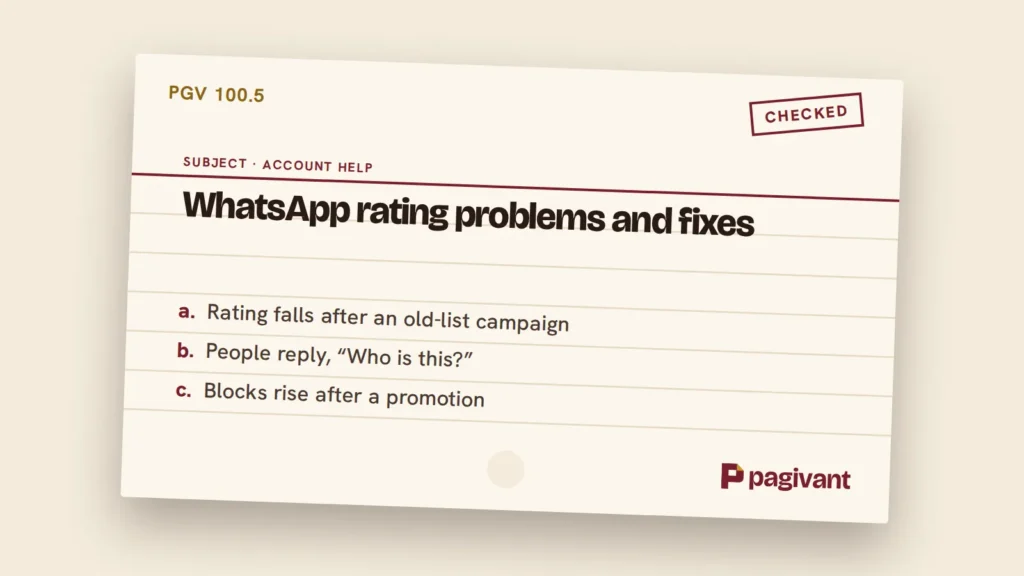
A rating warning usually tells you to inspect the audience, message, and recent feedback before you send again. Don’t try to solve it by changing only the template name or adding emojis.
| What you notice | What it usually means | What to do first |
|---|---|---|
| Rating falls after an old-list campaign | Recipients didn’t expect the message or no longer want it | Pause that audience and verify consent records |
| People reply, “Who is this?” | The business identity or message purpose isn’t clear | State your business name and the reason for contact |
| Blocks rise after a promotion | The offer was unwanted, too frequent, or poorly targeted | Stop the promotion and remove non-engaged contacts |
| Customers receive wrong details | Template variables or CRM data are failing | Disable the template and test every variable |
| Messages are sent after opt-out | Your suppression process isn’t shared across tools | Add a central opt-out list and stop queued sends |
| A template is paused or rejected | The content may not match the selected use or policy | Read the template notice and revise it honestly |
If you can’t tell whether the problem is the template, audience, or account setup, don’t keep experimenting with live sends. Export the relevant message and consent records, then ask your provider or Meta support to review the account.
WhatsApp policy limits
WhatsApp’s Business Messaging Policy requires businesses to follow its rules for messaging, user privacy, prohibited products, and user experience. The policy also expects businesses to respect opt-outs and avoid spam or misleading contact.
Your local privacy and marketing laws may add requirements. Depending on your country and message type, you may need a lawful basis, consent wording, records, unsubscribe handling, or restrictions on sensitive data. Meta’s policy doesn’t replace those local duties.
Don’t assume that a phone number is permission. A number found on a website, supplied by another company, or collected for a different purpose doesn’t automatically authorize WhatsApp marketing. Keep proof of what the person agreed to and how the message relates to it.
If your business handles regulated products, financial information, health details, or identity documents, get advice from a qualified privacy or compliance professional. Don’t test an uncertain campaign on real customers, because a policy problem can affect both the account and the people receiving the messages.
Keep your rating healthy
Keep a record of the consent source, message category, template version, campaign audience, and opt-outs. This makes it easier to identify what changed when a rating moves. It also helps your team stop one campaign without disabling useful customer support.
Review old contacts when the reason for contact is no longer active. A closed order, finished appointment, or resolved support issue shouldn’t remain in a recurring campaign by accident. Remove duplicates and shared inbox records that could send the same message twice.
Bring a paused campaign back only after you’ve corrected the cause. If the problem was unclear consent, collect new permission; if it was bad data, repair the data; if it was misleading wording, revise and retest the template. Resending the same content usually won’t restore trust.
There’s no fixed time that guarantees a green status will return. The timing depends on recent feedback and Meta’s account review systems, so use the quality panel and account notices as your guide rather than promising customers a recovery date.
When WhatsApp isn’t the right choice
WhatsApp marketing isn’t a good choice when you can’t prove how people joined your list. Use email, an on-site notice, or another permission step to ask for fresh WhatsApp consent instead of importing the numbers.
It’s also wrong for urgent information that must reach every person regardless of chat preferences. Use the channel your organization has approved for critical alerts, and follow the rules that apply to that service.
If customers need long documents, complex account actions, or sensitive support, WhatsApp may be only the first contact point. Send them to a secure portal or trained support team rather than placing private data in a casual chat.
This approach isn’t for teams that want anonymous bulk outreach with no reply handling. If you can’t monitor opt-outs, correct bad data, and answer people who respond, reduce the campaign or choose a channel your team can manage.
Related guides
- WhatsApp Business Account Setup in Business Manager: Step-by-Step
- WhatsApp Business Verification: Green Tick Requirements Explained
For hands-on help with this, our team offers Facebook Page Setup.
Part of our guide: WhatsApp Business: The Complete Guide for Small Businesses
Frequently asked questions
Can a green WhatsApp rating turn yellow?
Yes. A green rating can fall when recent recipient feedback becomes worse. Blocks, reports, unwanted messages, poor targeting, and misleading content can all create risk signals. Meta doesn’t publish one universal trigger that applies to every account, so check the quality panel and any account notice. Stop the related campaign before sending more messages to the same audience.
Why did my WhatsApp quality rating drop suddenly?
A sudden drop usually follows a recent change in audience, message content, sending pattern, or data quality. Check the last campaign first, especially new contacts, old lists, changed templates, and messages sent after opt-out. Compare the send record with your consent records. If nothing is clear, ask your provider or Meta support to review the account.
How long does it take to improve WhatsApp quality rating?
There’s no guaranteed recovery period. The result depends on new recipient feedback, the account’s recent history, and whether the cause has been fixed. Stop unwanted sends, remove people who opted out, and use only relevant messages to contacts with clear consent. Then monitor the quality panel instead of sending extra campaigns to force a faster change.
Is it safe to message customers who bought from me before?
No, not automatically. A past purchase proves a business relationship, but it doesn’t always prove permission for every type of WhatsApp message. A delivery update may relate to an active order, while a later promotion may need separate consent under your process or local law. Check the purpose, record, and applicable rules before sending.
What happens if people block my WhatsApp business number?
Blocks can add negative feedback and may contribute to a lower quality status. They also show that the message, timing, audience, or expectation may be wrong. Don’t contact those people through another WhatsApp number to get around the block. Remove them from future sends, review the campaign, and fix the consent or relevance problem.
How often should I review my WhatsApp quality rating?
Review it before each significant campaign and after any warning, template change, or unusual customer response. There’s no useful universal schedule for every account. A small support operation may review each send, while a larger team may use daily monitoring and campaign alerts. The right frequency is the one that catches negative feedback before the next send.
Conclusion
Make recipient feedback part of your regular WhatsApp review. Check which conversations lead to useful replies, remove audiences who no longer want updates, and refresh unclear messages before problems grow. If engagement stays weak, test email, SMS, or another channel instead. That small shift can protect trust and keep future outreach effective.

Derek Campbell writes about Facebook features, tools, and account management, covering topics such as account troubleshooting, Business Manager, Facebook Marketplace, and outreach strategies. His content also explores Facebook Groups, community engagement, and ways to connect with relevant audiences. His writing emphasizes practical Facebook know-how, from navigating Marketplace and managing business communities to building meaningful connections through Groups and outreach.
Checked against Facebook’s own help and policy pages on the date shown above.