How to Manage Facebook Page Reviews


You control how to manage facebook page reviews by responding publicly and using Meta Business Suite tools. This process lets you address customer feedback directly on your profile. It builds trust with future visitors who read your replies. Your response time and tone decide if a negative review hurts your reputation or helps it.
The outcome changes based on your response speed, the severity of the complaint, and whether the review violates community standards. Fast replies show you care. Serious complaints need private follow-up. Fake reviews require official reporting. These factors shape your strategy.
Who needs to manage Facebook page reviews
Small business owners and social media managers type this query when they see new stars appear on their page. They often feel panic when a one-star rating drops their average. They need a clear plan to fix the damage without making it worse. This guide serves those who want to protect their brand image through professional communication.
It doesn’t serve users looking for ways to delete honest but negative feedback. You can’t remove genuine opinions just because they hurt. If you want to scrub all criticism, this method won’t work for you. You must learn to engage, not erase. The assumption here is that you value transparency and customer service over perfect scores.
Readers who already have a dedicated community manager may find these steps too basic. They likely have established protocols. This page is for those handling their first wave of public feedback. It helps you set a standard before problems grow. If you run a large corporation, you probably need enterprise-level software instead of manual checks.
Factors that change results
Response time matters most. Facebook shows your average response time on your page. If you reply within hours, customers see you as active. If you wait days, they assume you don’t care. Check your Page Quality tab to see your current status. This metric moves up or down based on your speed.
The nature of the complaint changes your approach. A simple mistake needs an apology and a fix. A complex issue needs a private conversation. You must judge the severity quickly. Misjudging a serious problem as minor can cause a viral backlash. Read the full text before typing.
Your existing rating average sets the stakes. If you have 4.8 stars, one bad review stands out. If you have 3.5 stars, another one blends in. High-rated pages must be more careful. They have more to lose. Lower-rated pages have room to improve through consistent good service.
People often ignore the reviewer’s history. Check if the person has reviewed other local businesses negatively. This context helps you spot trolls. But never accuse them publicly. Use this info to decide if you should report the review for spam. Most users skip this step and react emotionally.
Steps to handle reviews
-
Log into Meta Business Suite. Go to your Page’s inbox. Find the review notification. Click it to open the thread. This ensures you see the review in context with other messages. Don’t reply from the mobile app if you need to copy templates.
-
Read the review twice. Identify the core issue. Is it about service, product, or staff? Note the specific details. Don’t skim. Missing a detail makes your reply look generic. Customers hate canned responses. They want to feel heard.
-
Draft your reply in a separate document. Keep it under 100 words. Start with thanks. Acknowledge the problem. Apologize if you were at fault. Offer a solution. Move the conversation offline if needed. Provide a direct email or phone number. Don’t ask for personal info publicly.
-
Wait one hour before posting. This cooling-off period prevents angry replies. Read your draft again. Check for tone. Remove any defensive language. Ensure you sound helpful, not argumentative. A calm tone disarms angry customers. It shows professionalism to others reading.
-
Post the reply publicly. Tag the reviewer if possible. This notifies them immediately. It also shows others you’re active. Keep the reply visible. Don’t hide it unless it violates rules. Hiding honest feedback looks suspicious. Transparency builds trust with future clients.
-
Follow up privately. Send a direct message if they replied. Resolve the issue. Ask if they’re satisfied. If they are, you can politely ask if they would update their review. Never demand it. Let them choose. A updated review shows you fixed the problem.
The single judgment call is knowing when to stop arguing. If a customer keeps attacking, don’t engage further. Reply once more professionally, then stop. Continuing looks petty. Your goal is to show future customers you tried. You can’t win every argument.
Review scenarios at a glance

Different situations need different actions. Use this table to pick the right path. It saves time and reduces stress. Each row covers a common case. Match your situation to the left column. Follow the steps in the middle.
| Situation | Action | Effort | Watch For |
|---|---|---|---|
| Simple mistake | Apologize and fix | Low | Generic tone |
| Complex issue | Move to private chat | Medium | Sharing private info |
| Fake review | Report to Facebook | High | Lack of proof |
| Rude customer | Polite final reply | Low | Getting emotional |
| Positive review | Thank and invite back | Low | Ignoring details |
This table covers the main types. Most reviews fit one of these. If yours does not, use the simple mistake protocol. It’s the safest default. Always prioritize moving sensitive issues offline. Public threads aren’t for solving deep problems.
Details that matter
Preparation and timing
Experienced managers keep a list of standard replies. They tweak each one for the specific customer. This saves time but keeps it personal. Beginners type from scratch every time. This leads to burnout and slow replies. Create five templates for common issues. Save them in a note app.
Check your notifications daily. Set a specific time for this task. Morning and evening work best. This catches issues early. Waiting until Friday means weekend anger grows. Consistency matters more than speed. A steady rhythm builds trust. Customers learn when to expect answers.
Checking while working
Read the reviewer’s other posts. Look for patterns. Do they complain everywhere? Or is this a one-time event? This helps you gauge sincerity. But never mention this in your reply. It feels like stalking. Use it only to guide your internal strategy.
Monitor your page’s overall rating. Track it weekly. If it drops, check recent reviews. Identify the cause. Is it a new staff member? A bad product batch? Fix the root cause. Replying to reviews doesn’t fix a broken product. You must solve the real problem too.
Common review problems
When things go wrong, stay calm. Use this table to diagnose the issue. It matches symptoms to causes. Then it gives you a fix. This stops small problems from becoming crises. Don’t ignore these signs.
| What you notice | What it usually means | What to do first | How to stop it happening again |
|---|---|---|---|
| No notifications | Settings are off | Check Page settings | Enable push alerts |
| Angry replies | Defensive tone | Apologize publicly | Use templates |
| Spam reviews | Bot activity | Report to Facebook | Monitor daily |
| Deleted reviews | User removed it | Do nothing | Focus on new ones |
| Low rating drop | One bad review | Reply professionally | Get more positives |
Each row offers a clear path. Follow the “What to do first” column. It’s the immediate fix. The last column prevents repeat issues. Consistency is key. Don’t skip steps. Even small errors add up over time.
Rules for page conduct
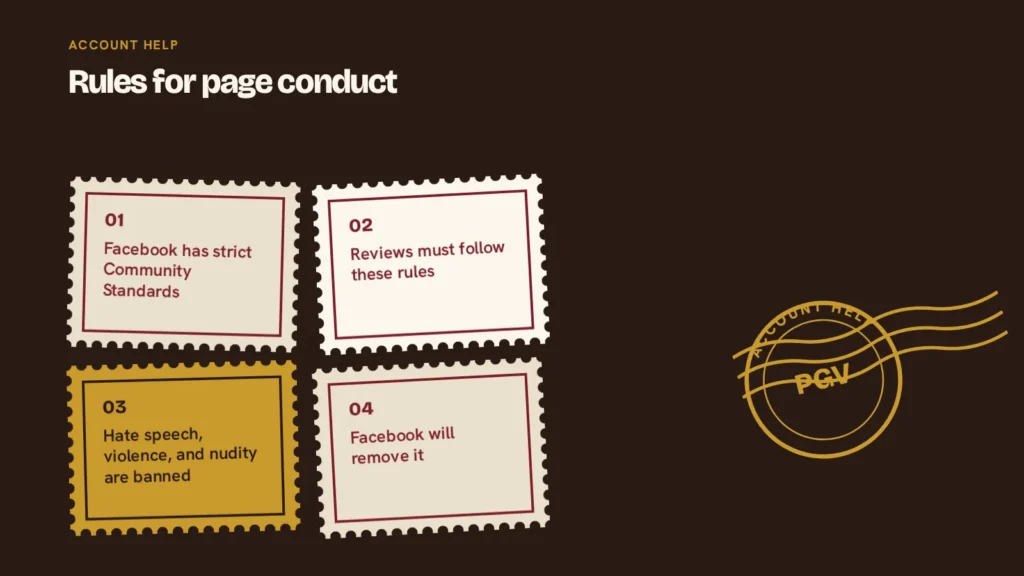
Facebook has strict Community Standards. Reviews must follow these rules. Hate speech, violence, and nudity are banned. If a review breaks these rules, you can report it. Facebook will remove it. This is the only way to delete a review. You can’t delete it yourself.
The Federal Trade Commission (FTC) guides endorsements. If you pay for reviews, you must disclose it. Fake positive reviews are illegal. They mislead consumers. Always ask for honest feedback. Never pay for stars. This protects your business from fines. Read the FTC endorsement guides for full details.
Your page must also respect privacy. Don’t share customer data in replies. Names, emails, and phone numbers stay private. Use direct messages for details. Public replies should be general. This keeps you safe from data laws. Violating privacy can lead to legal trouble. Always err on the side of caution.
Cost of management
Managing reviews costs time, not money. You spend about 15 minutes per complex review. Simple ones take five minutes. If you get ten reviews a week, that’s two hours. This adds up. Small businesses often lack staff for this. They must balance it with other tasks.
Hiring a social media manager costs more. Freelancers charge $20 to $50 per hour. Agencies charge more. This is worth it if you have high volume. It frees you to run the business. But for most, doing it yourself is cheaper. Just schedule the time. Treat it like accounting.
The cost of ignoring reviews is higher. Lost customers hurt revenue. A bad reputation spreads fast. One viral negative post can kill sales. Investing time now saves money later. It’s insurance for your brand. Don’t view it as a chore. View it as marketing. Good service sells itself.
Keeping reviews healthy
After you reply, monitor the thread. Did the customer update their star rating? If yes, thank them again. If no, let it be. Don’t nag. Move on to the next task. Keep your page active. Post regular updates. This pushes old reviews down.
Encourage happy customers to leave reviews. Add a link to your email signature. Put it on your receipt. Ask in person after a good service. Make it easy. The more positive reviews you have, the less one bad one matters. Volume dilutes negativity. Aim for steady growth.
Check your Page Insights monthly. See which posts drive engagement. See if reviews correlate with sales. Use this data to improve. Adjust your service based on feedback. If people complain about wait times, hire more staff. Let the reviews guide your business decisions. They’re free consulting.
When to ignore reviews
Sometimes, walking away is best. If a customer uses hate speech, report it. Don’t reply. Engaging gives them attention. It fuels the fire. Let Facebook handle it. Your silence shows class. Readers see the abuse and judge the reviewer, not you.
If a review is clearly fake, report it. Don’t argue with bots. They don’t care. Arguing makes you look desperate. Focus on real customers. Their opinions matter. Fake ones do not. Spend your energy where it counts. Protect your mental health too. Online hate isn’t worth your peace.
If you have resolved the issue privately, stop posting. Don’t rehash old drama. The public sees the resolution. That’s enough. Adding more comments clutters the page. It looks messy. Clean threads look professional. Know when to close the book. Move forward with confidence.
When you want it set up without the guesswork, Facebook Page Setup is the place to start.
Frequently asked questions
Can I delete a negative review?
No, you can’t delete reviews yourself. Only the reviewer or Facebook can remove them. You must report violations of Community Standards. Otherwise, you must reply professionally. Deleting honest feedback is impossible. Focus on response, not removal. This builds trust with future customers who value transparency.
How long to reply to reviews?
Reply within 24 hours for best results. Facebook tracks your response rate. Faster replies boost your page ranking. Aim for under 12 hours if possible. Weekend delays are acceptable but try to check once. Consistency matters more than perfect speed. Set aside time daily to check notifications.
Is it safe to ask for reviews?
Yes, asking is safe and encouraged. Don’t pay for reviews or offer incentives for positive ones. This violates FTC rules. Ask for honest feedback only. Send a polite link after service. Make it easy for customers to share. Honest reviews help your business grow organically and legally.
What happens if I ignore reviews?
Ignoring reviews hurts your reputation. Customers see you as unresponsive. Your page rating may drop. Potential clients will choose competitors who engage. Facebook may lower your visibility in search. Active management shows you care. Silence implies indifference. Always acknowledge feedback, even if just to say thanks.
Does replying improve my rating?
Replying doesn’t change the star count directly. But it influences future customers. They see you care. This encourages them to buy. Happy customers leave better reviews. So indirectly, yes, it helps. It mitigates damage from bad reviews. It turns negatives into demonstrations of good service.
How to handle fake reviews?
Click the three dots on the review. Select “Find support or report post.” Choose “Fake account” or “Spam.” Provide details if asked. Facebook reviews these reports. It may take days. Don’t reply to the fake review. Let the platform handle it. Arguing validates the bot’s presence.
First steps to take
Start by checking your current notifications today. Reply to any pending reviews using the steps above. Expect to see a calmer page and happier customers.
If you receive threats or illegal content, stop and report it to Facebook immediately. Don’t engage with abusive commenters to defend yourself. Responding validates their behavior and signals to the algorithm that the post deserves wider distribution.
Block the account after reporting to prevent further harassment. Document the threat with screenshots before removal in case law enforcement needs evidence later. Your safety takes precedence over maintaining a perfect response rate metric during active security incidents.

Derek Campbell writes about Facebook features, tools, and account management, covering topics such as account troubleshooting, Business Manager, Facebook Marketplace, and outreach strategies. His content also explores Facebook Groups, community engagement, and ways to connect with relevant audiences. His writing emphasizes practical Facebook know-how, from navigating Marketplace and managing business communities to building meaningful connections through Groups and outreach.
Checked against Facebook’s own help and policy pages on the date shown above.