Using Labels to Track Buyers and Leads on Facebook

Buyer, new lead, qualified lead, follow-up needed, paid customer, repeat buyer, and unresponsive are useful Facebook labels for tracking conversations. Each label should show one clear stage or action, turning busy inbox conversations into groups you can filter and review. Use simple names your team understands, and check Meta Business Suite because your Page or account may offer different label options.
Facebook labels at a glance
The table below shows a simple label system for separating sales stages from follow-up tasks.
| Label name | Best for | Recognizable example |
|---|---|---|
| New lead | First-time inquiries | “How much does it cost?” |
| Qualified lead | Serious buying interest | Asked about availability |
| Follow-up needed | Open next action | Waiting for a reply |
| Buyer | Completed purchase | Sent payment confirmation |
| Repeat buyer | Existing customer | Orders again |
| Unresponsive | No recent reply | Seen message, no response |
| Resolved | Finished conversation | Question fully answered |
Use one label for the customer’s sales position and another for the open task. A prospect can be both Qualified lead and Follow-up needed; don’t make one label carry both jobs.
Move New lead to Qualified lead after a concrete buying signal, such as asking about availability. Mark Buyer only after payment is confirmed, not after a quote.
Use Unresponsive when a requested reply is missing, not merely when conversation is quiet. Remove it when the person responds. Resolved means the question is finished; it may accompany Buyer when both are complete.
New lead label
A new lead label marks someone who has shown interest but hasn’t yet been checked for fit, timing, or buying intent. It suits businesses that receive questions through Facebook Messenger, comments, or other connected inboxes and need a clear starting point for each conversation.
Use this label to:
- Separate fresh inquiries from active sales conversations.
- Give a new message a clear first status.
- Count how many conversations still need an initial reply.
- Prevent a new question from disappearing under older messages.
Apply it when the person takes a direct step toward learning or buying. A reaction, like, share, or general comment doesn’t qualify unless it also asks about your offer or requests help. If the same person has an active conversation already, update that conversation instead of creating a second new-lead record.
A new lead label shouldn’t mean “anyone who likes a post.” A person becomes a lead when they contact you, ask about your offer, request details, or show another direct buying signal. Keep this label until you know whether the person is a real fit or only asking for general information.
After someone replies to your first response, move the conversation out of this label when your process has enough information to assess it. If they stop responding, keep the record available for follow-up rather than treating silence as proof that they aren’t interested.
A common mistake is leaving every conversation marked as a new lead. That makes the label useless, hides urgent follow-ups, and can make your team contact the same person twice. Review the label regularly and remove conversations once their next status is clear.
For example, label a Messenger conversation New lead when someone asks, “Do you ship to Austin?” But hasn’t shared what product or service they need.
Qualified lead label

A qualified lead label shows that a person has passed your basic checks and may buy. It does something the new lead label doesn’t: it separates possible buyers from people who are only browsing or asking a general question.
This label suits a sales team that needs to focus time on conversations with a clear need, suitable budget, realistic timing, or a service area you cover. Your checks don’t need to be complicated. Write the required points in your team notes so every person uses the same standard.
Use this label to:
- Prioritize people who describe a real need.
- Group conversations ready for a quote or product match.
- Move serious inquiries away from the general inbox.
- Show which leads deserve a personal response.
If a lead meets your basic buying conditions, move it from New lead to Qualified lead; if it doesn’t, keep it as a new inquiry or use a more suitable status. Don’t label someone qualified only because they replied quickly.
The trade-off is speed versus accuracy. A quick qualification process saves time, but a rushed decision can remove a genuine buyer from your priority list.
For example, a person who needs three catering trays for a confirmed Saturday event in your service area could receive the Qualified lead label.
Follow-up needed label
A follow-up needed label marks a conversation with an open next step. It does something different from buyer or lead labels because it tells you what to do, not only who the person might be.
This label suits businesses where sales depend on a second message, such as sending a quote, checking stock, confirming an appointment, or asking for missing information. It can apply to both new leads and existing buyers.
Use this label to:
- Find conversations waiting for your next action.
- Separate open tasks from finished discussions.
- Reduce missed quotes and unanswered questions.
- Give a team member a clear work queue.
Use Follow-up needed when you’ve promised a next step or the customer hasn’t received a complete answer. Remove it after the action is finished, or replace it with Unresponsive if the person doesn’t reply after your normal follow-up process.
A useful habit is to add a short note beside the label, such as “send quote” or “confirm size.” The label shows the status, while the note shows the task.
This label isn’t for people who have simply viewed a message. A seen message without a clear business reason to reply doesn’t always need another contact.
For example, label a conversation Follow-up needed after you tell a lead, “I’ll confirm the delivery window this afternoon.”
Buyer label
A buyer label identifies a person who has completed a purchase or formally accepted your offer. It suits businesses that need to separate paying customers from people who are still comparing options.
This label records a completed sales result, rather than interest or an open sales conversation. Use it to find customer conversations for support, delivery questions, order details, or future service. Keeping the label tied to a confirmed event also makes later reviews more reliable.
Use this label to:
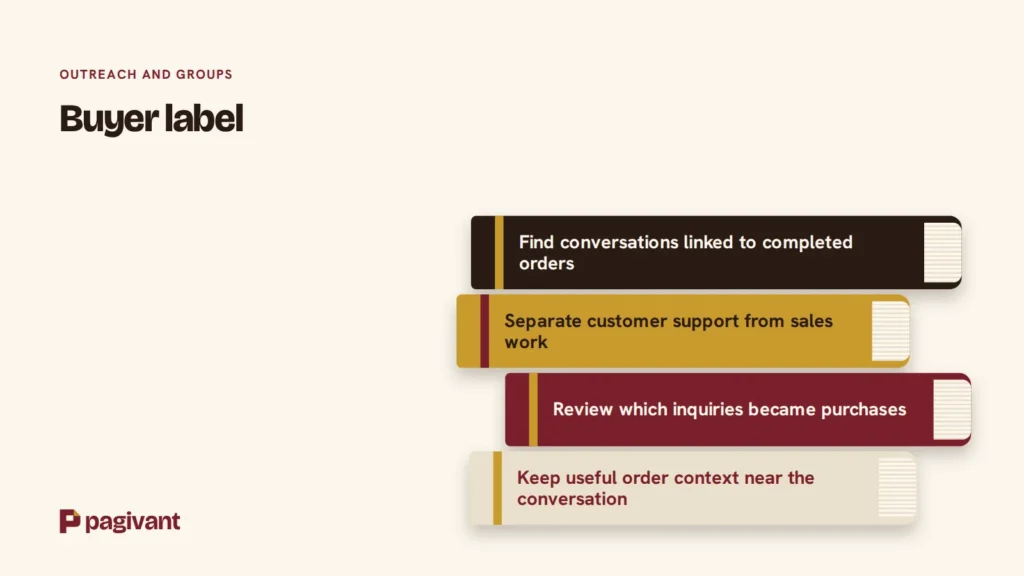
- Find conversations linked to completed orders.
- Separate customer support from sales work.
- Review which inquiries became purchases.
- Keep useful order context near the conversation.
- Check whether a customer’s question followed a completed sale.
Only apply Buyer when your business has a clear confirmation, such as payment received, an order placed, or a signed agreement. If the person says, “I’ll probably buy next week,” keep the lead label instead. A stated intention, an estimate, or a request for a quote doesn’t establish that the sale happened.
If an order is canceled, declined, or otherwise not completed, don’t use the label merely because the customer began checkout or discussed payment. Update the label according to your actual sales status, if your workflow allows that, and keep the order system’s record available for verification.
If you sell regulated products, collect sensitive information, or need a formal purchase record, use your approved business system as the source of truth. A Facebook label is a visual aid, not an accounting record or legal file. Limit sensitive details in the conversation label itself.
For example, apply Buyer after a customer confirms an order and your payment system shows the transaction as received; this approach is inexpensive compared with the alternative.
Other Facebook labels
These labels cover useful cases that don’t need a long process. Use them only when they answer a real sorting question for your business. Apply the label that matches the conversation’s current state, and update it when that state changes.
-
Repeat buyer — Use this for someone who has already bought and places another order. It suits businesses that want to recognize returning customers without mixing their conversations with first-time buyers. Confirm the earlier purchase in your order records before applying it. A previous purchase alone isn’t enough if the person is only asking a question or hasn’t ordered again.
-
Unresponsive — Use this after your normal follow-up attempts receive no reply. It suits teams that need to stop spending active sales time on a quiet conversation, but it shouldn’t mean the person is lost forever. Don’t use it while you’re still waiting for information they promised to send or while a response is normally expected.
-
Resolved — Use this when the question, order issue, or service request is finished. It suits support workflows where closed conversations need to be separated from open sales and follow-up work. Marking a conversation resolved because the customer stopped replying can hide unfinished work. Use Unresponsive in that case, and use Resolved only when the requested outcome is complete or no further action is needed.
How to choose Facebook labels to track buyers and leads
The right label depends on three things: the person’s current stage, your next action, and the amount of detail your team can maintain. A small business may need only New lead, Follow-up needed, Buyer, and Resolved.
Choose a label based on what you know about the person: if they’ve only asked an initial question, choose New lead; if they meet your buying conditions, choose Qualified lead; if they’ve purchased, choose Buyer. Don’t use several stage labels at once unless your process clearly explains which one is the current status.
Next, ask what must happen next. If you owe the person a reply, quote, check, or confirmation, add Follow-up needed. If the conversation is complete, use Resolved instead. This separates customer stage from work still waiting on your team.
Then consider your available time. If one person handles the inbox, fewer labels are easier to keep accurate; if several people share it, labels such as Qualified lead and Unresponsive can reduce confusion. Facebook labels can be combined with notes or a customer relationship system, but they shouldn’t replace a proper order or payment record.
These labels aren’t for a business that rarely receives messages or has no repeat process for updating them. If you won’t review labels, a simple inbox may be more useful than a detailed system.
For a current overview of the tool, check Meta’s Business Suite Inbox, because available inbox features can vary by account, Page, region, and connection.
Short on time? Our Facebook Accounts Setup service takes care of the whole process.
Frequently asked questions
Can Facebook labels track buyers and leads?
Yes, Facebook labels can group conversations by sales stage or next action. They work well for showing who is new, qualified, waiting for follow-up, or already a buyer. They don’t replace payment records, order software, or a customer database. Use the label as a quick view of the conversation, then confirm purchases in the system that stores your official transaction details.
Why aren’t my Facebook labels showing?
Facebook labels may be missing because your Page, inbox connection, account role, or current Meta Business Suite layout doesn’t provide the same options. Check that you’re using the correct Page and have permission to manage messages. If the feature still isn’t available, use the help options inside Meta Business Suite and avoid building a process around a label your account can’t access.
How many Facebook labels should I create?
Start with 4 labels: New lead, Follow-up needed, Buyer, and Resolved. Add Qualified lead, Repeat buyer, or Unresponsive only when each one changes what you do next. More labels give more detail, but they also take more time to update. If two labels lead to the same action, combine them.
Is it safe to store buyer details in Facebook labels?
No, labels shouldn’t be your main place for sensitive buyer details. They’re short status markers, not a secure customer record. Don’t put payment card numbers, passwords, medical details, or unnecessary personal information in a label or message. Keep sensitive data in the approved payment, order, or customer system used by your business.
What happens if a lead becomes a buyer?
Move the conversation from its lead label to Buyer after the purchase is confirmed. If the customer still needs delivery help or another response, also use Follow-up needed only if your process allows a stage label and task label together. Otherwise, keep Buyer as the stage and record the open task in your notes or work system.
Does it matter if labels aren’t updated?
Yes, outdated labels can send your team the wrong signal. A lead may receive unnecessary messages, while a paying customer may be treated like a new inquiry. If labels are often wrong, reduce the number of labels or assign one person to review them. The value comes from current information, not from having many categories.
How to start using Facebook labels
Start by creating only the labels that match your current sales flow. Then apply one to each open conversation based on its present stage or next action. Useful starting labels might include New inquiry, Follow-up needed, Waiting for customer, and Confirmed buyer. Choose names your team understands. Avoid overlapping labels that record details without changing the next action.
You should be able to see new inquiries, active follow-ups, and confirmed buyers without opening every message. If that view isn’t clear, simplify the labels. If a conversation changes stage, replace its old label so the status doesn’t become misleading. Review labels after a week of normal use and remove any no one applies.
Stop and ask your Meta Business Suite administrator or support channel for help if labels are missing, permissions look wrong, or customer data could be exposed. Before adding sensitive notes, check who can view the inbox. Keep access limited to staff who need customer information.

Derek Campbell writes about Facebook features, tools, and account management, covering topics such as account troubleshooting, Business Manager, Facebook Marketplace, and outreach strategies. His content also explores Facebook Groups, community engagement, and ways to connect with relevant audiences. His writing emphasizes practical Facebook know-how, from navigating Marketplace and managing business communities to building meaningful connections through Groups and outreach.
Checked against Facebook’s own help and policy pages on the date shown above.