How to Approve Members Automatically on Facebook

You can approve members automatically on Facebook by using Admin Assist, a tool built into Facebook Groups. You choose the criteria, such as whether the person answered your membership questions. Admin Assist approves a request only when all of your criteria are met. You still set up the rules yourself, and requests that don't meet all of your criteria are not approved automatically. Outside tools are optional and must follow Meta's rules.
Your actual path depends on your group type, admin permissions, and whether you’re willing to use external tools. Groups focused on safety or paid content face stricter limits than open communities, and what works today may break if Meta updates its policies. The rest of this page shows which options are real, which aren’t, and where each one stops being safe or allowed.
Who Should Approve Members Automatically on Facebook
Admin Assist suits admins with clear membership criteria and a growing backlog, but not small or sensitive groups. Group admins managing high-volume communities often search for faster approval workflows because manual review becomes unsustainable past 50 daily requests. This page serves admins who already have clear membership criteria and need to reduce repetitive screening time without sacrificing safety or compliance. It assumes you’ve already set up membership questions and understand your group’s current approval backlog.
New group creators hoping for instant growth through automation should look elsewhere, as skipping human review invites spam and policy violations that can get your group restricted. Admins of private support or health-related groups also shouldn’t use automated approval, since these require individual vetting to protect vulnerable members. If your group has fewer than 20 pending requests per week, manual approval remains faster and safer than configuring external tools.
This guidance applies only to standard Facebook Groups with admin-level access. Pages, Marketplace listings, and event attendee lists follow different rules entirely. Check your Group Settings > Membership Approvals panel first; if you don’t see pending requests there, this article won’t help you.
Factors That Control Approval Speed
Membership question completeness determines whether automation is even viable. Without these questions, no tool can safely automate decisions because there’s no reliable signal to distinguish real people from bots. Add or refine your questions in Group Settings > Membership Questions before exploring other options.
Admin response frequency sets your realistic baseline. Checking pending requests twice daily at consistent times reduces average wait time to under four hours for most groups, while checking once weekly creates backlogs that feel unmanageable regardless of tools. Set calendar reminders tied to your peak request periods instead of chasing automation that won’t fix inconsistent habits. Your actual volume varies by day and season, so track your own numbers for two weeks before deciding you need external help.
Third-party tool compatibility only matters if you want to go beyond Admin Assist. Tools must use Meta’s official APIs rather than scraping data, which violates terms of service and risks getting your group disabled. Even approved partners require monthly reauthorization and can’t bypass Facebook’s core safety reviews. Check the partner directory yourself rather than trusting vendor claims, since access changes without notice and outdated integrations fail silently.
Setting Up Faster Member Screening
- Go to your Facebook Group and click “Admin Tools” in the left menu, then select “Membership Requests” to view all pending applications with their submitted answers.
- Review your current membership questions under “Group Settings” > “Membership Questions” and replace vague prompts like “Tell us about yourself” with specific criteria such as “What city do you live in?” or “Which certification do you hold?”
- Enable email notifications for new requests in “Notification Settings” so you receive alerts immediately instead of waiting to check manually, reducing average response time by several hours.
- Batch-process similar requests together by sorting pending applications by answer patterns, approving all complete matches in one session rather than evaluating each individually.
- Document your approval criteria in a private admin post so all moderators apply the same standards consistently, preventing conflicting decisions that confuse members.
- Test your workflow for two weeks while tracking daily processing time and approval accuracy in a simple spreadsheet before considering any external tools.
If Membership Requests or Admin Assist doesn't show up in your group's left menu, ask our team and we can check your admin role and settings with you.
The judgement call that separates effective screening from rushed automation is knowing when consistency matters more than speed. If your group handles sensitive topics or paid memberships, taking an extra thirty seconds per request prevents costly mistakes that no tool can reverse later.
Turn on automatic approval with Admin Assist
Admin Assist can approve membership requests for you when they meet rules you choose.
- Go to facebook.com/groups and select your group.
- Click Admin Assist in the left menu.
- Below Manage people, click Add next to Approve member request if.
- Select your criteria, such as people who answered the membership questions.
- Click Add to Admin Assist.
On the mobile app, open your group, tap Admin Assist, and add the rule from there. Admin Assist only approves a request if all your criteria are met. If limited membership is on in a private group, your rules apply to participation requests from limited members instead.
Approval Options Compared
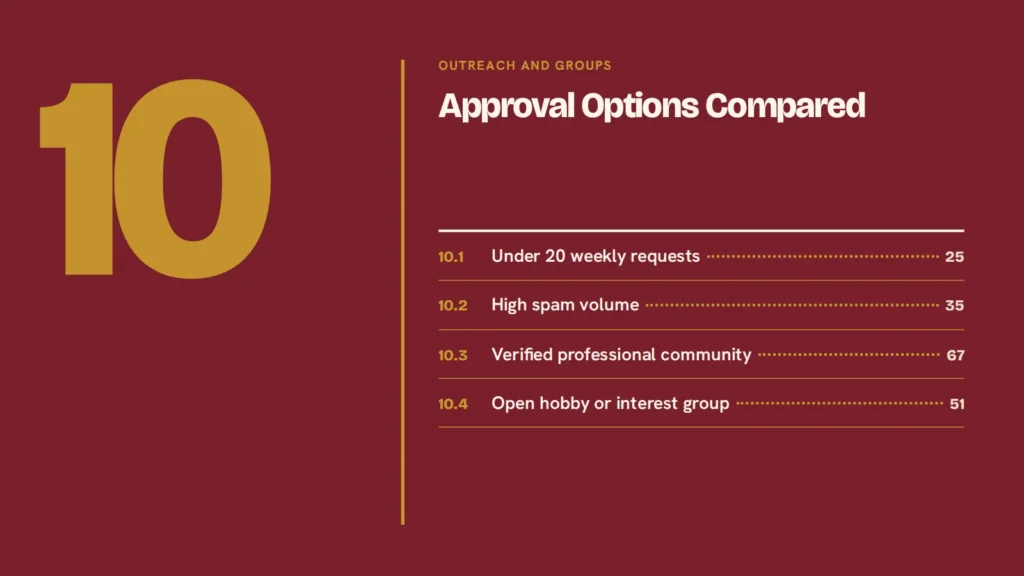
Different group types require different approaches to member screening, and choosing wrong wastes setup time or creates safety gaps. Below are the five situations admins actually encounter, matched to the method that fits each one.
| Situation | Action Needed | Real Cost | Watch For |
|---|---|---|---|
| Under 20 weekly requests | Manual batch processing twice daily | 15 minutes per session | Backlog growing past 48 hours |
| High spam volume | Strengthen membership questions first | One-time 30-minute rewrite | Legitimate members struggling to answer |
| Verified professional community | Approved partner integration only | Monthly fee plus setup hours | Partner losing Meta authorization |
| Open hobby or interest group | Admin Assist auto-approve and decline rules | 20-minute configuration | Over-filtering genuine newcomers |
| Paid or gated membership | External verification before invite | Per-member verification cost | Payment system failing silently |
Each row represents a distinct starting point, not interchangeable alternatives. Mixing approaches across situations creates inconsistent experiences that frustrate both admins and applicants. Always match your current volume and risk level before scaling up, since premature automation compounds errors faster than it saves time.
Details That Improve Screening Quality
Pre-Screening Setup Matters Most
Strong membership questions eliminate the need for automation in most cases. Write questions that require specific, verifiable answers rather than open-ended responses, since bots struggle with concrete details but humans answer them easily. Test your questions by having a friend apply; if they can’t answer correctly within sixty seconds, real members will abandon the process too. Update questions quarterly based on the spam patterns you actually see in rejected applications.
Consistent notification settings prevent missed requests from piling up. Configure mobile and email alerts to trigger only during your designated review windows, avoiding burnout from constant interruptions while ensuring nothing sits unreviewed overnight. Track your response times weekly using Facebook’s built-in Group Insights dashboard, which shows average approval duration without needing external analytics. Adjust your schedule based on actual data, not assumptions about when requests arrive.
Knowing When to Stop Automating
Some requests always require human judgment regardless of volume. Applications with incomplete answers, borderline credentials, or flags from Facebook’s safety systems must be reviewed individually, as automated approval here creates liability and trust issues. Set aside ten minutes daily specifically for these edge cases instead of forcing them through bulk workflows. Your group’s reputation depends on catching what algorithms miss.
External tools should never make final decisions on sensitive groups. Use them only to pre-sort or verify information, keeping the actual approve/deny action in human hands. If a tool promises full autonomy for health, financial, or minor-focused communities, it violates Meta’s policies and risks immediate group removal. Document every automated action in your admin notes so you can audit decisions when problems arise.
Common Approval Problems Fixed
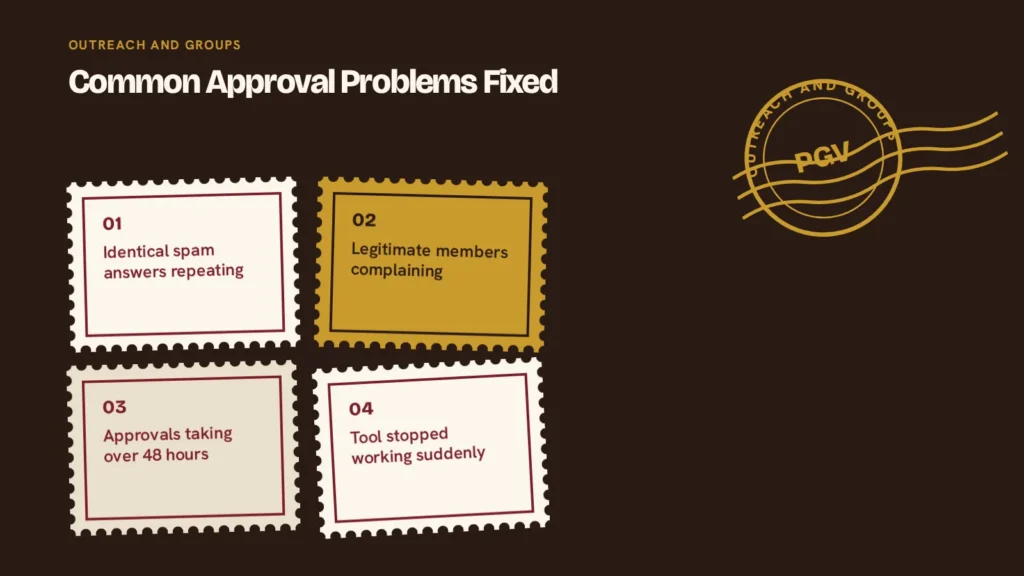
When member screening breaks down, the cause is usually visible in your pending queue or rejection patterns. Match what you’re seeing below to the actual fix, since guessing wastes time and worsens the problem.
| What You Notice | What It Usually Means | What To Do First | How To Stop It Happening Again |
|---|---|---|---|
| Identical spam answers repeating | Weak membership questions | Rewrite questions requiring specific details | Review rejected apps monthly for new patterns |
| Legitimate members complaining | Questions too vague or hard | Simplify wording and add examples | Test with real applicants before publishing |
| Approvals taking over 48 hours | Inconsistent review schedule | Set fixed daily review times | Enable notifications only during those windows |
| Tool stopped working suddenly | Lost API authorization | Reconnect via Meta Business Suite | Check partner status monthly in directory |
| Wrong people getting approved | Criteria not documented | Write clear standards in admin post | Train all mods using same checklist |
| Pending list never empties | Volume exceeds capacity | Recruit additional trusted moderators | Track weekly averages to justify help |
Every fix here targets the root cause, not just the symptom. Applying surface-level patches like adding more filters without fixing underlying questions creates new failure modes that compound over time.
Platform Rules And Limits
Meta’s Platform Policy explicitly prohibits scraping user data or automating actions outside approved APIs, which means most “auto-approve” browser extensions violate terms and risk permanent group deletion. Only tools listed in the Meta Business Partner Directory have verified access to group management endpoints, and even those can’t bypass mandatory safety reviews for certain content categories. Check the directory directly before integrating anything, since vendor websites often display outdated badges after losing authorization.
Groups covering health, finance, minors, or regulated services face additional restrictions that disable most automation features entirely. Facebook requires human review for these categories regardless of volume, and attempting to circumvent this triggers automatic enforcement actions. When in doubt, consult Meta’s Business Help Center for your region’s current policies rather than relying on third-party tutorials that may predate recent rule changes.
Real Costs Of Faster Approval
Time investment outweighs monetary cost for most groups. Configuring Admin Assist rules takes twenty to forty minutes upfront, while integrating an approved partner requires two to six hours including testing and documentation. Ongoing maintenance adds fifteen minutes weekly for monitoring and adjustments, which only pays off if you currently spend over an hour daily on manual approvals. Track your actual time spent for two weeks before committing to any solution.
Financial costs apply only to verified partner integrations, which are inexpensive relative to the alternative depending on member count and features. Free tools claiming similar functionality either lack API access or monetize through data collection, creating hidden compliance risks.
Budget for annual price increases and potential migration costs if your chosen partner loses authorization, since switching mid-year disrupts workflows and member experience. Compare pricing directly on partner websites rather than aggregator sites, as discounts and tiers change frequently without third-party updates.
Risk costs are hardest to quantify but most damaging. One policy violation can permanently disable your group, losing years of community building instantly. Weigh this against the hours saved, especially for groups with irreplaceable member networks or revenue dependencies. If your group supports business income or critical services, budget for professional consultation instead of DIY automation that might fail at the worst moment.
Maintaining Healthy Screening Over Time
Review your membership questions and approval criteria every ninety days based on actual rejection patterns and member feedback. Spam tactics evolve constantly, so questions that worked last quarter may now let bots through or block legitimate applicants. Update wording incrementally and test changes with a small batch before applying broadly, documenting each revision in your admin notes for future reference.
Monitor Group Insights weekly for shifts in request volume, approval rates, and member reports that signal emerging problems. Sudden spikes in rejections or complaints indicate broken screening logic needing immediate attention, while gradual declines suggest questions have become stale or irrelevant. Set calendar reminders for these reviews rather than waiting for crises, since proactive maintenance prevents backlogs that tempt risky automation shortcuts later.
Train new moderators using your documented standards before granting approval permissions, ensuring consistency across all reviewers. Schedule monthly calibration sessions where admins compare recent decisions and align on gray-area cases, preventing drift that undermines member trust. Rotate screening duties periodically to catch blind spots that develop when one person handles all approvals indefinitely.
When Automation Is The Wrong Choice
Private support groups dealing with mental health, addiction recovery, or trauma should never automate member approval, as these require individual assessment to ensure safety and appropriate matching. Use trained moderators with relevant background knowledge instead, and consult organizations like SAMHSA or NAMI for vetting guidelines specific to your focus area. Automated screening here creates liability and harms vulnerable people seeking genuine help.
Groups with fewer than fifty total members or irregular request patterns gain nothing from automation setup. Manual approval takes minutes in these cases, while configuring tools consumes hours better spent building relationships. Focus on welcoming each new member personally until volume consistently exceeds your capacity, then reassess based on actual data rather than anticipated growth. Premature optimization distracts from community building that drives sustainable membership.
Highly regulated industries like healthcare, legal services, or financial advising require compliance-reviewed onboarding that external tools can’t provide. Work with your organization’s legal or compliance team to design approval workflows meeting industry standards, even if slower than generic solutions. Document every decision for audit purposes, since regulators care about process integrity more than speed. Cutting corners here risks professional licenses and client trust far beyond Facebook penalties.
Short on time? Our Facebook Accounts Setup service takes care of the whole process.
Frequently asked questions
Can I auto-approve all Facebook group requests?
You can auto-approve requests that meet your rules, but not blindly. Admin Assist approves a request only when all the criteria you set are met, and you choose those criteria. Auto-approval works through Admin Assist. Tools that scrape data or automate actions outside Meta's approved APIs break platform policies.
Does Facebook allow automatic member approval?
Facebook doesn't block it. Admin Assist can approve requests automatically when they meet all the criteria you set. Criteria such as answering your membership questions can't judge context or intent, so check your new members regularly. Groups on sensitive topics should still review each request by hand.
How long should member approval take?
Aim for under 24 hours for standard groups, measured from request submission to decision. High-volume communities may extend to 48 hours if clearly communicated in membership questions, while safety-focused groups should prioritize thoroughness over speed. Track your actual average in Group Insights rather than guessing.
Is it safe to use third-party approval tools?
Only tools listed in Meta’s Business Partner Directory are safe and compliant; all others risk account suspension or data breaches. Verify current authorization status directly in the directory before connecting, since vendors lose access without public announcements. Never grant login credentials or excessive permissions to unverified services.
What happens if I auto-approve by mistake?
Remove the member immediately through the Members tab and document the incident in your admin logs. Review your screening criteria to prevent recurrence, and consider temporarily pausing approvals if multiple errors occur. Repeated mistakes trigger Facebook’s automated enforcement systems, potentially restricting your group’s visibility or features.
Does Admin Assist count as automatic approval?
Yes. Admin Assist can automatically approve or decline membership requests based on criteria you choose, and it approves only when all your criteria are met. Requests that don't meet your criteria are not approved automatically. Think of it as spam filtering rather than approval automation, reducing workload without violating platform policies.
Can page admins auto-approve group members?
No, Page roles don’t transfer to Group admin functions, and Pages lack member approval features entirely. Group approval requires explicit Group Admin or Moderator role assignment separate from Page permissions. Confusing these roles leads to wasted setup attempts and incorrect troubleshooting searches.
Start Screening Members Safely Today
Begin by strengthening your membership questions this week, since better pre-screening solves most approval bottlenecks without external tools. Better questions can reduce manual review time, and you can check this by tracking daily processing minutes in your own log. Stop and seek Meta Business Partner support if you encounter policy warnings or integration errors during setup, as pushing past these signals risks permanent group loss.

Derek Campbell writes about Facebook features, tools, and account management, covering topics such as account troubleshooting, Business Manager, Facebook Marketplace, and outreach strategies. His content also explores Facebook Groups, community engagement, and ways to connect with relevant audiences. His writing emphasizes practical Facebook know-how, from navigating Marketplace and managing business communities to building meaningful connections through Groups and outreach.
Checked against Facebook’s own help and policy pages on the date shown above.