Facebook Marketplace Not Available on a New Account

Usually, Marketplace isn’t available immediately on a new account. Access depends on whether Meta has approved the account, and Facebook’s notice explains whether eligibility checks or a restriction is involved. Open Marketplace and read that notice. Check your age, country, account status, and recent policy notices first. Don’t create another account or change your location, and use Facebook’s review or help option if access is restricted.
When Facebook Marketplace becomes available
A new Facebook account may not get Marketplace access at once. The answer depends on the account’s eligibility, location, age, policy status, and the message Facebook shows you.
Facebook doesn’t publish one waiting period that applies to every new account. If Marketplace is missing, open it from the Facebook app or website and read the notice instead of assuming the account is permanently blocked. A request to verify information, an age or location message, and a policy warning point to different problems.
| Your situation | Answer | Why |
|---|---|---|
| Brand-new personal account | Usually unavailable | Account eligibility isn’t established |
| Adult account in supported country | Often available later | Location and age may qualify |
| Account with policy restriction | No, until reviewed | Marketplace access may be limited |
| Teen account below local age | No | Marketplace requires adult eligibility |
| Account using a business profile | Not guaranteed | Marketplace access is account-specific |
| Marketplace missing after normal use | Check access | A restriction or technical issue may exist |
If Marketplace appears but you can’t create a listing, that’s different from having no Marketplace access. Read the specific error and check for a policy review. Reinstalling the app won’t remove an eligibility restriction, though updating Facebook or trying the website can help identify a technical problem.
What actually controls Marketplace access
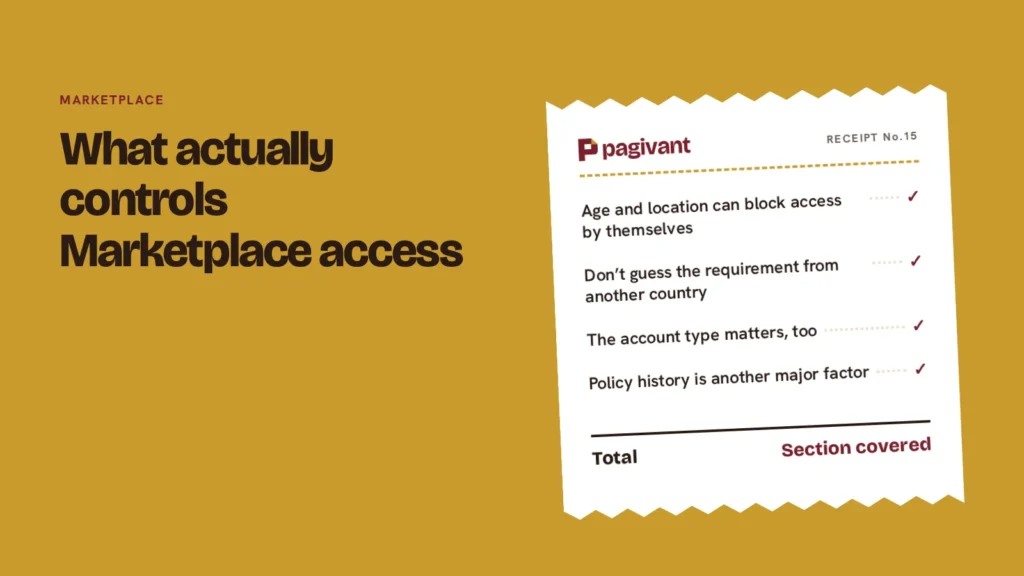
Marketplace access isn’t based only on how old your Facebook account is. Meta also considers whether the account appears eligible, whether Marketplace is supported where you live, and whether the account follows Facebook’s rules. A new account has less account history, so Facebook may not make every feature available immediately.
Age and location can block access by themselves. You’ll generally need to meet the adult-age requirement that applies to Marketplace and use Facebook in a supported country or region. Don’t guess the requirement from another country. Facebook can apply different rules based on your location and local law.
The account type matters, too. Marketplace is designed for personal buying and selling, but access is still controlled at the account level. A business Page, a newly created profile, or an account with unusual activity may not receive the same access as an established personal account.
Policy history is another major factor. If Facebook has restricted the account, Marketplace may disappear even though other Facebook features still work. Look for notices in Account Status, Support Inbox, and the Marketplace screen. A restriction notice is more useful than a generic error because it tells you whether review is possible.
Meta doesn’t publish one universal waiting period for every new account. Your useful value is the message shown on your Marketplace screen, plus the eligibility information in Meta’s Marketplace eligibility guidance. If Facebook doesn’t show a date, don’t treat a guessed waiting period as an official rule.
There’s also a trade-off between waiting and trying to force access. Waiting lets Facebook assess one consistent account, while opening extra accounts or changing location can make the account look less trustworthy. You might lose more time fixing those new problems than you would by using the original account normally.
Feature availability can change by country, account type, age, and Facebook’s current product rules. If your friend has Marketplace but you don’t, that comparison doesn’t prove your account should have it. Their account may have a different history, location, or eligibility result.
If your account is eligible and the screen shows a temporary technical problem, normal troubleshooting may help. If the screen says you’re restricted, you’ll need a review or a policy fix instead. If it shows nothing at all, check Facebook’s help and account-status areas before assuming you must wait.
If your account is new but valid, use it normally and keep its details accurate. Don’t add false personal information, use a borrowed identity, or pretend to be in another country. Facebook may ask for information that matches your account and location.
If your account has already had access and then lost it, treat that differently from a brand-new account. Review recent listings, messages, and policy alerts. A missing icon after earlier access can point to a restriction, feature change, or technical issue rather than account age.
The practical rule is simple: if Facebook shows an eligibility or temporary-access message, follow that message and wait for the stated review; if it shows a restriction or policy warning, stop trying workarounds and request review through Facebook.
Steps to check access safely
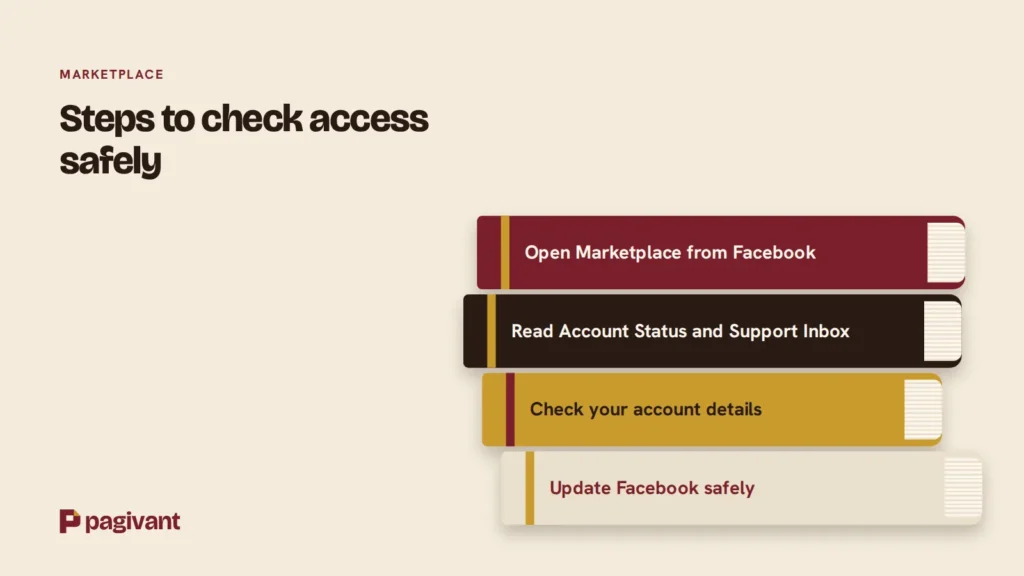
If Facebook may allow Marketplace on your account, check the account itself before you try any workaround. These steps won’t bypass a restriction, but they can separate a normal access delay from a clear account problem.
-
Open Marketplace from Facebook. Use the Facebook app or website where you normally sign in, then select Marketplace if it appears. The useful sign is an exact message such as an eligibility notice, review option, or temporary error.
-
Read Account Status and Support Inbox. Look for a Marketplace restriction, removed content notice, or request for review. The useful sign is a notice that names the affected feature instead of a general loading error.
-
Check your account details. Confirm that your age, country, name, and profile information are accurate. The useful sign is that your account information matches your real situation and doesn’t require a location or identity change.
-
Update Facebook safely. Install the current Facebook app from your device’s official app store, or try Facebook.com in a normal browser. The useful sign is that Marketplace loads in one supported access method after the update.
-
Try one ordinary troubleshooting check. Sign out, close the app, and sign in again using the same account. Don’t repeat this constantly or create another profile. The useful sign is a stable Marketplace page, not a brief icon that disappears.
-
Use Facebook’s review option if shown. Submit only the information Facebook requests, and keep your explanation short and truthful. The useful sign is a confirmation that the review request was received.
These steps are for checking access, not bypassing enforcement. If the account is below the required age, in an unsupported location, or restricted for a policy reason, technical troubleshooting won’t change the result. If Facebook gives no review option, keep the account consistent and check the same official account-status areas later rather than sending repeated requests.
The account-hopping mistake
The biggest mistake is creating several Facebook accounts when Marketplace doesn’t appear on the first one. People often do this because they expect a fresh account to unlock the feature faster. It can cost time, split messages and listings across profiles, and make account ownership harder to verify.
Changing the account’s country, using someone else’s profile, or entering a false age creates the same basic problem. You may get a different screen for a short time, but you haven’t fixed the eligibility issue. If Facebook later asks for confirmation, the information may not match the account.
The safer check is the exact notice on your original account. Compare it with Account Status and Support Inbox, then follow the review route Facebook provides. If there’s no restriction and only Marketplace is missing, use the account normally instead of opening another one.
Keep one personal account, accurate details, and one clear review request when Facebook offers that option. Don’t pay anyone who promises instant Marketplace access. No outside person can reliably remove a Facebook account restriction for you.
When Facebook Marketplace needs help
A simple missing icon can be checked yourself, but some signs mean you should stop troubleshooting and use Facebook’s official support or review process.
- A restriction notice names Marketplace — policy decisions need Facebook’s review tools, not app reinstalling. Follow any deadline shown in the notice.
- Facebook requests identity or age confirmation — submit only through Facebook; don’t send documents to a stranger. Legitimate requests appear inside Facebook, not in a random chat.
- Your account was hacked or taken over — secure the account first through Facebook’s account-recovery process. Review active sessions and change your password first.
- Your country or age is wrong in the account — use accurate information; don’t try to bypass a legal or regional limit. Don’t use another account to bypass the limit.
- A review was denied or remains unresolved — stop opening accounts and contact Facebook through the support option available to your account. Opening more accounts can make ownership harder to verify.
This stops being a do-it-yourself question when the next step involves identity documents, account enforcement, suspected hacking, or local eligibility rules. Those issues need Facebook’s own review systems, and legal or identity questions may also require a qualified local adviser. If Facebook asks for documents, use only its upload screen; never email them to a supposed support agent.
Related guides
Need it done properly the first time? See our Facebook Marketplace Account Setup service.
Frequently asked questions
Can a new Facebook account use Marketplace?
Yes, a new account can sometimes get Marketplace access, but Facebook doesn’t promise immediate access. Eligibility depends on age, country, account type, and policy status. If the Marketplace icon is missing, open Marketplace and read the notice shown there. If access isn’t available, keep your details accurate and use Facebook’s review option if offered.
Why is Marketplace not showing on my new account?
Marketplace may not show because Facebook hasn’t approved the account or has restricted it. A technical problem is also possible, especially if it works in a browser but not the app. Check Account Status and Support Inbox; your account’s message is more reliable than general waiting-time claims online.
How long does Facebook Marketplace take to appear?
Facebook doesn’t publish one fixed number of days for every new account. The deciding factor is your account’s eligibility and the message Facebook assigns to it, not a guaranteed waiting timer. Check the Marketplace screen, Account Status, and Support Inbox for a stated review or access instruction. If no date appears, don’t assume that waiting exactly 7, 14, or 30 days will unlock it. Those numbers aren’t universal Facebook rules.
Is it safe to make another Facebook account for Marketplace?
No, making another account isn’t a safe fix for missing Marketplace access. It can separate your messages, create duplicate-account problems, and make ownership or identity checks harder. It also doesn’t solve an age, country, or policy restriction on the first account. Use one accurate personal account and follow Facebook’s review route instead. If you already created another profile, don’t use false details or move activity between accounts to avoid a restriction.
What happens if I change my location to get Marketplace?
Changing your location can create an account-information problem without making you eligible for Marketplace. Facebook may compare your profile details, device signals, and activity when reviewing access, so a false location can make later checks harder. If you’ve moved to another country, update your real information only when it’s accurate and supported by your account details. Don’t use a VPN or someone else’s account to bypass a regional restriction.
Does account age matter for Facebook Marketplace?
Yes, account history can matter, but Facebook doesn’t publish one universal minimum account age for Marketplace. A new account has less history for Facebook to assess, while a restriction, unsupported location, or age issue can block access regardless of how long the account exists. Check the exact Marketplace and Account Status messages instead of counting days. If the notice identifies a policy problem, account age won’t fix that problem by itself.
Can I use Facebook Marketplace without a profile?
No, Marketplace access is tied to a Facebook account and its eligibility. A Page or business presence doesn’t automatically give you the same Marketplace access as an eligible personal profile. If your personal profile can’t use Marketplace, creating a Page usually won’t solve the reason for that limitation. Check the account that you plan to use, keep its information accurate, and follow Facebook’s own review instructions if access is restricted.
What to do about new-account access
First, open Marketplace on the original Facebook account and read the exact notice before changing your details or creating another profile. Take a screenshot or copy the wording, including any instructions, because the next step depends on whether Facebook says you’re ineligible, needs information, or has restricted access. If Marketplace opens normally, use that account rather than making a second one.
If you see an eligibility message, follow its listed requirements and change details only when instructed. For identity, hacking, age, location, or policy notices, seek Facebook’s review or account help. Keep one accurate account and record any changes. If Marketplace still fails, save the error and report it from the original account next.

Derek Campbell writes about Facebook features, tools, and account management, covering topics such as account troubleshooting, Business Manager, Facebook Marketplace, and outreach strategies. His content also explores Facebook Groups, community engagement, and ways to connect with relevant audiences. His writing emphasizes practical Facebook know-how, from navigating Marketplace and managing business communities to building meaningful connections through Groups and outreach.
Checked against Facebook’s own help and policy pages on the date shown above.