WhatsApp Click-to-Chat Ads Setup

A complete whatsapp click-to-chat ads setup takes about 45 minutes and requires an active Meta Business Suite account linked to a WhatsApp Business Platform number. You’ll build the campaign in Ads Manager, select “Click to WhatsApp” as your destination, and define your audience before launching. This guide covers the exact configuration steps, budget thresholds, compliance rules from Meta’s commerce policies, and the specific message templates that prevent ad rejections or poor conversion rates.
Understanding Click-to-WhatsApp Campaigns
A click-to-chat ad is a paid placement on Facebook or Instagram that opens a direct WhatsApp conversation instead of sending users to a website landing page. It’s designed for businesses that close sales through conversation, like service providers, local retailers, or high-ticket consultants who need real-time dialogue to answer questions and build trust before a purchase. The person clicking expects a human response within minutes, not an automated bot loop or a delayed email follow-up.
The common misconception is that this format works like a standard lead form where volume matters more than quality. In reality, each click costs significantly more than a website visit because you’re paying for a qualified conversation starter, not just traffic. If your team can’t respond within five minutes during active hours, the cost per acquisition will climb as interested users move on to competitors who answer faster.
Meta’s system optimizes delivery toward people most likely to start a chat, but it doesn’t guarantee they’ll convert. Your job is ensuring the first message they see matches what the ad promised, and that your staff treats every incoming chat as a warm lead rather than a support ticket. Without that alignment, even perfect targeting wastes budget on conversations that go nowhere.
Step-by-Step WhatsApp Click-to-Chat Ads Setup
- Open Ads Manager and create a new campaign using the “Traffic” or “Engagement” objective, then select “Messaging Apps” as your conversion location and check only WhatsApp as the destination.
-
Connect your WhatsApp Business Platform number in the ad set settings; personal numbers and standard WhatsApp Business app accounts won’t work here, so verify your business verification status first if the option is greyed out. Set your daily budget above Meta’s stated minimum for your region because lower amounts restrict learning phase data collection and extend the time before optimization stabilizes.
-
Define your audience with layered interests or custom audiences from past engagers, but exclude anyone who messaged you in the last 30 days to avoid paying for repeat clicks from existing conversations.
- Upload creative assets sized 1080×1080 pixels for feed placements or 1080×1920 for Stories, and write primary text under 125 characters so the full message displays without truncation on mobile screens.
- Create a pre-filled message template starting with a question or offer reference that mirrors your ad copy exactly, keeping it under 20 words so users can tap send without editing.
- Review the Meta messaging policy guidelines to confirm your message template and product category comply before publishing, as violations trigger instant rejection without appeal options.
- Launch during your team’s peak response hours, not at midnight, because early engagement velocity signals relevance to the algorithm and affects your cost per result for the entire campaign lifespan.
The single judgment call separating success from wasted spend is matching your pre-filled message to the specific promise in your creative. If your ad mentions a free consultation, the message must say “I’d like my free consultation,” not a generic “Tell me more.” Mismatched expectations cause users to abandon chats immediately, inflating your cost per conversation while delivering zero revenue. Test two message variants against identical creative to find which one converts, and pause the loser after 50 clicks.
Key Settings and Budget Thresholds

These figures assume you’re running in US, UK, or EU markets with a verified business account; emerging markets often have lower minimums but higher volatility. Always cross-check current limits in your own Ads Manager billing settings, as Meta adjusts thresholds quarterly without broad announcements.
| Situation | What to use | How long | What to watch for |
|---|---|---|---|
| Testing new audience | $20–$30/day minimum | 7 days minimum | Cost per conversation over $8 means wrong targeting or weak message match |
| Scaling proven winner | Increase 20% every 48 hours | Ongoing until fatigue | Frequency above 3.0 in 7 days signals audience saturation |
| Retargeting past engagers | $10–$15/day minimum | 14-day window max | Conversation rate below 15% means stale creative or offer |
| High-ticket services ($500+) | $50+/day recommended | Until 10 conversions | Lead quality drops when budget exceeds team response capacity |
| Local brick-and-mortar | Radius targeting + $15/day | Business hours only | After-hours clicks waste budget unless auto-reply sets expectation |
| E-commerce product queries | Catalog integration + $25/day | Continuous | Message template must include SKU or variant to reduce back-and-forth |
Budgets below these ranges technically run but rarely exit learning phase, leaving you paying premium CPMs without optimization. If your average order value is under $30, this format may not justify its higher cost-per-click compared to website conversion campaigns. Calculate your break-even conversation rate before launching: divide your profit margin by your expected cost per conversation, and if the required conversion rate exceeds 25%, test a different funnel first.
Optimizing Message Templates and Creative
Your pre-filled message template does more heavy lifting than any other element in this setup. Experienced advertisers treat it as a micro-landing page that continues the ad’s narrative rather than resetting the conversation.
They write templates that reference the specific benefit shown in the creative, use natural language that sounds like something a real customer would type, and keep them short enough to send with one tap. Generic openers like “Hi, I’m interested” get ignored because they force users to re-explain context they already provided by clicking.
Creative selection follows a different logic than website ads. Static images outperform video for click-to-chat in most service categories because users scanning feeds make faster decisions about whether to start a conversation when they can absorb the offer instantly.
Video works better for complex products needing demonstration, but only if the first three seconds show the outcome, not a logo or intro animation. Always include visible text overlay stating the core offer, since many users browse with sound off and skip captions.
Partway through your first week, check the “Conversation Started” metric against “Link Clicks” in your breakdown. If more than 40% of clicks don’t convert to chats, your message template is creating friction or your creative is misleading.
Don’t adjust targeting yet—fix the handoff between ad and chat first. Also monitor response time reports in your WhatsApp Business Platform dashboard; if median first reply exceeds ten minutes during advertised hours, no amount of creative optimization will save your return on ad spend. Hire additional staff or restrict ad scheduling before scaling budget further.
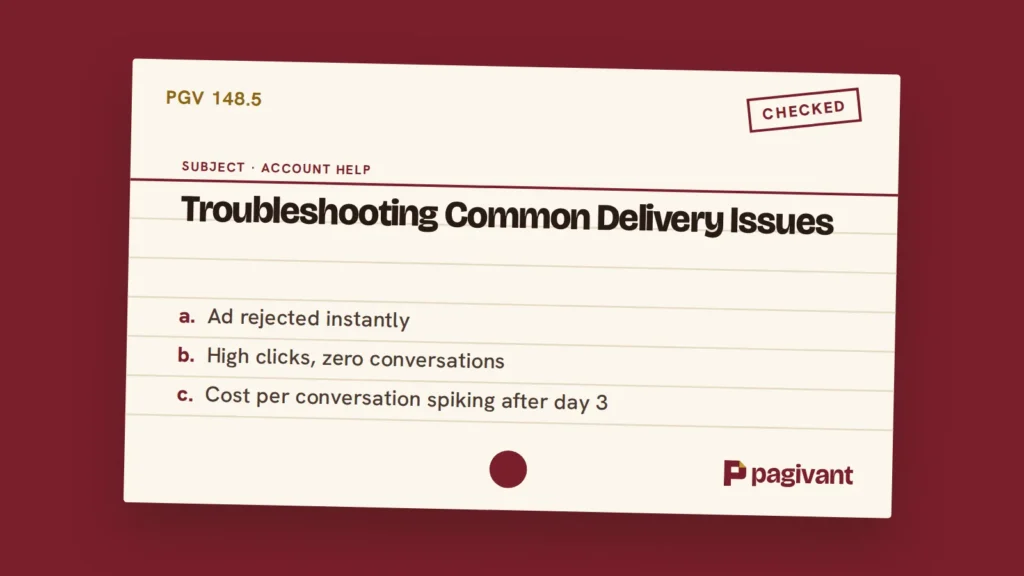
Troubleshooting Common Delivery Issues
| What you notice | What it usually means | What to do first |
|---|---|---|
| Ad rejected instantly | Message template violates commerce policy or contains prohibited terms | Rewrite template removing price guarantees, medical claims, or urgency language; resubmit |
| High clicks, zero conversations | Pre-filled message too long or mismatched with ad creative | Shorten template to under 20 words; ensure it directly references the ad’s specific offer |
| Cost per conversation spiking after day 3 | Audience exhaustion or frequency cap hit | Refresh creative assets; expand audience by 20% or switch to lookalike based on converters |
| Conversations start but no replies from users | Auto-greeting feels robotic or asks too many questions upfront | Replace multi-question bot flow with single human-sounding opener referencing their click source |
| “Messaging apps” option greyed out | Business verification incomplete or WABP number not properly linked | Complete verification in Business Settings; re-link number and wait 24 hours for propagation |
| Learning limited warning persists past 7 days | Daily budget too low for meaningful optimization events | Increase budget to meet minimum threshold for your objective; consolidate ad sets to pool data |
If your ad stays in review over 24 hours, don’t duplicate it—this resets queue position. Instead, check Account Quality for policy flags and resolve any outstanding issues before resubmitting. For persistent delivery problems despite correct setup, contact Meta Business Support through your Business Suite inbox with screenshots of your ad set configuration and rejection notices; phone support isn’t available for messaging ads specifically.
Messaging Policy Compliance Rules
Meta’s Commerce Policies govern what you can promote via click-to-chat ads, and enforcement is stricter than for website traffic because conversations are considered higher-intent interactions. Prohibited categories include adult content, weapons, tobacco, drugs, discriminatory practices, and misleading financial services.
Even allowed categories face restrictions: health products can’t claim cures, financial services must disclose risks, and employment ads can’t specify age or gender preferences. All claims in your ad creative and message template must be substantiable—you can’t promise results you can’t prove.
Business verification is mandatory for WhatsApp messaging ads in most regions. Unverified accounts may access the feature temporarily but face spending caps and higher rejection rates. Verification requires submitting legal business documentation through Business Settings, and processing typically takes three to seven business days. Start this before planning your launch date, as delays here stall everything else.
Data handling carries its own obligations. When someone messages you through an ad, their phone number becomes visible in your WhatsApp Business Platform interface. Storing, exporting, or using that number outside the conversation thread requires explicit consent under GDPR, CCPA, and similar frameworks.
Never add ad-generated contacts to marketing lists without separate opt-in confirmation. Meta’s Automated Messaging policies also restrict certain automated responses; review their current acceptable use documentation before deploying chatbots, as violations can result in permanent platform access revocation.
Maintaining Performance Post-Launch
After your campaign stabilizes, track conversation-to-sale conversion rate weekly rather than daily, since chat-based sales cycles often span multiple days. Export chat transcripts monthly to identify recurring objections or questions your ad copy should address preemptively. Update message templates quarterly to reflect seasonal offers or product changes; stale templates cause returning users to disengage even when they clicked intentionally.
Response time directly impacts algorithmic delivery. Meta rewards accounts maintaining sub-five-minute median first replies during active hours with lower costs and broader reach. If your team expands coverage, adjust ad scheduling immediately to match new availability—running ads during unstaffed periods trains the system to deliver to users less likely to convert, degrading performance long-term. Document your internal SLA and review it alongside ad metrics each Monday.
Creative fatigue hits click-to-chat ads faster than website campaigns because the same users see your message repeatedly in their inbox context. Rotate primary images every 10–14 days even if metrics look stable, and maintain three active variations minimum. Archive underperformers rather than pausing, so historical data remains accessible for future lookalike modeling. Check your WhatsApp Business Platform analytics tab for message read rates; declining reads signal audience burnout before cost metrics shift.
When Website Funnels Work Better
Click-to-chat ads fail for low-consideration purchases where users want self-service checkout, not conversation. If your product is inexpensive relative to alternatives and requires no customization, a standard conversion campaign with optimized landing pages will deliver lower acquisition costs and scale further. Chat introduces friction for buyers who’ve already decided—they just need a fast path to payment, not a sales discussion.
This format also underperforms when your team lacks dedicated chat staff during advertised hours. Sharing chat duties with employees handling other tasks creates inconsistent response times that tank algorithmic optimization. If you can’t commit one person solely to ad-generated conversations during active periods at an inexpensive cost relative to alternatives, invest in website automation or email capture funnels instead. The math doesn’t work when response latency exceeds user patience.
Finally, avoid click-to-chat for products requiring extensive visual comparison or specification review. Users browsing furniture, electronics, or apparel catalogs prefer scrolling through options themselves over asking an agent to describe differences. Reserve messaging ads for services, consultations, custom quotes, or high-trust transactions where personalized dialogue genuinely accelerates decisions. For everything else, let your website do the selling and use WhatsApp only for post-purchase support.
Need it done properly the first time? See our Facebook Page Setup service.
Frequently asked questions
Can I use personal WhatsApp for click-to-chat ads?
No, personal WhatsApp accounts can’t run click-to-chat ads. Only WhatsApp Business Platform numbers connected to a verified Meta Business Suite account are eligible. Personal numbers lack the API access required for ad integration, analytics tracking, and policy compliance enforcement. Attempting to link a personal number will result in the messaging destination option being unavailable during ad set creation.
How long does WhatsApp business verification take?
Verification typically takes three to seven business days after submitting complete documentation through Business Settings. Delays occur when submitted documents are unclear, expired, or don’t match the business name in your Meta account exactly. Start verification at least two weeks before your planned launch date. You can check status in Business Settings under Security Center, but expedited review isn’t available regardless of urgency.
What happens if my response time exceeds five minutes?
Exceeding five-minute median response time during active hours increases your cost per conversation and reduces delivery priority. Meta’s algorithm interprets slow responses as poor user experience and shifts impressions toward faster-responding advertisers. Persistent delays beyond 15 minutes may trigger automatic ad throttling. Fix this by adjusting ad schedules to match actual staffing, hiring dedicated chat agents, or implementing approved automated greeting templates that acknowledge receipt instantly.
Is it safe to collect phone numbers through WhatsApp ads?
Collecting phone numbers through WhatsApp ads is technically safe but legally restricted. Numbers appear automatically when users message you, but storing or repurposing them requires explicit consent under privacy regulations like GDPR and CCPA. Never add ad-generated contacts to marketing databases without separate opt-in confirmation. Violations risk platform bans and regulatory fines. Treat every conversation as confidential unless the user explicitly grants broader usage permission in writing.
Why are my click-to-chat ads getting rejected repeatedly?
Repeated rejections usually stem from message template violations, not creative issues. Templates containing price guarantees, unsubstantiated health claims, artificial urgency (“limited spots”), or mismatched offers trigger automated policy blocks. Rewrite templates using neutral language that mirrors your ad’s specific promise without exaggeration. Resubmit only after reviewing Meta’s current messaging commerce policies. Three consecutive rejections on similar templates may flag your account for manual review, extending future approval times significantly.
How much should I budget for testing click-to-chat ads?
Budget a daily minimum for seven days when testing new audiences in US, UK, or EU markets to ensure stable learning phase data. Lower budgets cause unreliable costs, so calculate your break-even point and adjust targets based on actual week-one performance before scaling.
Conclusion
Running successful click-to-chat campaigns means accepting that conversation quality matters more than click volume. Every dollar spent buys a chance to earn trust through real-time dialogue, not just another impression. Measure success by revenue generated per conversation, not cost per click, and adjust your strategy based on what your customers actually ask when they reach out. The ads bring people to your door; your team’s responsiveness and authenticity determine whether they stay.

Derek Campbell writes about Facebook features, tools, and account management, covering topics such as account troubleshooting, Business Manager, Facebook Marketplace, and outreach strategies. His content also explores Facebook Groups, community engagement, and ways to connect with relevant audiences. His writing emphasizes practical Facebook know-how, from navigating Marketplace and managing business communities to building meaningful connections through Groups and outreach.
Checked against Facebook’s own help and policy pages on the date shown above.