WhatsApp Business Pricing: Conversation Categories

WhatsApp Business pricing depends entirely on conversation categories, typically costing between $0.005 and $0.15 per message depending on your region and the type of chat you initiate. To figure out exactly what you will pay for WhatsApp business conversations by category, you need to understand that Meta charges per 24-hour session rather than per individual text.
Key Takeaways
- Marketing conversations carry the highest per-message rate, often costing three to five times more than utility or service chats in the same country.
- Service conversations triggered by a customer inquiry remain completely free up to 1,000 sessions per month for each WhatsApp Business account.
- Every conversation operates on a 24-hour window, meaning all messages exchanged within that timeframe fall under a single charge regardless of volume.
- Authentication messages for one-time passwords have their own distinct pricing tier, which varies significantly across regions like India, Brazil, and the United States.
- You can view exact regional rates inside your Meta Business Suite billing dashboard before sending a single paid template.
- Mixing categories within the same 24-hour window opens a new conversation session, triggering an additional charge immediately.
How WhatsApp Conversation Pricing Works
Meta abandoned per-message billing several years ago. Today, the entire system revolves around conversation-based pricing. A conversation is defined as a 24-hour messaging session between a business and a customer. Once a message is delivered, the clock starts. Any subsequent messages sent within that 24-hour window don’t trigger another fee, provided they belong to the same category.
This model rewards businesses that resolve issues quickly. If your support team answers a question, shares a document, and closes the ticket within a single day, you only pay for one service conversation. However, if the chat drags into a second day and requires a new business-initiated message, a fresh 24-hour window opens, and you’re billed again.
The platform distinguishes between who speaks first. When a customer messages you, it opens a user-initiated session. When you message them using an approved template, it opens a business-initiated session. Understanding this distinction is the foundation for controlling your monthly communication budget.
Pro Tip: Always check your message delivery timestamps. If a customer replies at hour 23, responding immediately keeps you inside the original billing window, whereas waiting two hours forces a brand-new chargeable session.
The Four Conversation Categories Explained
Meta divides all business-initiated conversations into four distinct buckets. Each bucket serves a different purpose and carries a different price tag. Knowing which category your templates fall into is essential for accurate financial forecasting.
Marketing Conversations
Any message designed to promote a product, drive engagement, or encourage a purchase falls under marketing conversations. This includes promotional offers, abandoned cart reminders, back-in-stock alerts, and seasonal newsletters. Because these messages generate direct revenue, Meta prices them at the highest tier. Brands like Sephora or Nike use these heavily during holiday sales, accepting the higher cost because the return on investment justifies it.
Utility Conversations
These are post-purchase updates that facilitate an ongoing transaction. Utility conversations cover order confirmations, shipping notifications, boarding passes, and billing statements. They don’t contain promotional language. If you add a discount code to a shipping update, Meta’s automated systems will likely reclassify the entire message as marketing, instantly raising your costs. Companies like Amazon and Shopify rely on utility templates to keep customers informed without paying premium marketing rates.
Authentication Conversations
Security-focused messages belong here. Authentication conversations include one-time passwords, account verification codes, and security alerts. Banks like Chase and apps like Uber use these constantly. Meta introduced separate pricing for authentication to prevent businesses from bundling promotional content into critical security messages. These rates fluctuate wildly by country, reflecting local telecom regulations regarding SMS replacement.
Service Conversations
When a customer reaches out to you first, the resulting chat is a service conversation. This covers troubleshooting, general inquiries, and support tickets. Businesses using platforms like Zendesk or Freshdesk route these chats through the WhatsApp Business API. As mentioned, the first 1,000 service conversations each month are free, making this the most cost-effective way to handle inbound support.
WhatsApp Business Pricing by Category
To understand the financial impact, you must look at how Meta structures the rates. Prices are set per country and per category. Below is a representative table showing typical rate ranges across major markets. Exact figures change periodically, so always verify against your official billing dashboard.
| Region | Marketing Rate Range | Utility Rate Range | Authentication Rate Range | Service Rate Range |
|---|---|---|---|---|
| North America | $0.0250 – $0.0350 | $0.0040 – $0.0080 | $0.0135 – $0.0150 | Free (first 1k) then ~$0.0080 |
| Western Europe | $0.0650 – $0.0850 | $0.0300 – $0.0400 | $0.0350 – $0.0450 | Free (first 1k) then ~$0.0300 |
| Latin America | $0.0350 – $0.0650 | $0.0080 – $0.0150 | $0.0250 – $0.0350 | Free (first 1k) then ~$0.0150 |
| Asia Pacific | $0.0450 – $0.0750 | $0.0150 – $0.0250 | $0.0200 – $0.0300 | Free (first 1k) then ~$0.0200 |
These rates apply to messages sent via the WhatsApp Business API. If you use the standard free WhatsApp Business app downloaded from the Apple App Store or Google Play Store, you can’t send bulk templated messages, and the API pricing structure doesn’t apply to manual, one-to-one chats in the same way.
You can review the official WhatsApp conversation-based pricing documentation published directly by Meta to see the precise, current rates for every supported country.
Are There Really Free Conversations?
Yes, but with strict limitations. Meta grants every WhatsApp Business Account 1,000 free service conversations per calendar month. This allowance applies exclusively to user-initiated chats where the customer messages you first. It doesn’t apply to marketing, utility, or authentication templates that you push out to your audience.
If you run a small boutique using tools like Wati or Trengo, those 1,000 free sessions might cover your entire monthly support volume. However, once you cross that threshold, standard regional service rates apply to every subsequent user-initiated chat until the calendar resets.
Warning: Don’t confuse the free tier with unlimited messaging. If a customer messages you, and you reply with a marketing template instead of a standard conversational response, you’ll immediately open a chargeable marketing session, bypassing your free service allowance entirely.
What Happens When Categories Overlap?
A single 24-hour window can only belong to one category at a time. If a customer initiates a service chat, and ten minutes later you send an approved utility template (like a shipping update), the system opens a parallel utility conversation. You’re now being charged for both the ongoing service window and the new utility window simultaneously.
This overlapping behavior catches many businesses off guard. Automated workflows built inside CRM platforms like HubSpot or Salesforce sometimes trigger utility or marketing templates while a human agent is still handling a live service chat. To prevent double billing, audit your automation rules carefully. Ensure that triggered templates pause when an active service session is already underway.
Similarly, if you send a marketing message during an open utility window, a new marketing conversation opens. The utility window continues running its course independently. Managing these parallel timelines requires strict operational discipline and well-configured routing logic.
How to Check Your Exact Rates
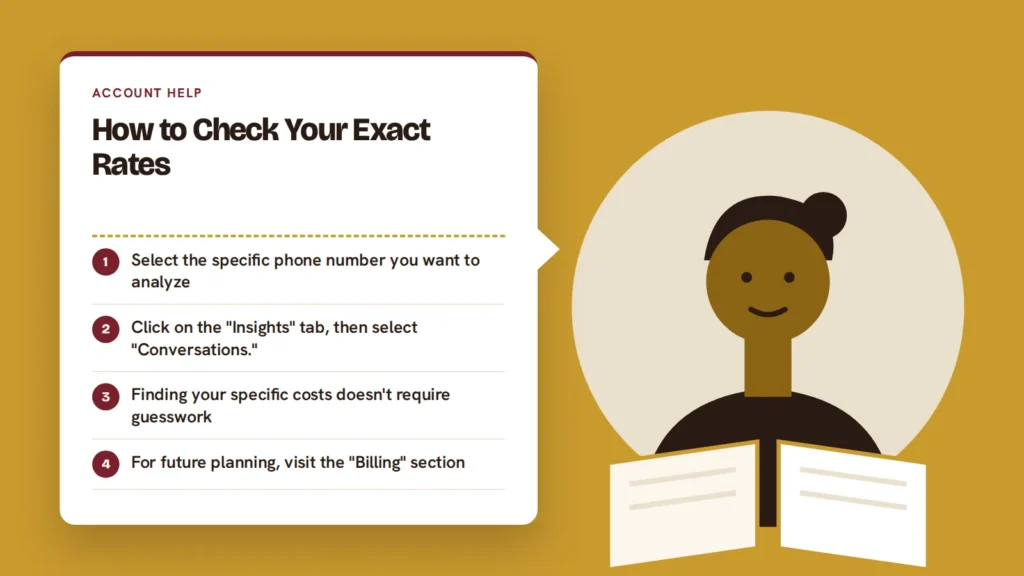
Finding your specific costs doesn’t require guesswork. Meta provides transparent reporting tools directly inside the management interface.
- Log into your Meta Business Suite or Meta Business Manager account.
- Navigate to the WhatsApp Manager section under your business portfolio.
- Select the specific phone number you want to analyze.
- Click on the “Insights” tab, then select “Conversations.”
- Filter by date range and conversation category to see exact spend.
For future planning, visit the “Billing” section. Here, Meta lists the current rate card applicable to your registered business location and the destination countries of your customers. If you operate globally, you’ll see multiple rate cards. Tools like MessageBird or Twilio also provide estimated cost calculators within their dashboards, though the definitive source is always Meta’s native billing portal.
Why Do Marketing Messages Cost More?
The price disparity between categories reflects Meta’s strategy to protect the user experience. Marketing conversations are inherently interruptive. By assigning them the highest cost, Meta discourages spam and incentivizes businesses to send highly targeted, valuable promotions rather than blasting entire contact lists indiscriminately.
Utility and authentication messages, conversely, are expected by the consumer. You ordered a package; you expect a tracking number. You requested a login code; you expect it instantly. Because these messages deliver immediate, requested value, Meta subsidizes their delivery with lower rates.
Businesses relying heavily on promotional broadcasts through platforms like Klaviyo or Mailchimp integrated with WhatsApp must factor this premium into their customer acquisition costs. A campaign that costs pennies via email might cost several dollars per hundred recipients on WhatsApp, demanding a much higher conversion rate to remain profitable.
Can You Reduce WhatsApp Messaging Costs?
Lowering your bill requires strategic template design and smart routing. You can’t negotiate rates with Meta, but you can control which categories you trigger.
First, consolidate information. Instead of sending a separate utility message for order confirmation and another for shipping, combine them into a single utility template dispatched when the item leaves the warehouse. Fewer business-initiated touchpoints mean fewer opened windows.
Second, optimize your self-service options. Deploy interactive buttons and list messages within your initial greeting. If a customer can track their order by tapping a button rather than requiring a human agent to send a follow-up template, you keep the interaction strictly within the cheaper or free service conversation boundaries.
Third, segment your audience rigorously. Only send marketing templates to users who have explicitly opted in and shown recent purchase intent. Broadcasting promotional material to dormant contacts wastes money and risks lowering your quality rating, which can lead to messaging limits imposed by Meta.
Finally, evaluate your Business Solution Provider. Platforms like Infobip, Sinch, or 360dialog charge their own markup on top of Meta’s base rates. Comparing provider fees can yield significant savings at scale, even if Meta’s underlying category rates remain fixed.
What About the WhatsApp Business App?
It’s crucial to distinguish between the API and the standalone mobile application. The free WhatsApp Business app available on iOS and Android doesn’t use conversation-based pricing for standard manual chats. Small business owners—like local plumbers using Jobber or cafes using Square—can message customers manually without paying per-conversation fees.
However, the free app lacks automation, multi-agent support, and bulk broadcasting capabilities. The moment you need to scale, integrate with a CRM, or send templated messages to hundreds of users simultaneously, you must migrate to the WhatsApp Business Platform (the API). That migration is the exact point where conversation categories and per-session billing take effect. Don’t assume the pricing rules of the enterprise API apply to the basic mobile app, or vice versa.
Need it done properly the first time? See our Facebook Page Setup service.
Part of our guide: WhatsApp Business: The Complete Guide for Small Businesses
Frequently Asked Questions
Does WhatsApp charge per message or per conversation?
WhatsApp charges per 24-hour conversation session, not per individual message. Once a session opens, you can exchange unlimited messages within that category for a full day without incurring additional fees. A new charge only applies if a new category is introduced or the 24-hour window expires and a new business-initiated message is sent.
Are incoming customer messages always free?
Incoming messages themselves don’t cost money, but replying to them opens a service conversation. The first 1,000 service conversations per month are free. After exceeding that limit, standard regional service rates apply to every subsequent user-initiated chat session for the remainder of the calendar month.
What happens if I send a promotional link in a service chat?
If you include promotional content or use a marketing template during an active service conversation, Meta will automatically open a parallel marketing conversation. You’ll be billed at the higher marketing rate for that new 24-hour window, while the original service window continues running concurrently.
Do rates differ by country?
Yes, conversation rates vary significantly depending on the recipient’s country code. Meta sets distinct pricing tiers for regions like North America, Europe, and Asia. Sending a marketing message to a customer in Germany costs substantially more than sending the exact same message to a customer in India.
How do I know which category my template belongs to?
When you submit a message template for approval inside the WhatsApp Manager, Meta reviews the content and assigns it a category (marketing, utility, or authentication). You can view this assigned category next to the template name in your dashboard before you ever deploy it in a live campaign.
Can third-party providers charge extra fees?
Yes. Business Solution Providers like Twilio, MessageBird, or Wati often add a markup or hosting fee on top of Meta’s official conversation rates. Always compare the total cost per conversation, including provider fees, rather than looking solely at Meta’s base rate card when choosing your software partner.
Conclusion
To manage your budget effectively, log into your Meta Business Suite today and review your historical conversation data. Identify which categories consume the most capital, rewrite your most expensive templates to fit lower-cost utility definitions where appropriate, and adjust your automation triggers to stop opening unnecessary parallel billing windows.

Derek Campbell writes about Facebook features, tools, and account management, covering topics such as account troubleshooting, Business Manager, Facebook Marketplace, and outreach strategies. His content also explores Facebook Groups, community engagement, and ways to connect with relevant audiences. His writing emphasizes practical Facebook know-how, from navigating Marketplace and managing business communities to building meaningful connections through Groups and outreach.
Checked against Facebook’s own help and policy pages on the date shown above.