Meta Verified for Business: Is It Worth It?

If your business relies on Instagram or Facebook to reach customers and you face frequent impersonation, meta verified for business is worth the monthly fee. If you run a local shop that depends on foot traffic or word of mouth, it won’t change your sales. The choice comes down to two facts: how much revenue your social channels actually drive, and whether fake accounts are already confusing your buyers.
A subscription only makes sense when your brand name travels further than your physical address. Businesses selling digital goods, courses, or shipping products nationwide see the clearest return because trust directly affects checkout rates. A neighborhood bakery with one location rarely needs a blue badge to sell bread. You can check your current plan options and exact pricing inside the Instagram or Facebook app. The cost changes based on your region and the specific tier you select.
Meta Verified for Business: Repair vs Replace
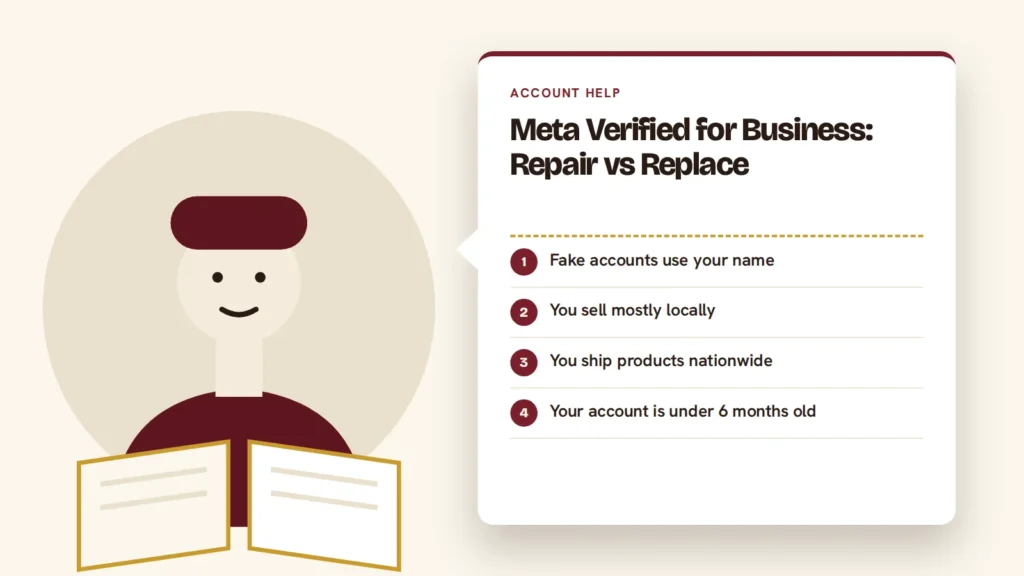
Deciding between keeping your current organic setup or paying for the subscription requires looking at exactly what isn’t working right now. The table below breaks down the situations where adding the badge helps versus when you should just leave things alone.
Most businesses make this choice based on visibility instead of risk. That mistake costs them a monthly fee while their actual problem stays unsolved.
If impersonators are already confusing your customers, verification is a repair tool. If you simply want more followers, it won’t do that work for you.
| If this is true | Repair (stay organic) | Replace (get verified) |
|---|---|---|
| Fake accounts use your name | Hard to report and remove | Proactive monitoring included |
| You sell mostly locally | Foot traffic doesn’t need badges | — |
| You ship products nationwide | — | Buyers trust checked-out sellers more |
| Your account is brand new | Build history first | — |
| You get frequent support issues | Standard forms take weeks | Direct access to human agents |
| You rely entirely on ads | Badge doesn’t lower ad costs | — |
| Someone copied your logo recently | Reporting takes too long | Faster takedown process |
Support access is the line most people misread. Meta Verified gives you a live agent for account problems only. It doesn’t route customer complaints about your product through a faster queue.
Businesses running physical locations rarely see returns here. A local bakery fighting one fake page every few years can handle that with standard reporting.
Meta Verified vs free business verification
These are two different things. Meta Verified for business is a paid subscription. It gives you a verified badge, impersonation protection and support.
Business verification is free. You do it in the Security Center in Meta Business Suite. It unlocks certain advertising, developer, billing and spending features, and it does not give you a badge. Meta says a decision can take up to 14 business days.
- Want a badge and support? Look at Meta Verified.
- Need ad or developer features? Start with free business verification. Some features may need both.
- For either one, make sure you have full control of your business portfolio.
Meta decides every verification request, so no guide or service can promise approval.
When Keeping Organic Works Better
Staying on the free path is clearly better when your audience already knows who you’re and where to find you. Paying a monthly fee doesn’t help if your customers walk through your door because they live down the street. A local plumber or a small cafe rarely competes with global scammers using their name.
The subscription also doesn’t fix a broken content strategy. If your posts don’t reach people now, a blue badge won’t push them further. Meta describes the business subscription mainly as a verified badge, impersonation protection and support, not as a way to get guaranteed reach. Spending that money on better photography or targeted ads usually brings a faster return.
You should stick with the free version if your page is brand new. Meta sets the eligibility rules, such as a supported country and full control of your business portfolio, and it decides every review. Building a real audience first gives you something worth protecting later.
Another case for staying free is when you operate in a highly regulated industry where social media plays a minor role. B2B companies selling enterprise software close deals through meetings, not Instagram likes. The badge means very little to a procurement manager reviewing a contract.
Finally, if your budget is tight, keep that cash for inventory or payroll. The monthly cost adds up over a year, and for a micro-business, that money might cover a crucial supplier order instead. Always weigh the subscription against what else that same amount could buy for your daily operations.
When Paying for the Subscription Wins
Paying for the badge stops being optional when impersonators start costing you actual sales. If someone creates a fake profile using your logo and messages your followers asking for money, the damage happens fast. Removing those accounts through standard reporting forms can take weeks, while customers lose trust every single day the fake stays up.
The subscription includes proactive impersonation monitoring. Meta actively scans for accounts pretending to be you, which saves you from hunting them down manually. For e-commerce brands shipping nationwide, this protection alone often covers the monthly fee. Buyers hesitate to enter credit card details if they aren’t sure the page is legitimate.
Direct customer support is the second major reason to pay. Free accounts rely on automated forms and community forums when something breaks. If your business page gets hacked or restricted by mistake, you have no phone number to call. Verified subscribers get access to real human agents who handle account recovery. Losing access to a page with thousands of followers can halt a business completely.
This path is also right for creators selling digital products like templates or courses. Scammers frequently copy these offers and sell them cheaper on cloned pages. The badge signals to buyers that they’re looking at the original source.
However, this isn’t for businesses that treat social media as an afterthought. If you post once a month and ignore direct messages, paying for premium support wastes money. The subscription rewards active accounts that use the platform as a primary sales channel. If your revenue doesn’t depend on Meta’s apps, skip it.
Hidden Costs of Meta Verified
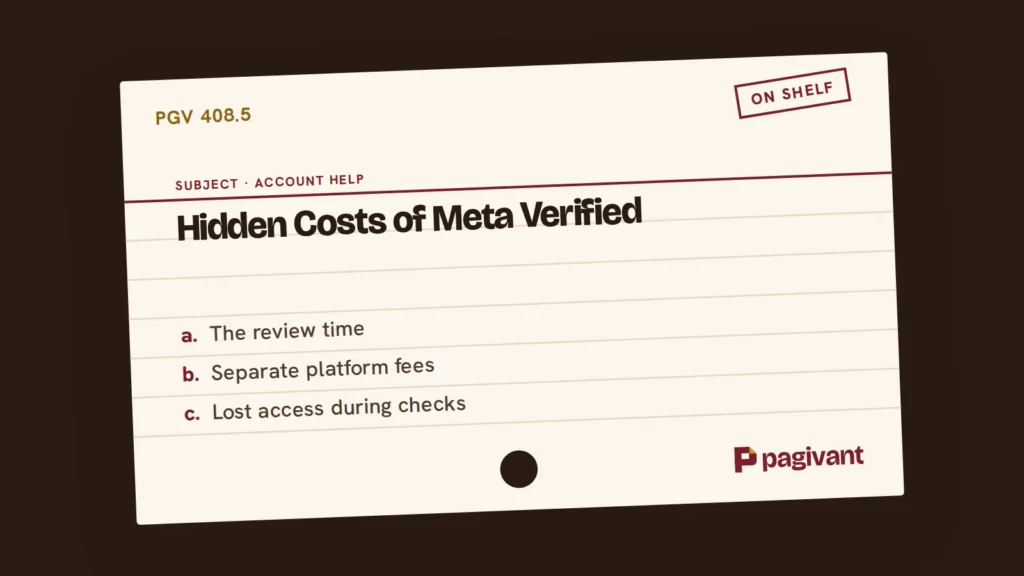
The monthly price tag shown on the screen isn’t the only thing you’ll spend. Several other costs hide behind the subscription that catch businesses off guard when they sign up.
- The review time: Your application doesn’t approve instantly, meaning you wait days without the protection you thought you bought. Review times vary, and Meta decides each case. During that window, impersonators can still operate freely against your brand.
- Separate platform fees: Paying for Instagram doesn't automatically cover Facebook, so running both means two subscriptions, though Meta lists a bundle discount for verifying two business assets. You must purchase a separate subscription for each platform through its respective app.
- Lost access during checks: If your documents don’t match perfectly, your account might face temporary restrictions while Meta investigates. Even a mismatched middle initial on your ID can trigger this hold. While restricted, you can’t run ads or use certain messaging features.
- Cancellation limits: Stopping the subscription doesn’t always give you a refund for the current billing cycle. You keep the badge until the period ends, but the money is gone.
- Ongoing document updates: Changing business details such as your name or profile picture can mean going through verification review again. Skipping that review can put your verified status at risk.
Questions to Ask Before Subscribing
Before you hand over your payment details, you need clear answers about what the subscription actually covers for your specific situation rather than assuming the features work the same way for every business size or region.
Does this cover both my platforms?
Check if the plan includes both Instagram and Facebook or just one. Buying separate plans adds to your cost, though Meta lists a discount when you verify Facebook and Instagram together. Confirm the exact coverage before paying.
Some agencies sell a single-platform badge while implying full cross-network protection. Ask them to name the exact platforms covered in writing. If they hesitate, you’re likely buying half of what you need.
What happens if my documents fail review?
Ask how many attempts you get and if you lose money on failed applications. Some regions don’t refund the first month if your ID doesn’t match your page name exactly.
A mismatch as small as “LLC” missing from your legal name can trigger a rejection. Verify that your government-issued ID matches your page name character for character before applying.
How fast does the support team answer?
Find out the expected response time for urgent issues like a hacked account. Premium support means nothing if they take three days to reply to an emergency.
Test their live chat with a simple question before subscribing. If a basic inquiry takes more than ten minutes, an account recovery will leave you stranded for days.
Can I cancel mid-month without penalty?
Confirm the billing rules if you decide the service isn’t helping your sales. You don’t want to pay for a full year when you realize it’s useless after two weeks.
Annual plans often lock you in even if Meta revokes your badge later. Insist on a monthly option until you see real results from the subscription.
Will my reach actually change?
Read the official terms regarding algorithmic distribution. If you expect more views just for paying, you’ll likely be disappointed when your metrics stay flat.
There’s a hard line here: if your account faces legal disputes over trademark infringement, a support agent can’t act as your lawyer. That requires a licensed attorney.
Features That Prevent Future Problems
Buying the subscription only works if you pick the tier that matches your actual risks. Choosing the wrong plan means you pay for tools you never touch. You also miss the ones you desperately need.
Look closely at the impersonation monitoring limits. Meta lists impersonation protection in every business tier. Higher tiers mainly add more support, profile features and protected accounts. Meta decides what counts as impersonation, so no plan can promise to catch every copy. Read the feature breakdown on Meta’s official pages to see exactly what each tier scans for.
Accounts tied to a personal profile face a specific vulnerability here. If your personal account gets locked, you lose access to the business support queue entirely. The higher tiers sometimes offer a separate business login path. Check whether your chosen plan includes this before you rely on it during an emergency.
Next, check the support channels included in your region. Phone support isn’t available everywhere. Some areas only offer email or chat. If your business operates outside normal office hours, email-only support leaves you stranded overnight. Verify the contact methods listed for your specific country before committing.
Businesses running paid ads should confirm their tier covers ad account disputes. Many creators assume the badge protects their entire ad infrastructure. It often only secures the page itself. Getting an ad account disabled still requires navigating the standard automated appeals process unless your plan explicitly includes ad support.
Finally, review the document requirements for maintaining the badge. Meta periodically asks you to re-confirm your business details. If your legal paperwork is messy, you risk losing the badge unexpectedly. The same happens if your registered address differs from your page info. Keep your business registration documents updated and matching your social profiles exactly. This prevents sudden removals that confuse your customers and force you to reapply from scratch.
Related guides
When you want it set up without the guesswork, Facebook Page Setup is the place to start.
Frequently asked questions
Can I get Meta Verified for a personal account instead?
Yes, personal accounts have a separate verification program with different pricing and features. The business version is bought per Facebook Page, Instagram account or WhatsApp number, and higher tiers add business features. Personal plans focus mainly on the blue badge and basic identity protection. Check Meta’s official site for the exact personal tier pricing in your country.
Why was my business verification application rejected?
Rejection usually happens when your submitted documents don’t match your page name exactly. Meta requires government-issued IDs or business registrations that align perfectly with your profile. Missing information or blurry photos also cause instant denials. You can typically reapply after fixing the document issue, though waiting periods may apply depending on your region.
How long does the approval process take for businesses?
Review times vary, and Meta does not guarantee a timeline or approval, even when your documents are correct and clear. Delays happen when Meta requests additional proof of business ownership or when application volumes are high. There’s no way to speed this up artificially. You’ll receive an email notification once the review team finishes checking your submitted files.
Is it safe to share my business documents with Meta?
Yes, Meta uses encrypted systems to handle identity documents, similar to banks or government portals. They state in their privacy policy that these files are used solely for verification purposes. However, any online submission carries a baseline digital risk. Only upload documents through the official settings menu inside your business account, never through third-party links.
What happens if I stop paying the monthly fee?
Your blue badge disappears almost immediately after your billing cycle ends without renewal. You also lose access to the dedicated support channels and impersonation monitoring tools. Your account returns to its standard organic status. Any posts or followers you gained while verified remain untouched, but the trust signal vanishes from your profile.
Does the blue badge increase my post reach?
Not directly. Meta lists visibility features such as appearing at or near the top of search results, but it does not promise more views on your posts. The badge focuses mainly on security, authenticity, and customer support. Expecting higher engagement purely from paying the fee leads to disappointment. Your content quality and ad spend still determine how many people see your posts.
How much does Meta Verified cost for businesses?
In the US, Meta lists four business plans from $14.99 to $499.99 per month. Each price covers one Facebook Page, Instagram account or WhatsApp number, and prices vary by region and tier. Multi-platform bundles or higher protection levels cost more. Because prices update based on local markets and currency changes, you must check the exact figure inside your own Meta Business Suite dashboard before subscribing.
Does the verification cover my employees too?
No, the business subscription applies strictly to the brand’s official page and its associated accounts. Individual employees need their own personal verification if they want a badge on their private profiles. The business tools protect the company name and logo, not the personal identities of staff members posting from their own devices.
Conclusion
Choosing between paying for protection and relying on free tools comes down to how much your brand loses when scammers strike. If your revenue flows directly through social channels, the subscription acts as insurance. If your business thrives offline, that same money works harder elsewhere.

Derek Campbell writes about Facebook features, tools, and account management, covering topics such as account troubleshooting, Business Manager, Facebook Marketplace, and outreach strategies. His content also explores Facebook Groups, community engagement, and ways to connect with relevant audiences. His writing emphasizes practical Facebook know-how, from navigating Marketplace and managing business communities to building meaningful connections through Groups and outreach.
Checked against Facebook’s own help and policy pages on the date shown above.