How Facebook Group Chats Work


Facebook group chats let several people share one conversation where they can send messages, photos, videos, reactions, links, and other files. A person starts the chat and adds Facebook friends or Messenger contacts. Each member sees the same conversation, although someone might miss older messages or leave later. New messages appear in the chat for the people still included. The chat is separate from a Facebook Group page, so joining a group doesn’t automatically put you in its group chat.
Facebook group chats: the working parts
Facebook group chats work through a few connected parts. Each part has a different job, so a problem with one part can look different from a problem with another.
| Part or input | What it does | What you notice when it goes wrong |
|---|---|---|
| Messenger account | Identifies each person | You can’t send messages |
| Chat thread | Holds the shared conversation | Messages go to the wrong place |
| Participants | Receive and send messages | Someone doesn’t see new replies |
| Admin or creator | Controls basic chat actions | Members can’t add people |
| Internet connection | Sends and receives updates | Messages stay pending |
| Notifications | Alerts you about activity | You miss new messages |
A Facebook group chat may include people from a Facebook Group, but it doesn’t have to. Someone can create a chat with selected friends without creating or joining a Facebook Group. Membership in the Facebook Group doesn’t automatically mean that every member belongs to the chat.
The chat normally appears in Messenger, Facebook’s messaging area, or both. The exact buttons can change between the Facebook website, Messenger app, Android, iPhone, and different account versions.
If only one person can’t send or see replies, check that person’s account, app, connection, and notification settings first. If nobody can send messages and they remain pending, a connection or service problem is more likely. If messages send successfully but one person misses them, that person may have muted the conversation or turned off notifications.
Adding someone also depends on the chat’s permissions and account type. A participant may be able to invite others in one conversation but not another. If the add option is missing, the person who created the chat or manages its available controls may need to make the change.
How do Facebook group chats work?

A full chat cycle starts with choosing people and ends when members read or answer the message. The names of buttons may differ, but the order is usually similar.
-
Open Facebook or Messenger and start a new message. Choose the new-message option, usually shown by a pencil, plus sign, or “New message” label. The app first checks your account and connection. This usually takes only a few seconds, but a slow connection may delay the contact list.
-
Add at least two other people to the conversation. Search for each person by name, then select the correct profile. Check profile photos or other details before choosing, because similar names can lead to the wrong chat. The chat becomes a group conversation when more than two people are included.
-
Give the chat a name if the option appears. A name such as “Saturday trip” helps members find the right thread later. Some chats show the name automatically, while others let an admin or member change it. The name doesn’t change who can read the messages or join the conversation.
-
Send a text message to create activity. Type your message, then tap or click Send. The message travels through Messenger and appears in the shared thread after the service accepts it. The time can range from nearly instant to several minutes, depending on your connection and Facebook’s service status.
-
Members open the same thread and reply. A reply goes to everyone still in the chat, not just the person who wrote the previous message. Members can usually add reactions, photos, videos, links, voice messages, or other supported content. Large files and weak connections may take longer to upload.
-
Notifications tell members about new activity. A phone may show a banner, sound, vibration, or badge, depending on the person’s settings. A member can mute the chat and still remain in it. In that case, the message can arrive normally even though no alert appears.
-
People manage their membership or the chat. A member may leave, mute, archive, or report the conversation, depending on the available controls. An admin or creator may have extra options. Leaving stops new messages from reaching that person, but it doesn’t erase the chat for everyone else.
Why Facebook group chats stop working
The most useful clue is the exact symptom: a missing person points to membership or permissions, while a stuck message points first to connection or service problems. These clues matter because a group chat has separate stages for selecting people, sending content, delivering it, and displaying notifications.
If one person can send messages but another person doesn’t see them, check that the second person is still listed in the chat. They may have left, muted notifications, opened a different thread, or lost access to the account. A message can be delivered without producing a visible alert.
If nobody can send messages, check the internet connection first. Switch between Wi-Fi and mobile data only if that’s safe and available, then reopen Messenger. If other apps also fail to connect, the problem is probably broader than this chat. If only Facebook fails, check Facebook’s own service notices before changing account settings.
If one message stays pending, the content or connection may be the issue. A large video can take longer than a short text, and a weak signal can interrupt an upload. Try sending a short text first; if that works, the original file needs checking for size, format, or upload failure.
If a person can’t be added, confirm the profile name and check whether the person has blocked, restricted, or otherwise limited contact. Privacy settings can also affect who can message whom. Don’t create repeated chats just to force an invitation, because that can confuse members and leave important replies spread across several threads.
A common costly mistake is treating a Facebook Group and its chat as the same thing. Someone may post an announcement in the group page while assuming every chat member saw it. The result can be missed meeting details, duplicated work, or private information sent to the wrong place.
The privacy trade-off is clear: a larger chat makes sharing faster, but it also gives more people access to each message and file. Before posting a phone number, address, document, or private photo, check the participant list. Meta explains its collection and use of information in its Privacy Policy, but the policy doesn’t replace checking who’s inside your specific chat.
Group chats aren’t a good fit for formal records, urgent safety instructions, or confidential business material unless every participant and the organization’s rules allow that use. They’re also not for someone who needs guaranteed delivery, guaranteed alerts, or a permanent record that no member can remove or lose access to.
What you control in Facebook group chats
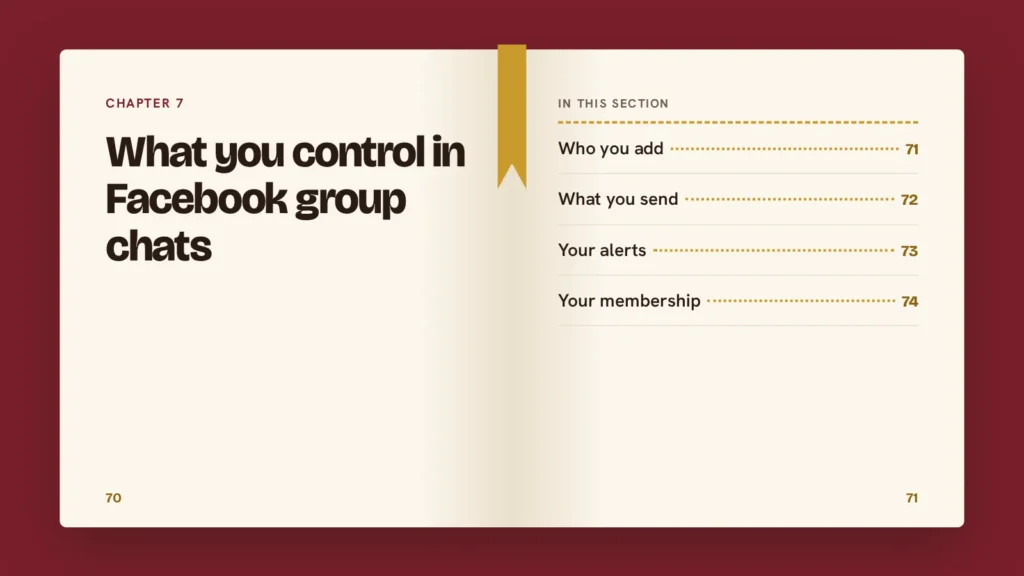
You can change the way you use a chat, but you can’t change every part of how Messenger handles it. The controls below help you decide what to try and where to stop.
You control these choices
- Who you add: Check each profile before sending an invitation.
- What you send: Remove private details before posting.
- Your alerts: Mute, unmute, or adjust notifications.
- Your membership: Leave or stay in the conversation.
- Your phone settings: Allow Messenger notifications and background data.
If messages appear in the chat but no alerts arrive, check Messenger’s notification settings and your phone’s notification permission before changing the conversation. If messages don’t load at all, check the connection and app-data permission first.
These parts are fixed by design
- Facebook’s service availability: You can’t repair a platform-wide outage.
- Other people’s choices: Members may mute, leave, or ignore the chat.
- Account privacy settings: You can’t override another person’s limits.
- Message history behavior: Features can vary by app, account, and update.
A group chat may also behave differently for different members. Compare the app version, connection, and notification settings before assuming the whole conversation is broken. If only one person has the problem, focus on that person’s device or account rather than changing the group.
If the problem involves account recovery, suspected takeover, threats, financial loss, or private images shared without permission, stop changing settings and use Facebook’s official account or safety support. Don’t try technical workarounds that could lock you out or destroy evidence.
If the chat works on Wi-Fi but not mobile data, use the working connection and check your phone’s app-data permission. If a different chat works but this one doesn’t, compare the participant list and chat settings instead of reinstalling the app first.
Better habits for Facebook group chats
A few habits follow directly from how the chat sends one message to several people. They reduce confusion without pretending that you control delivery, notifications, or other members.
Name chats for their purpose
Use a short name that identifies the event, project, or family topic. A clear name helps when several conversations have similar members. Skip names such as “Chat” or “Friends”; they offer little help when you return later. It won’t prevent mistakes by itself, so check the participant list before posting something private.
Check members before sensitive posts
Look at the people included before sharing an address, payment detail, travel plan, or document. For a recurring group, recheck membership when the topic changes, especially before sharing details. If the wrong person is present, don’t rely on deleting the message later. Send the information in a safer channel or remove it before sending.
Send a short test first
If a photo, video, or document won’t send, try one short text message. A text that sends normally points toward the file or upload rather than the whole chat. If even the short text fails, check the connection and service status. If the text sends but the attachment does not, check its format or size before retrying.
Separate urgent messages
A muted chat may still receive a message without alerting its member. For a time-sensitive issue, use the contact method your group already agreed on, such as a direct call. Don’t assume a Messenger notification equals immediate attention. State the deadline in the message, but treat it as context, not proof that someone has seen it.
Keep one active thread
Before starting a new chat, search your existing conversations for the same people or topic. Duplicate threads split replies and make it harder to know which information is current. If the group has changed, clearly tell members which thread they should use. Put corrections in the same thread so members don’t compare competing versions.
Short on time? Our Facebook Accounts Setup service takes care of the whole process.
Frequently asked questions
Can I create a Facebook group chat without a Facebook Group?
Yes, you can create a group chat without creating a Facebook Group. Start a conversation in Messenger or Facebook’s messaging area and add the people you want. A group chat is one shared message thread, while a Facebook Group is a larger community space with posts, members, and settings.
Why can’t I add someone to a Facebook group chat?
The likely reasons are a wrong profile selection, privacy limits, blocking, account restrictions, or a temporary Messenger problem. Search the person again and confirm the profile before trying another action. If you can message the person directly but can’t add them, their settings or the chat’s rules may control the result. Don’t repeatedly create new chats; ask the person to check their Messenger settings or use Facebook support.
How long do Facebook group chat messages take to send?
Short text messages usually send within seconds when the app has a stable connection, while photos, videos, and documents can take longer. The exact time depends on connection speed, file size, device performance, and Facebook service availability. A pending message shows that delivery hasn’t finished. Send a short text as a check; if it also stays pending, investigate the connection before blaming the file.
Is it safe to share private information in a Facebook group chat?
No chat should be treated as automatically safe for highly private information. Every current participant may be able to read, copy, forward, or save what you send, and account access can change. Check the member list before posting. If the information could cause harm if exposed, use a channel approved for that type of data instead of relying on a group chat.
What happens if I leave a Facebook group chat?
You stop receiving new activity from that conversation after you leave, although the chat and earlier messages may remain for other members. Your exact visibility can vary by app version and account settings. Leaving doesn’t usually erase messages already sent to everyone. If you only need a break from alerts, mute the chat instead; leaving is a membership change, not just a notification change.
Does it matter who created a Facebook group chat?
Yes, the creator or admin may have extra controls, but they don’t control every member’s phone, notifications, or account. Admin actions can affect who is added, removed, or managed, while each member can still mute or leave when those options are available. If the chat is for work or an event, agree on one admin and one backup contact so members know where to report problems.
Conclusion
Before starting your next conversation, check who you’re adding and what you’re comfortable sharing. Then adjust your notifications so you won’t miss useful updates or feel overwhelmed by messages. A quick review helps everyone stay informed, comfortable, and ready to take part when they’re available.

Derek Campbell writes about Facebook features, tools, and account management, covering topics such as account troubleshooting, Business Manager, Facebook Marketplace, and outreach strategies. His content also explores Facebook Groups, community engagement, and ways to connect with relevant audiences. His writing emphasizes practical Facebook know-how, from navigating Marketplace and managing business communities to building meaningful connections through Groups and outreach.
Checked against Facebook’s own help and policy pages on the date shown above.