Facebook Marketplace Shipping Fees Explained


The short answer is that facebook marketplace shipping fees explained aren’t one fixed charge. A buyer may pay shipping at checkout, while the seller may also have a selling fee or label cost taken from the payout. The exact amount depends on the item, package size and weight, shipping method, account, and destination. Local pickup normally has no shipping charge. This guide shows where each fee comes from, how to check it, and when shipping isn’t the best choice.
How Marketplace shipping works
Facebook Marketplace shipping lets a seller offer an item to a buyer outside the local pickup area. The seller lists the item, adds shipping details, and chooses the available delivery method. The buyer then sees the item price, shipping charge, taxes, and total before paying.
There are usually three separate money areas to watch:
- Item price: the amount you set for the product.
- Shipping cost: the amount needed to deliver the package.
- Selling or processing fee: a fee that may be taken from the seller’s payout.
These charges don’t always go to the same company. A carrier receives the postage or label cost. Meta may collect a selling or payment fee. The buyer’s tax is handled separately and depends on the buyer’s location and applicable rules.
The biggest misconception is that Marketplace has one standard shipping fee for every seller. It doesn’t. A small, light package can cost far less to ship than a large box, even when both items sell for the same price. Your account may also show different shipping tools or fee terms from another seller’s account.
The shipping amount is based on the package information and the delivery option available for that listing. If the weight or dimensions are wrong, the label may cost more than expected, or the carrier may charge an adjustment. That’s why the listing’s final fee breakdown matters more than a general online estimate.
How to calculate Marketplace shipping
Use the actual package, not the product alone, when you prepare a shipped listing. A box, padding, tape, and a shipping label can change both the weight and the package size.
-
Weigh the packed item. Put the item in its final box with all padding and packing material. Record the weight in the unit Marketplace requests, such as pounds and ounces.
-
Measure the outside of the box. Record the length, width, and height after the package is sealed. Don’t measure only the product unless Marketplace specifically asks for product dimensions.
-
Choose the delivery method shown on the listing. Available options can differ by seller, item, location, and account. If Marketplace offers a prepaid label, read the label cost before you publish.
-
Enter the shipping details exactly. If the box weighs 3 pounds when packed, enter 3 pounds. Don’t enter 2 pounds because the item itself weighs 2 pounds.
-
Review the seller payout. Check the item price, any selling fee, the shipping amount, and the expected payout together. The payout is the number that tells you whether the sale is worthwhile.
-
Compare the result with the carrier’s estimate. For a separate postage check, use the USPS postage calculator. Select the correct origin, destination, package size, weight, and service.
-
Pack and ship by the stated deadline. Use the label and tracking method shown for the order. Keep the drop-off receipt until the order is completed and the payout is settled.
The main judgment call is whether the package details are realistic. If the item is light but large, use the box’s size carefully; if it’s dense and heavy, weight may control the cost. If you’re unsure about a carrier rule or a package adjustment, ask the carrier or Meta Support rather than changing the label yourself.
Facebook Marketplace Shipping Fees and Costs at a Glance
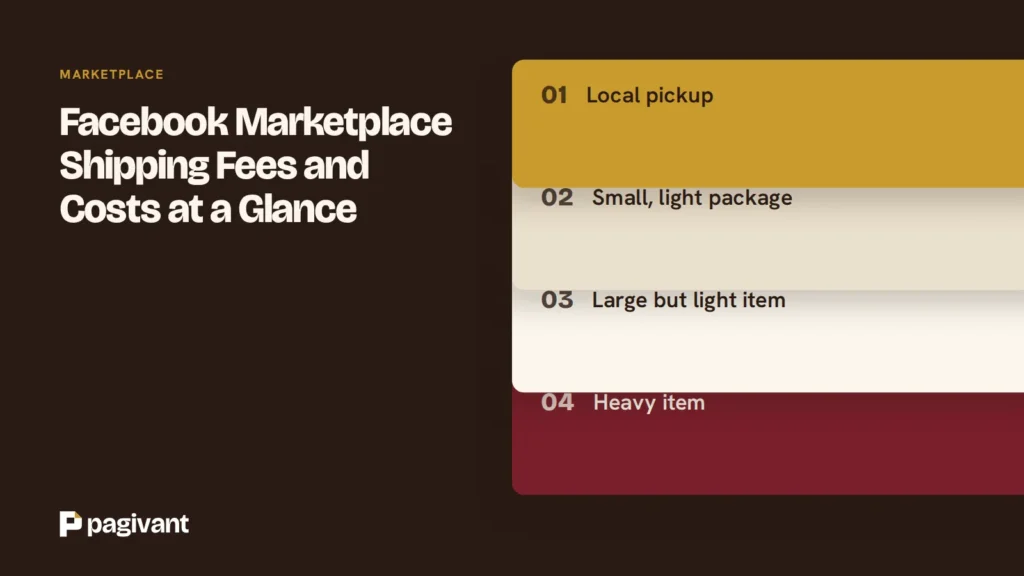
Use this table as a quick check before publishing. It shows what changes the charge; it doesn’t replace the amount displayed for your specific listing.
| Situation | What to use | How long | What to watch for |
|---|---|---|---|
| Local pickup | Pickup option | No transit time | No shipping fee, but arrange a safe meeting place |
| Small, light package | Correct packed weight and box size | Carrier transit time shown at checkout | Don’t use the product weight alone |
| Large but light item | Accurate outer dimensions | Carrier transit time shown at checkout | A large box can cost more than its scale weight suggests |
| Heavy item | Accurate packed weight | Carrier transit time shown at checkout | Check the carrier limit and label details |
| Buyer changes destination | Updated checkout calculation | Depends on the new destination | Don’t promise one shipping amount everywhere |
| Seller uses a prepaid label | Marketplace label shown for the order | Ship by the stated deadline | A wrong weight or size can cause a label adjustment |
| Seller arranges shipping separately | Seller’s chosen carrier and service | Depends on the selected service | Confirm tracking and the buyer’s delivery expectation |
The buyer’s checkout total and the seller’s payout are different numbers. A buyer can pay shipping, while the seller still has a selling fee or label deduction. Always check both screens before accepting an offer.
Details that protect your payout
Start with packaging before you choose a shipping amount. A fragile item may need a larger box and more padding, while clothing may fit in a smaller mailer. Don’t promise a low shipping price until the packed item is ready to weigh and measure.
Put the shipping details in the correct order: pack the item, measure it, enter the information, then review the payout. Checking the listing first and packing later is a common mistake. It can leave you with a label that doesn’t fit the package, and the extra cost can come out of your profit.
Check the listing again before you publish. Look for the shipping method, the buyer’s expected charge, the seller fee, the delivery estimate, and the amount you’ll receive. If any of these fields are missing or different from what you expected, save the listing as a draft and resolve the issue first.
Leave the label and order details alone once the sale is created unless Marketplace gives you a clear correction option. Don’t cover a new service upgrade without checking the payout. If the package needs special handling, a carrier limit, or a service you can’t verify, use a shipping professional or choose local pickup instead.
Marketplace shipping problems and fixes
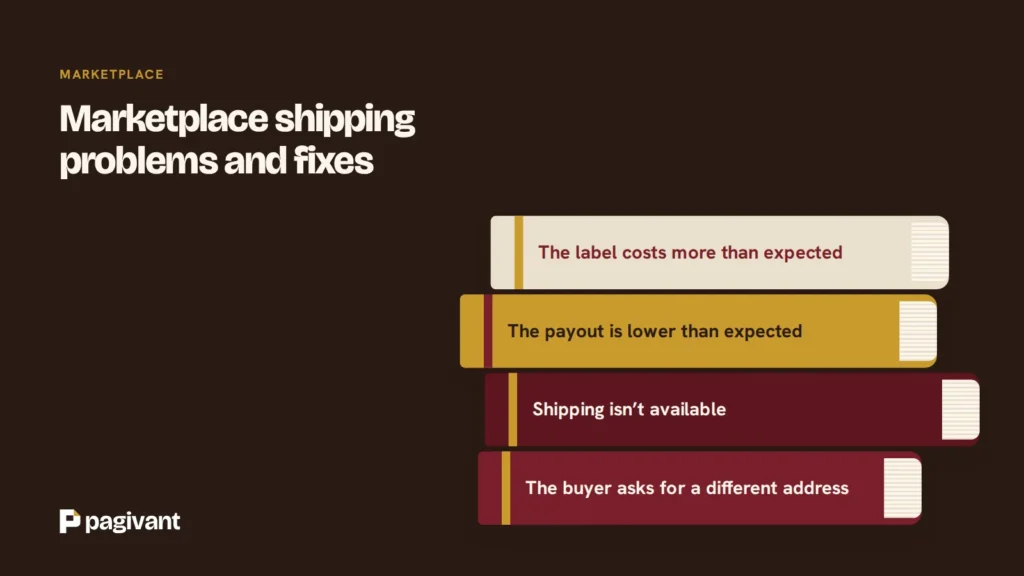
Shipping problems are easier to fix when you match the notice to the part of the order that changed. Don’t cancel or refund an order until you understand whether the problem is the label, the package, or the buyer’s address.
| What you notice | What it usually means | What to do first |
|---|---|---|
| The label costs more than expected | The packed weight, size, or service differs from the listing | Reweigh and remeasure the sealed package |
| The payout is lower than expected | A selling fee, label cost, or adjustment was deducted | Open the payout breakdown before shipping |
| Shipping isn’t available | The item, account, location, or listing may not qualify | Check Marketplace’s current eligibility message |
| The buyer asks for a different address | The original order details may no longer match | Use the order’s approved address and contact Meta Support |
| Tracking hasn’t updated | The carrier may not have scanned the package yet | Keep the drop-off receipt and check the tracking number |
| The package is too large or heavy | The selected service may not accept it | Ask the carrier about an accepted service before sending |
If the label can’t be corrected safely, don’t write over it or send the item with an unrelated label. Contact Meta Support or the carrier handling the label. A seller who ships to a different address can lose tracking protection or create a delivery dispute.
Marketplace shipping rules
Shipping rules depend on the listing type, seller account, item category, destination, and the tools Marketplace makes available. Meta’s checkout screen and seller terms control the fee shown for your order. Before accepting a sale, check the displayed label cost, delivery address, package dimensions, and actual packed weight. Don’t copy a fee from another seller’s account.
Taxes are separate from shipping. In the United States, sales-tax collection can depend on the buyer’s state and marketplace-facilitator rules. The state revenue department or a tax professional is the right source for a tax question, especially if you sell regularly. Don’t add tax to a buyer’s total unless Marketplace’s checkout process tells you to do so.
Carrier rules also apply. USPS, UPS, and FedEx can limit packages by size, weight, contents, and service. An oversized box may cost more than its scale weight suggests, so measure the packed parcel rather than the item alone. Items such as hazardous materials, batteries, alcohol, weapons, or restricted products may need special handling or may not be allowed through a selected service.
Pack the item securely, keep any drop-off receipt, and use the tracking process Marketplace specifies when shipping is available. If the item has a legal restriction, safety risk, or special carrier requirement, don’t guess. Use a licensed or qualified shipping service, or choose local pickup when it’s allowed. If Marketplace blocks the listing, don’t move payment to an outside app just to bypass the restriction.
Keep shipping records organized
Save the order confirmation, label, tracking number, packed weight, package measurements, and drop-off receipt. These records help if the buyer says the item didn’t arrive or the payout doesn’t match the listing.
Keep the package information with the listing notes until the transaction is complete. Record which box and shipping option you used, rather than only the item’s name. If you sell the same item again, recheck the details because a different box, destination, or Marketplace option can change the result.
Before buying a label, compare the packed package’s weight and measurements with the values entered in the listing or shipping screen. The package, not the item alone, is what the carrier charges.
There’s no single reliable “refresh date” for every shipping fee. Recheck the listing when the shipping option changes, when the carrier changes its rates, or when the item needs a different package. If the label shows an unexpected adjustment, stop and review the measurement before sending another order. When a buyer reports non-delivery, compare the tracking status with the drop-off receipt before responding.
When Marketplace shipping isn’t right
Marketplace shipping isn’t a good fit for furniture, large appliances, fragile glass, or items that cost too much to return. If the package needs freight service or special insurance, arrange that directly with a suitable carrier or sell locally. Confirm the carrier will accept the item before listing it. A standard marketplace label may not cover its size, weight, or damage risk. If you can’t package it securely for a return, choose local pickup.
It’s also a poor choice when your margin is small. If shipping, packaging, selling fees, and possible adjustments leave little money, choose local pickup or raise the price before publishing. Include a return or refund cost if you might have to pay it.
If the item is restricted, unusually valuable, or difficult to describe accurately, don’t force it through standard shipping. Check current marketplace and carrier requirements for that item before accepting an order. Use a qualified shipping service, follow the carrier’s rules, or choose a sales channel with the right protection and handling process.
Want an expert to set this up with you? Take a look at Facebook Marketplace Account Setup.
Frequently asked questions
Does the buyer or seller pay Marketplace shipping?
Usually, the buyer sees a shipping charge at checkout, but the seller can still have a label cost or selling fee deducted from the payout. The exact arrangement depends on the listing and account. Read the buyer total and seller payout separately. A shipping charge collected from the buyer doesn’t automatically equal the seller’s final shipping expense.
Why is Facebook Marketplace shipping so expensive?
Shipping can be expensive when the packed box is large, heavy, far from the buyer, or sent with a faster service. Packaging also counts. Measure the sealed package, not just the item. If the charge still looks wrong, compare the entered details with the order label and carrier estimate before shipping.
Can I offer free shipping on Facebook Marketplace?
Yes, but “free” shipping means the buyer doesn’t see a separate shipping charge. The shipping cost still has to come from somewhere, such as the item price or your profit. Check the payout after all displayed deductions. Free shipping works best when package size and delivery cost are predictable.
How long does Marketplace shipping take?
The delivery time is the estimate shown for the selected carrier service and destination. It can change after weekends, holidays, weather, or carrier delays. Ship within the order’s stated deadline and keep the tracking receipt. Don’t promise an earlier arrival than the checkout estimate unless the carrier confirms it.
Is it safe to ship a Marketplace item to a new address?
No, you shouldn’t ship to a different address without following the order’s approved address and Marketplace instructions. A buyer’s message with a different address can create a tracking and protection problem.
What happens if the package is heavier than the label?
The carrier or platform may apply a shipping adjustment, delay the package, or reject the label. The result depends on the service and the difference in weight or size. Reweigh and remeasure the sealed package before dropping it off. If it doesn’t match, correct the order through Marketplace or ask the carrier for the approved next step.
Conclusion
Before you publish your next listing, check the current checkout preview and decide whether shipping still makes sense for your item. If the total doesn’t look right, offer local pickup or adjust the price openly. Fees and policies can change, so it’s worth reviewing the details to prevent surprises for you and the buyer.

Derek Campbell writes about Facebook features, tools, and account management, covering topics such as account troubleshooting, Business Manager, Facebook Marketplace, and outreach strategies. His content also explores Facebook Groups, community engagement, and ways to connect with relevant audiences. His writing emphasizes practical Facebook know-how, from navigating Marketplace and managing business communities to building meaningful connections through Groups and outreach.
Checked against Facebook’s own help and policy pages on the date shown above.