How to Make an Offer on Facebook Marketplace


To make an offer on Facebook Marketplace, check the listing, ask one clear question, and send a fair price with a pickup time; for one item, this usually takes 10–20 minutes, not counting travel or waiting. Have your maximum budget and a safe meeting plan ready, and reconsider if the seller requests payment before inspection.
What you need to make an offer
Keep the listing and your buying limits in front of you. You’ll make a better offer when you know the advertised price, the item’s condition, and the highest amount you’re willing to pay.
| Item | How much | Why it’s needed | A substitute |
|---|---|---|---|
| Marketplace listing | 1 link | Shows price and details | Seller’s screenshots |
| Maximum budget | 1 fixed amount | Prevents overspending | Written phone note |
| Comparable listings | 3 nearby items | Supports fair pricing | Recent sold prices |
| Seller questions | 2–4 clear questions | Confirms condition | None — ask directly |
| Pickup location | 1 public place | Plans safe exchange | Seller’s secure location |
| Payment method | 1 ready option | Completes the deal | Cash, if accepted |
The trade-off is simple: a lower offer may save money, but it can also lose the item to another buyer. If the listing is new, detailed, and fairly priced, offer close to the asking price; if it has damage, missing details, or has been listed for a long time, leave more room to negotiate.
Prepare a Facebook Marketplace offer
-
Before making an offer on Facebook Marketplace, read the entire listing. Check the price, condition, size, brand, location, and description. Look for words such as “firm,” “no holds,” or “pickup only.” Don’t offer until you know what the seller has already explained.
-
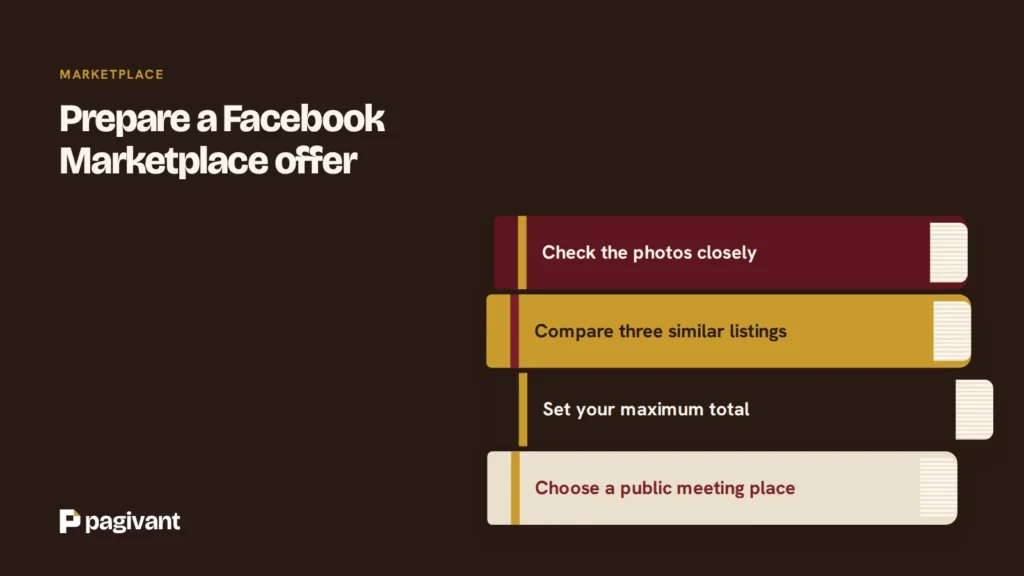
Check the photos closely. Look for damage, missing parts, stains, cracks, or signs that the photos don’t show the full item. Ask for a new photo when an important area is hidden.
-
Compare three similar listings. Use the same condition, brand, size, and local area where possible. A new item, a used item, and a damaged item shouldn’t guide the same offer.
-
Set your maximum total. Include the item price, travel, delivery, taxes, replacement parts, and cleaning costs when they apply. Keeping these costs in mind is inexpensive compared with paying more for an unsuitable item.
-
Choose a public meeting place. A busy store, police department exchange area, or other well-lit public location is better than an isolated address. For large items, bring another adult and confirm you can inspect the item safely.
-
Decide what must be checked. For electronics, check that the device powers on and matches the listing. For furniture, check measurements and damage. For vehicles, use a qualified mechanic before committing.
-
Stop before risky inspection. Don’t open sealed electrical parts, test gas equipment, lift heavy objects alone, or handle weapons. If the item needs technical, legal, or safety checks, use a qualified professional instead.
The preparation people skip is checking the total cost, not just the listed price. A cheap item can become expensive after travel, missing parts, delivery, or repairs. You’re not a good fit for this method if you need guaranteed condition, a formal receipt, a return policy, or professional installation; use a suitable retailer or specialist instead.
Send the offer step by step
- Open the listing and confirm the asking price. Check that the item is still available and that the seller hasn’t changed the price in the description. Write down the exact listing price and location before messaging. If the price differs between the headline and description, ask which amount applies before making an offer.
-
Ask the most important question first. Send one short message about the condition or missing detail. For example: “Does it work correctly, and are all parts shown included?” Wait for a clear answer. If the seller avoids the question, gives conflicting details, or rushes you, don’t increase your offer to keep the deal alive.
-
Choose an offer based on evidence. Start near the asking price when the item is fairly priced and complete. Offer less when there’s confirmed damage, missing equipment, or a repair cost. Don’t use a random low number; explain the specific reason so the seller can judge your offer fairly.
-
Write the price in one clear message. State the item, your exact offer, and whether pickup or delivery is included. A useful message is: “I can offer a fair price for the table and pick it up Saturday afternoon, if it matches the photos.” This clear approach is inexpensive compared with paying for an unsuitable item.
-
Give a real pickup window. Offer one day and a time range you can keep, such as Saturday from 2:00 to 3:00 p.m. Don’t promise immediate pickup unless you can travel, inspect, and pay during that period. A specific plan makes a lower offer stronger than a vague promise to buy later.
-
Wait for the seller’s answer. Give the seller time to accept, reject, or counter your offer. If there’s no reply, send one polite follow-up after a reasonable interval, then move on. Don’t send repeated messages or pressure the seller, especially when the listing says the price is firm.
-
Confirm the deal in writing. Repeat the agreed price, item, meeting place, date, and payment method in Messenger. Ask the seller to confirm that the item will be available then. If the seller changes the price, location, or payment demand afterward, treat it as a new negotiation.
-
Inspect before handing over payment. Compare the item with the listing, test the promised features, and check included parts. For an item that can’t be safely tested at the meeting place, arrange a professional inspection or don’t buy it. If it fails an agreed condition, you can leave without paying.
-
Pay only after the checks pass. Use the payment method you agreed on, and keep the Messenger conversation and receipt or payment record. Don’t send money to “hold” an item unless you accept the risk of losing it. The FTC gives online shopping advice, including warnings about pressure to pay before a purchase is properly confirmed.
-
Close the conversation clearly. After buying, confirm that the exchange is complete and save the listing details until you’ve checked the item at home. If you don’t agree, write “Thanks, but I’ll pass” and stop negotiating. A calm refusal costs less than buying something you can’t use.
Check whether the offer worked
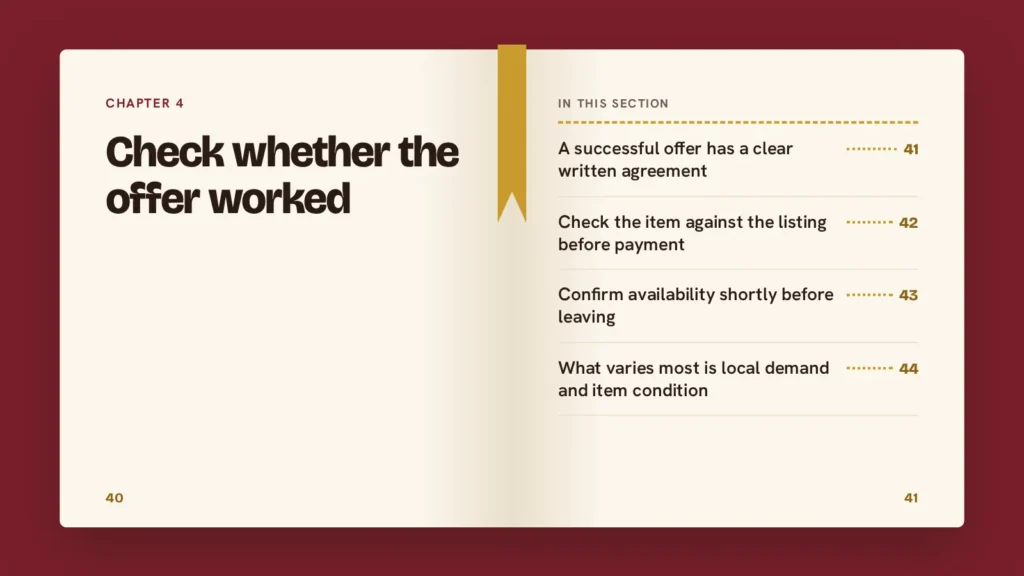
A successful offer has a clear written agreement. You should be able to point to the agreed price, the item, the meeting time, and the payment plan in Messenger. If one of those details is missing, the deal isn’t settled yet.
Check the item against the listing before payment. Confirm the model, color, size, quantity, included accessories, and visible condition. For electronics, use the available power source and test the specific function you care about. For furniture, compare the measured dimensions with your available space.
The offer needs another round when the seller counters, changes the condition, or adds a delivery or service charge. Recalculate your maximum total instead of reacting to the new price emotionally. If the new total is above your limit, decline or make one final offer.
A message saying “pending” or “sold” means the item may no longer be available, even if your offer was accepted earlier. Confirm availability shortly before leaving. If the seller won’t confirm the item, price, or location, don’t travel or send money.
What varies most is local demand and item condition. Read your value from three comparable local listings and the exact defects you can confirm; don’t treat the listed price alone as proof that an offer is fair.
Facebook Marketplace offer problems
A low offer isn’t always the real problem. The issue may be unclear condition, an unreliable seller, extra costs, or a payment request that changes the risk. Before offering, confirm what is included, where pickup happens, and whether you can inspect it.
| What happened | Why | What to do |
|---|---|---|
| Seller rejects immediately | Price is too low | Thank them or counter once |
| Seller won’t answer questions | Details may be unclear | Don’t send payment |
| Price changes at pickup | Terms weren’t settled | Leave or renegotiate |
| Item differs from photos | Listing was incomplete | Don’t pay as agreed |
| Seller demands advance payment | Buyer carries added risk | Decline and report |
| Seller cancels repeatedly | Poor reliability | Stop arranging pickup |
Ask for the details that affect value before travelling: working condition, missing parts, defects, included accessories, and the final price. Keep important terms in Marketplace messages rather than relying on a verbal promise.
The costly mistake is focusing only on winning the lowest price. Buyers sometimes accept missing parts or skip testing to avoid losing a “good deal.” The savings can disappear through repairs, wasted travel, or an unusable item.
If the seller refuses a reasonable inspection, changes the price, or requests payment before you see the item, treat that as a risk signal rather than a negotiation challenge. For a local pickup, inspect and test the item before paying; if the condition or terms differ, leave without completing the sale.
How often should you make offers?
Make one clear offer per negotiation, then send no more than one follow-up if the seller hasn’t answered. Repeated offers usually don’t improve your position. They can make the conversation harder to follow and may cause the seller to stop responding.
The right time to follow up depends mainly on how quickly the listing is moving and how specific your pickup plan is. For a newly posted item with several interested buyers, respond promptly and offer a firm time. For an older listing with little activity, you may have more room to negotiate, but don’t assume the seller must accept less.
If the seller counters, decide within the time you can honestly keep the item available. If you need more than a day to arrange money or transport, say so before asking the seller to hold it. Don’t call the item reserved until both sides agree on the terms.
For high-value items, take more time rather than making more offers. Compare the listing again, verify ownership or purchase details where relevant, and arrange an inspection. A fast message is useful; a rushed purchase isn’t.
Want an expert to set this up with you? Take a look at Facebook Marketplace Account Setup.
Frequently asked questions
Can you make an offer on Facebook Marketplace?
Yes, you can make an offer by sending the seller a Messenger message with one exact price and a pickup plan. Facebook Marketplace doesn’t make every seller use the same negotiation feature, so some sellers may accept offers only through chat. Read the listing for “firm” or “no offers” language first. If the seller declines, don’t keep sending lower prices. Ask whether they’ll consider a future offer if the item remains unsold.
Why is my Facebook Marketplace offer not working?
Your offer may fail because the price is too low, the seller marked the price as firm, or the message doesn’t include a clear pickup plan. A vague message such as “Lowest?” Gives the seller little reason to reply. State the exact amount, explain one fair reason, and give a realistic pickup window. If the seller still doesn’t respond after one follow-up, treat the item as unavailable and search for another listing.
How long should I wait for a Marketplace seller to reply?
Wait at least several hours before one polite follow-up, unless the seller gave a different response time. There’s no guaranteed reply period because sellers use Marketplace at different times. Keep your message short and repeat your offer only once. If you need the item for a specific date, say that clearly. Don’t send payment while waiting, and don’t assume silence means the seller accepted your offer.
Is it safe to make an offer on Facebook Marketplace?
Yes, making the message is generally low risk, but the purchase still needs care. Keep communication in Messenger, inspect the item before paying, and meet in a public place when possible. Avoid sharing unnecessary personal information or sending money just to reserve an item. For expensive, regulated, or potentially dangerous goods, use the appropriate professional, legal, or safety check before agreeing to buy.
What happens if a seller accepts my offer?
An accepted offer usually means you still need to confirm the item, time, place, and payment details. It doesn’t replace an inspection. Repeat the agreed price in writing and ask the seller to confirm that the item will be ready. If the item is damaged, incomplete, or different from the listing, you can decline before paying. If the seller changes the terms, decide whether the new deal still fits your budget.
Does it matter how much lower your offer is?
Yes, the size of the discount affects both acceptance and trust. A small reduction is easier to justify when the item is fairly priced, while a larger reduction needs a clear reason such as missing parts or confirmed damage. Compare three similar local listings before choosing your amount. If your budget is far below the asking price, search for a cheaper item instead of expecting the seller to accept an unsupported offer.
Can you cancel a Marketplace offer?
You can send a message saying you’re no longer interested, but the practical result depends on whether you’ve paid or made another binding arrangement. If you haven’t paid, tell the seller promptly and clearly. Don’t disappear after agreeing to a pickup time. If money has changed hands, check the payment service’s rules and the seller’s written terms. Never send extra money just to “unlock” a refund or cancellation.
Conclusion
Before your next Marketplace purchase, save the listing, keep messages inside Facebook, and trust your judgment if anything feels rushed or unclear. After a successful exchange, leave an honest review and note what you’d do differently next time. That small habit will make future purchases safer and easier.

Derek Campbell writes about Facebook features, tools, and account management, covering topics such as account troubleshooting, Business Manager, Facebook Marketplace, and outreach strategies. His content also explores Facebook Groups, community engagement, and ways to connect with relevant audiences. His writing emphasizes practical Facebook know-how, from navigating Marketplace and managing business communities to building meaningful connections through Groups and outreach.
Checked against Facebook’s own help and policy pages on the date shown above.